Sign up your company
Create your Ketik account and start a free trial with every feature.
Organization admin
4 steps
·
3 min · Updated 22 November 2026
You only need your company name, an email address and a phone number. No card is needed for the free trial.
-
1
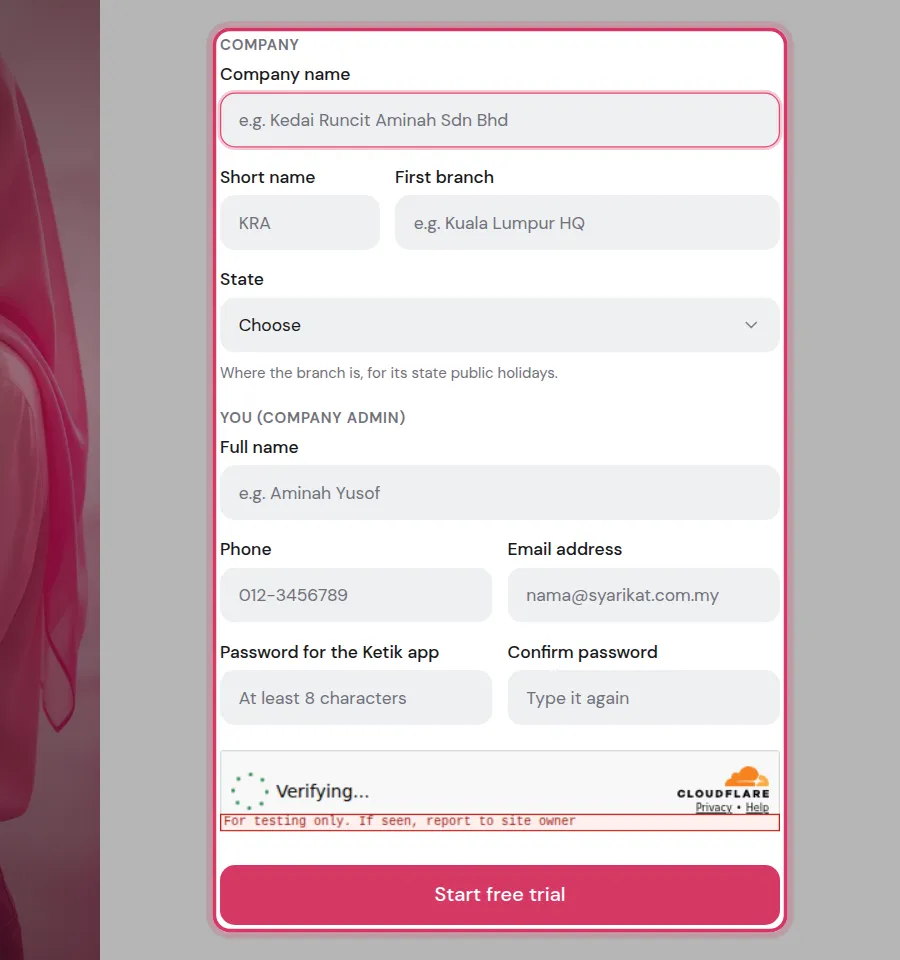
Open the sign-up page
Go to ketik.my and click Start free trial, or open ketik.my/register.
-
2
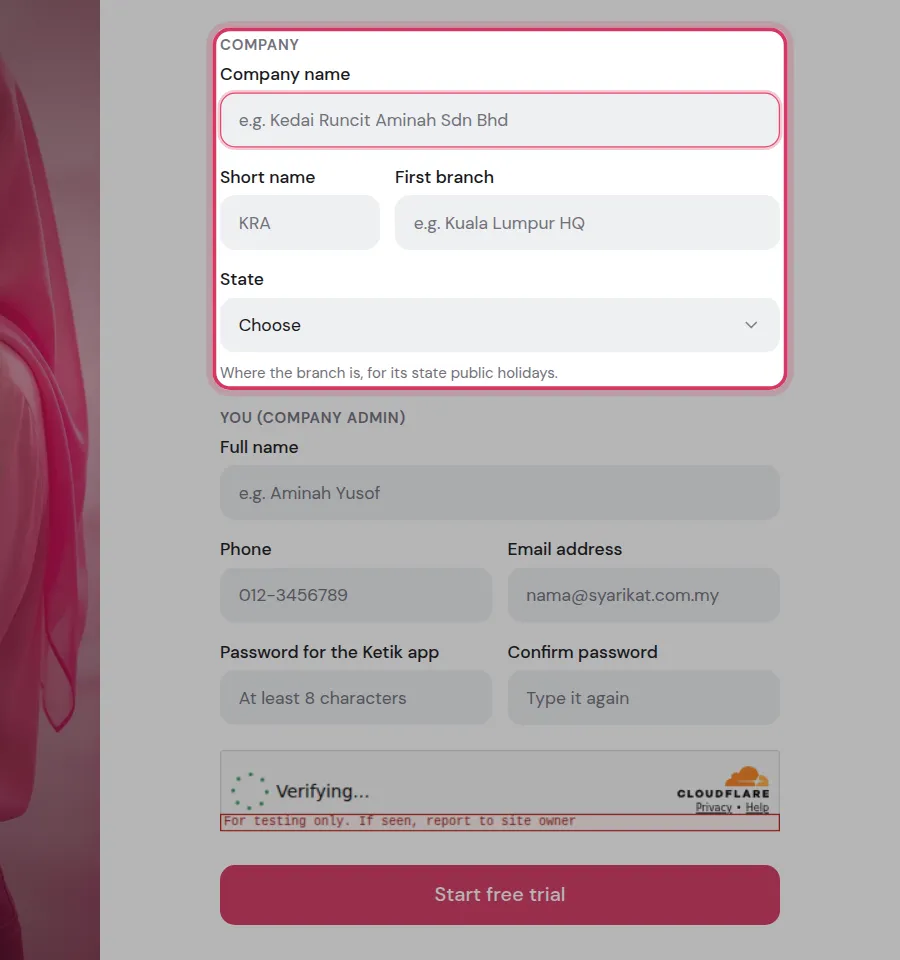
Tell us about your company
Enter the company name and your first branch. You can add more branches later.
-
3
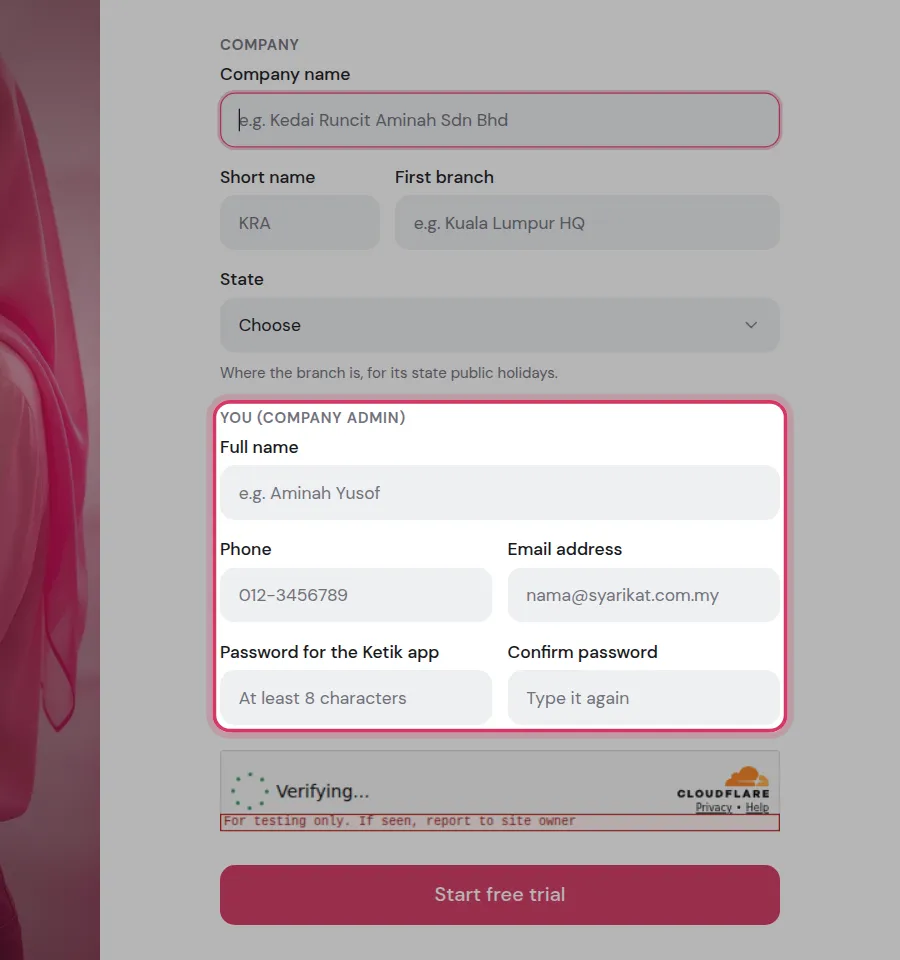
Add your own details
You become the company admin. Use an email you check often: reminders and receipts go there.
-
4
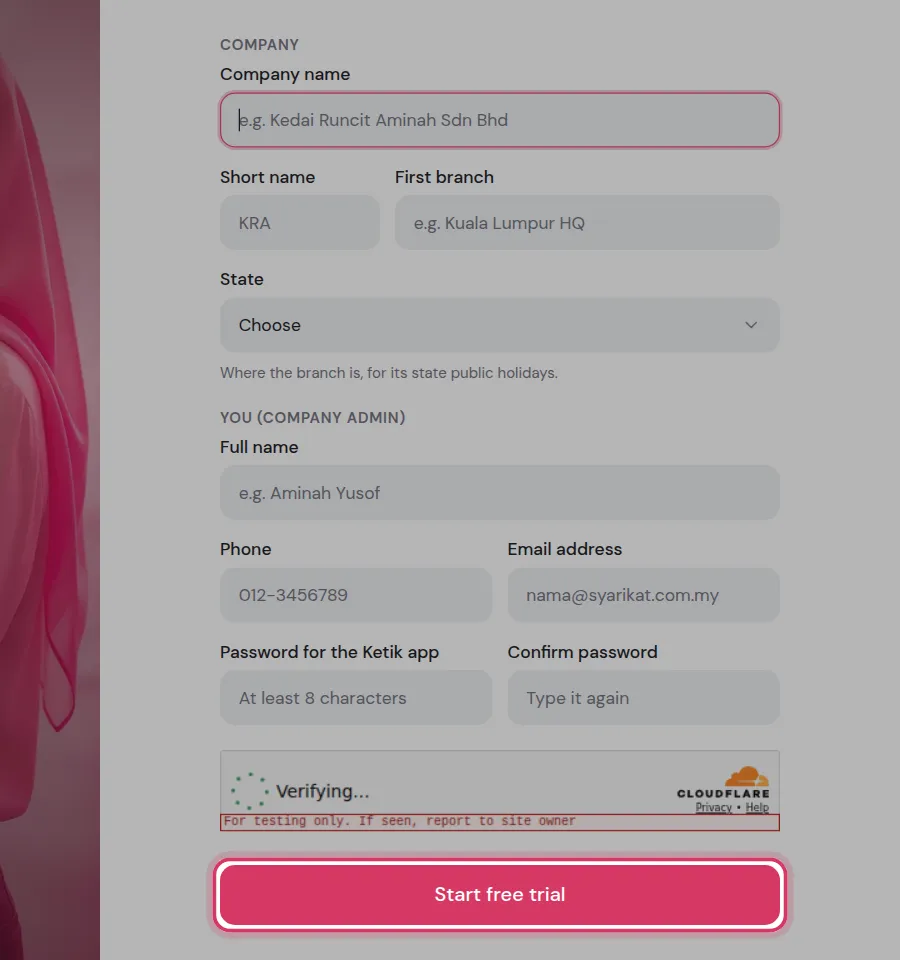
Start the free trial
Click Start free trial. You land on your dashboard, ready to add staff.
Was this guide helpful?