Add a branch
Open another outlet or office under the same company.
Organization admin
3 steps
·
2 min · Updated 22 November 2026
-
1
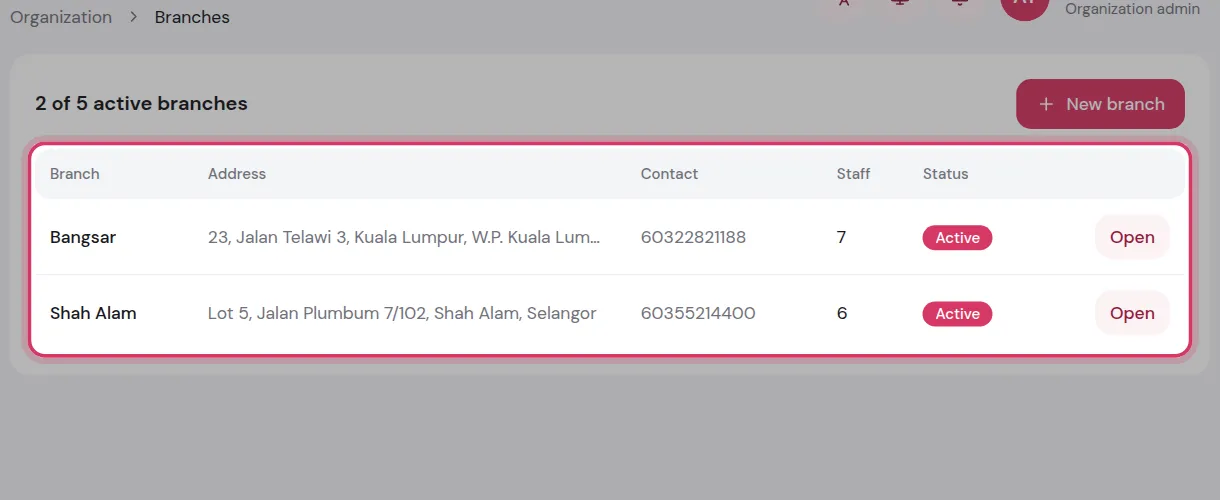
Open Branches
In the Organization menu, click Branches. The count shows how many your package allows.
-
2
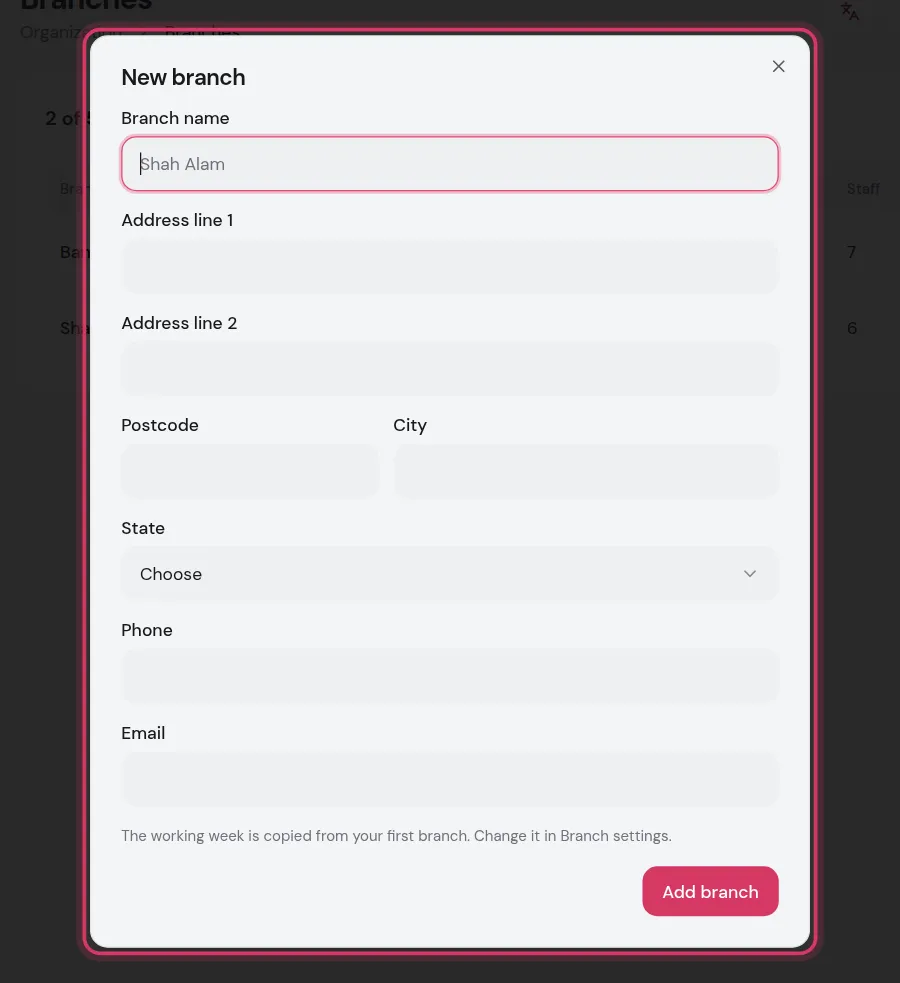
Click New branch
Enter the name, address and contact. The working week is copied from your first branch.
-
3
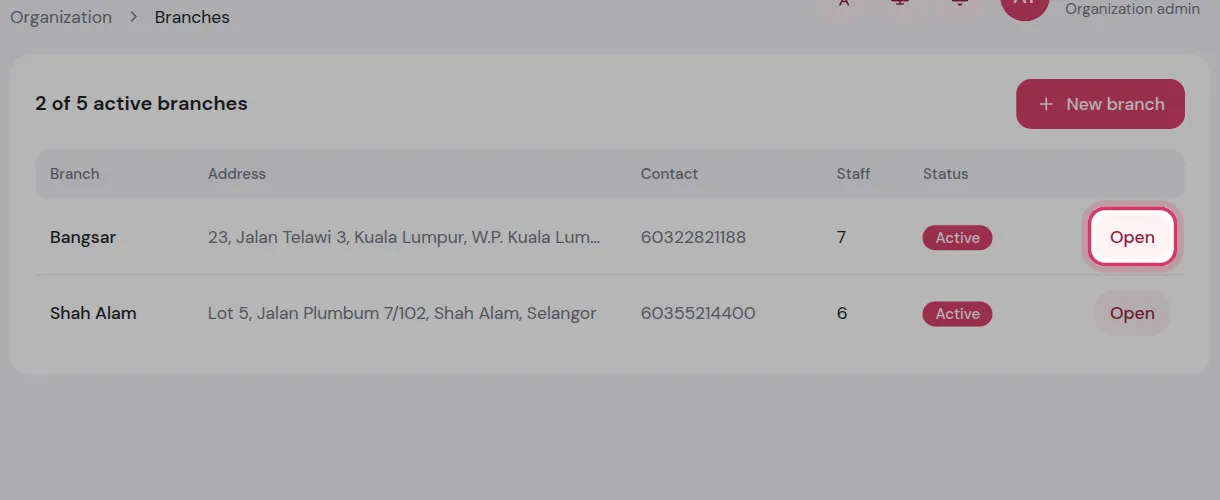
Open it to set it up
Click Open to manage the branch: add its staff, locations and screens.
Was this guide helpful?