Set up leave types and entitlements
Decide which leave staff can take and how many days, including more days for longer service.
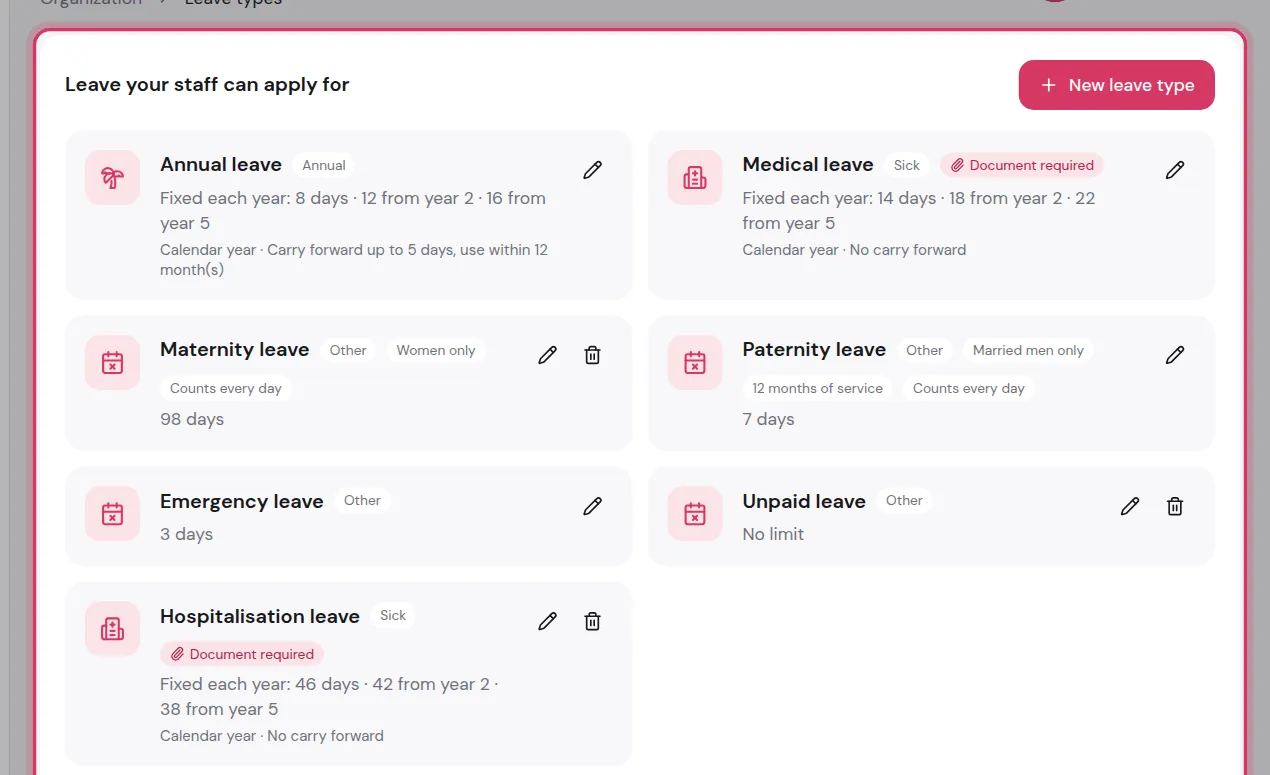
Ketik starts you with the Employment Act minimums: Annual leave (8 days, 12 from 2 years of service, 16 from 5), Medical leave (14 days, 18 from 2 years, 22 from 5; MC required), Hospitalisation leave (46, 42 from 2 years, 38 from 5, so it makes 60 days with medical leave), Maternity leave (98 days, women) and Paternity leave (7 days, married men with 12 months of service). Change them to match your company policy.
-
1
Open Leave types
Every kind of leave your staff can apply for is listed with its days a year.
-
2
Edit a leave type
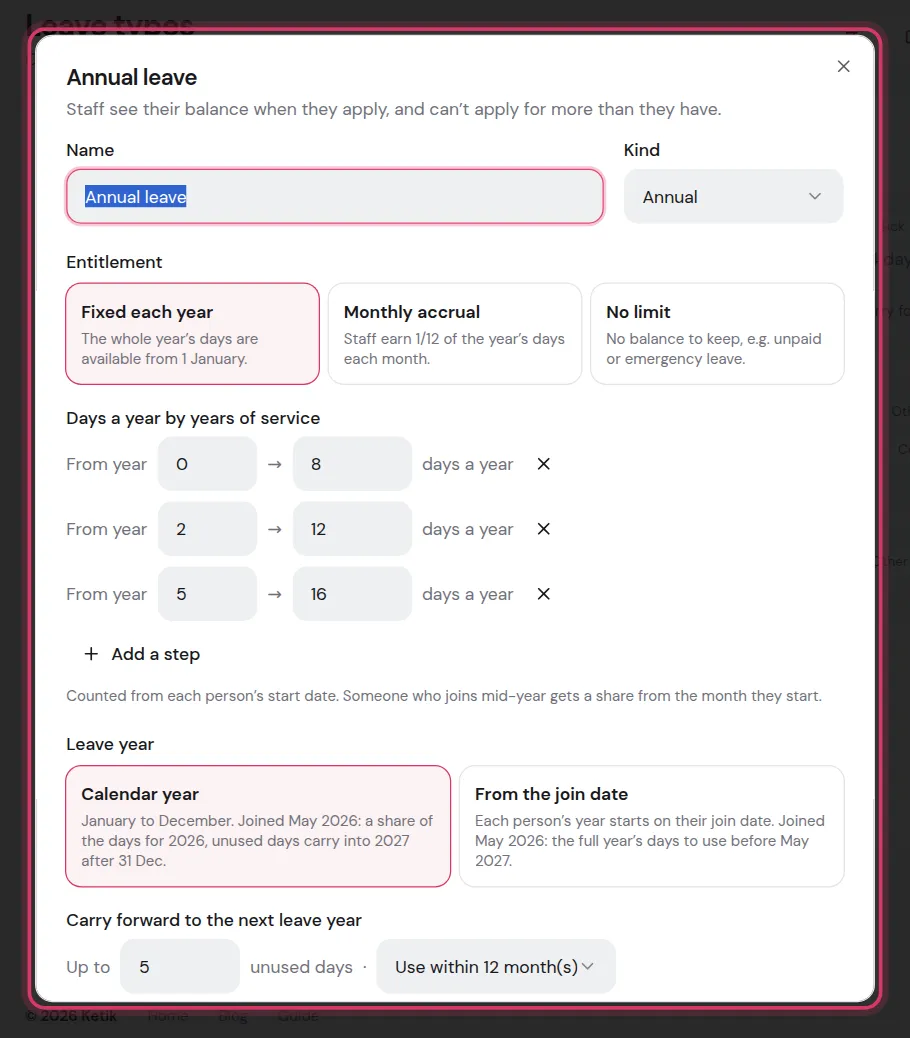
Pick its Kind. Only one leave type can be Annual. Annual and Sick kinds have steps by years of service, a leave year and carry forward; other leave has a number of Days a year (or No limit) and Who can apply: everyone, women (maternity) or married men (paternity). At least 12 months of service keeps newer staff out (on for paternity leave). Staff who can’t take a type see it greyed out when they apply, with the reason. Include rest days and public holidays makes every date in the range count, as maternity and paternity leave do (on by default for both).
Under Supporting document, choose whether staff attach a photo or PDF when they apply: Not asked, Optional or Required. Medical leave starts as required, so an MC comes with every application; supervisors open it from Approvals before deciding.
-
3
Annual leave: days for years of service
On annual leave, choose how it is earned: the whole year at once, month by month (accrual), or no limit. Add a step for each milestone, for example 8 days, 12 from year 3 and 16 from year 6.
Pick the Leave year: a calendar year (January to December; someone who joins in May 2026 gets a share for 2026) or from the join date (joined May 2026: the full year’s days, to use before May 2027). Under Carry forward, set how many unused days move to the next leave year (0 = none) and, within how many months they must be used (12 by default: on a calendar year, by 31 December). Click Save.
Was this guide helpful?