Choose a package and pay
Subscribe or upgrade, by card that renews itself or a one-off FPX payment.
Organization admin
4 steps
·
3 min · Updated 22 November 2026
-
1
See your current package
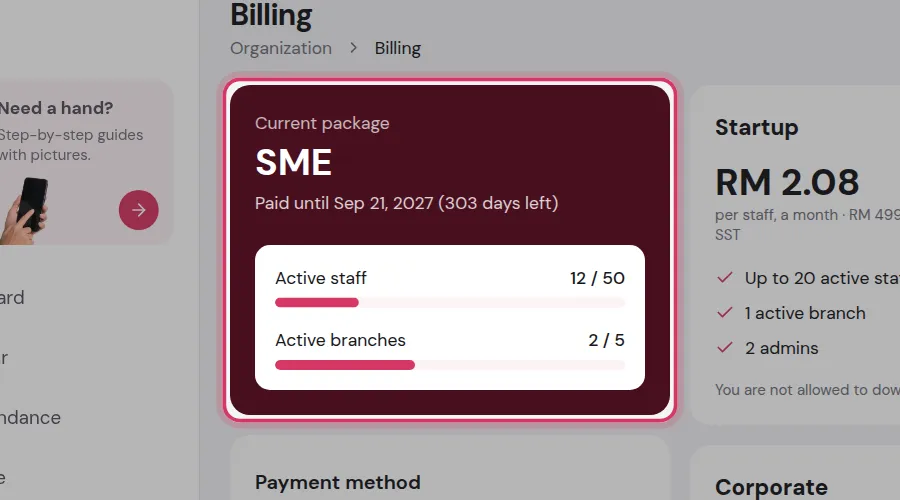
Open Billing. The dark card shows your package, when it ends, and how many staff and branches you use.
-
2
Compare packages
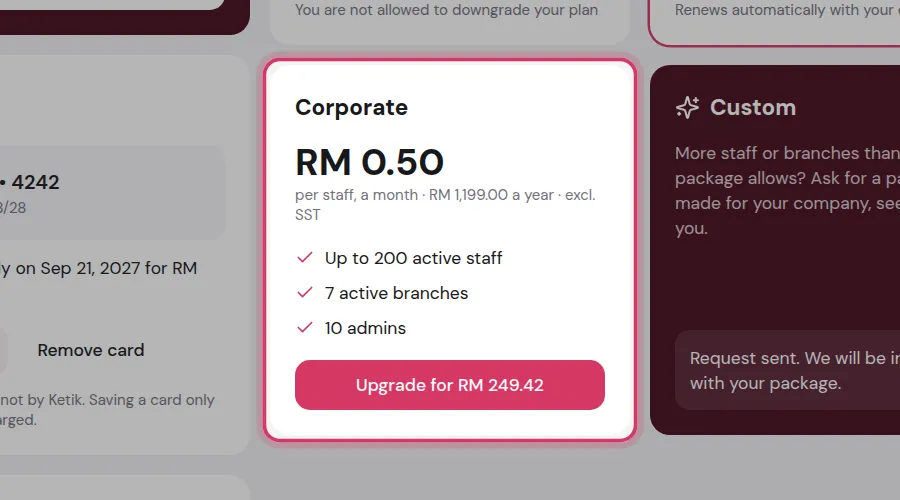
Each package shows its yearly price, the cost per staff a month and its limits. Need more? Request a custom package.
-
3
Choose how to pay
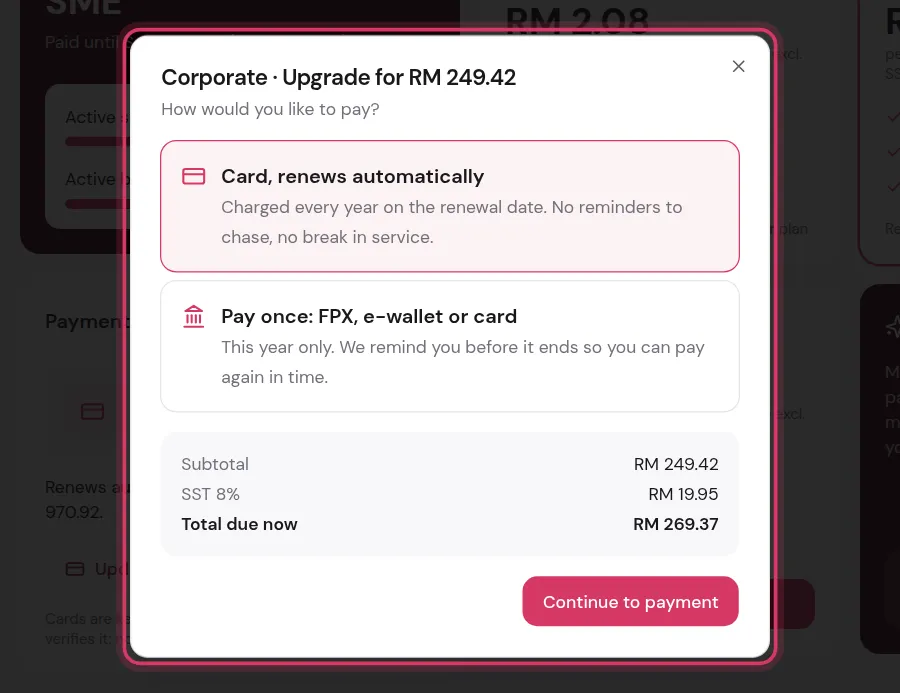
Pick Card, renews automatically for no-fuss yearly renewal, or Pay once by FPX, e-wallet or card. Upgrades only charge the days left. Package prices are before SST: when SST applies, the dialog shows the subtotal, the SST and the total you pay.
-
4
Get your receipt
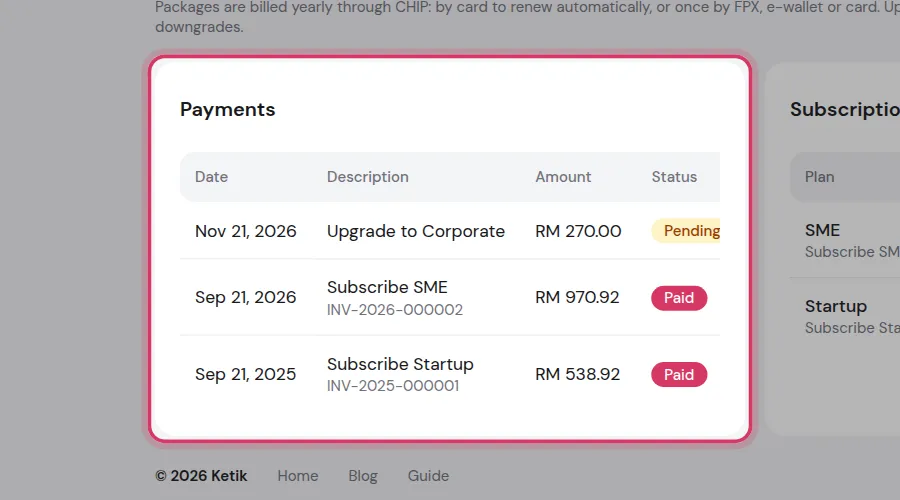
After paying you return to Ketik. Every payment is listed under Payments: click Invoice to open it, then Print or Download PDF.
Was this guide helpful?