Post an announcement
Share news, policies or reminders with the whole company or one branch, with photos and PDFs.
Organization admins post in Organization › Announcements, for the whole company or one branch. Branch admins post for their own branch in Branch › Announcements, which works the same way.
-
1
Open Announcements
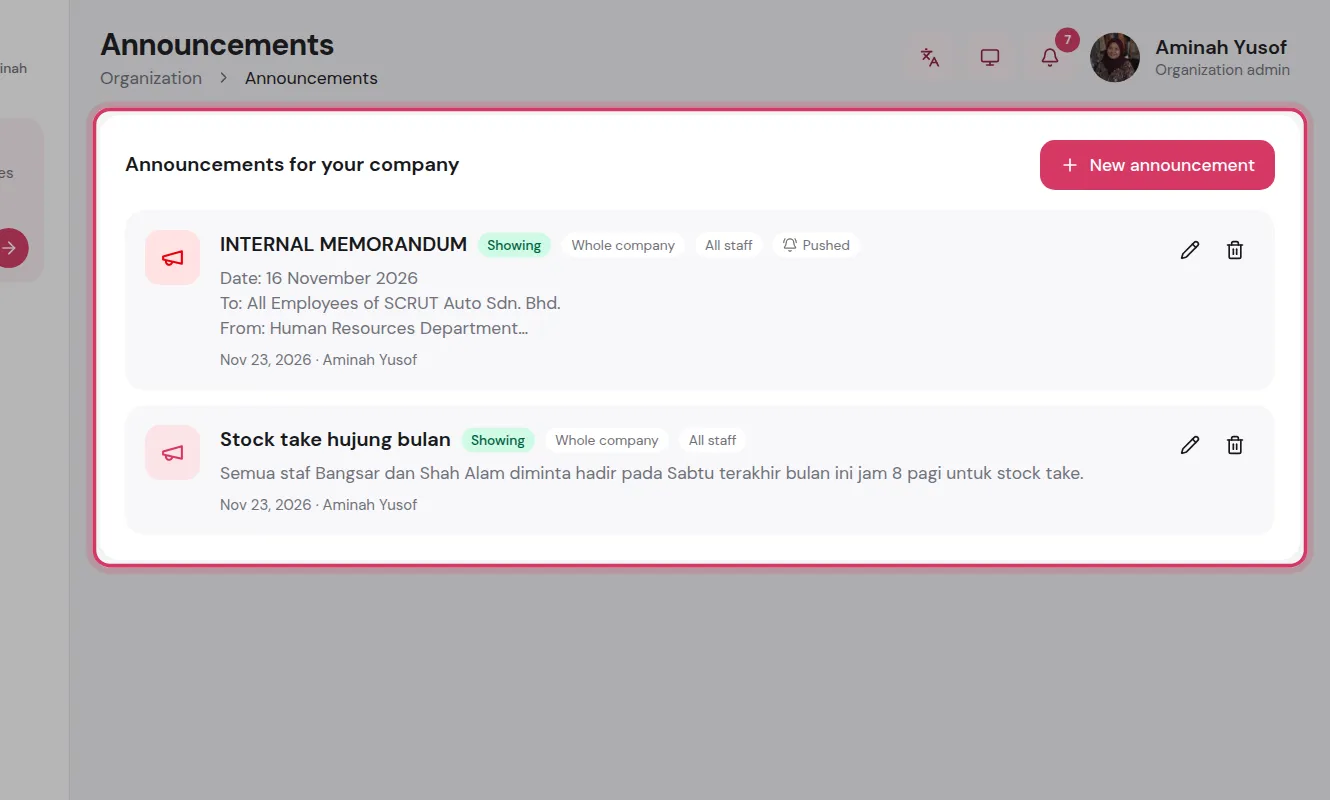
The list shows every announcement with its status: Showing, Scheduled, Ended or Off. Use the pencil to edit one, or the bin to delete it.
-
2
Write it
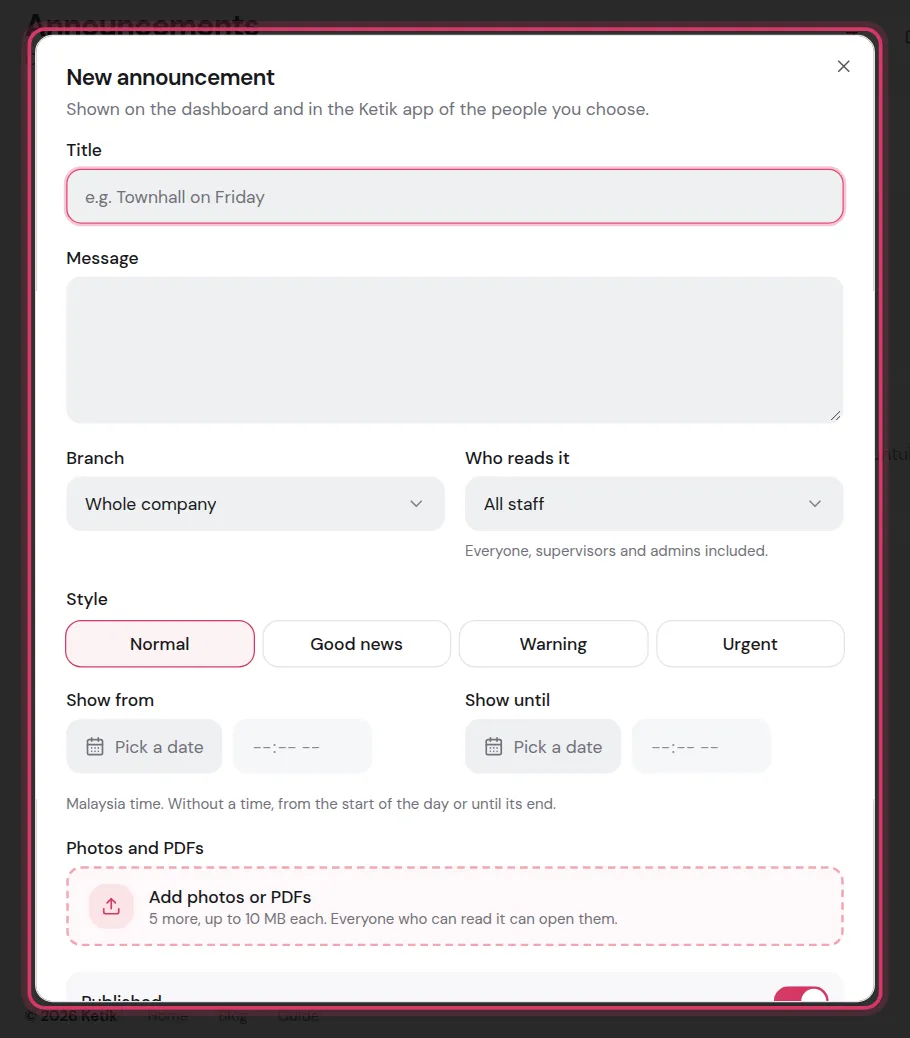
Click New announcement, then type a Title and the Message. Pick a Style: Warning and Urgent get a coloured dot so they stand out.
-
3
Choose who reads it, and when
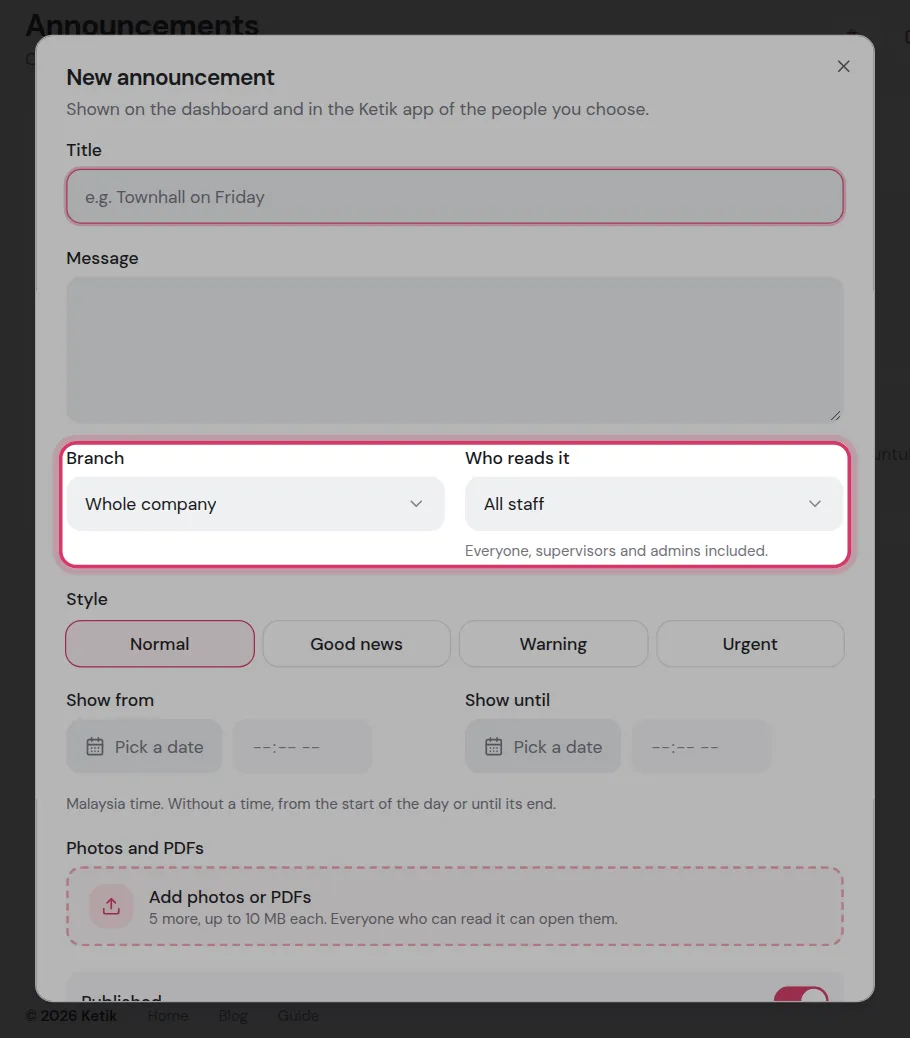
Under Branch, choose Whole company or one branch. Under Who reads it, choose all staff, supervisors, branch admins or organization admins only. To schedule it, set Show from and Show until.
-
4
Attach files and post
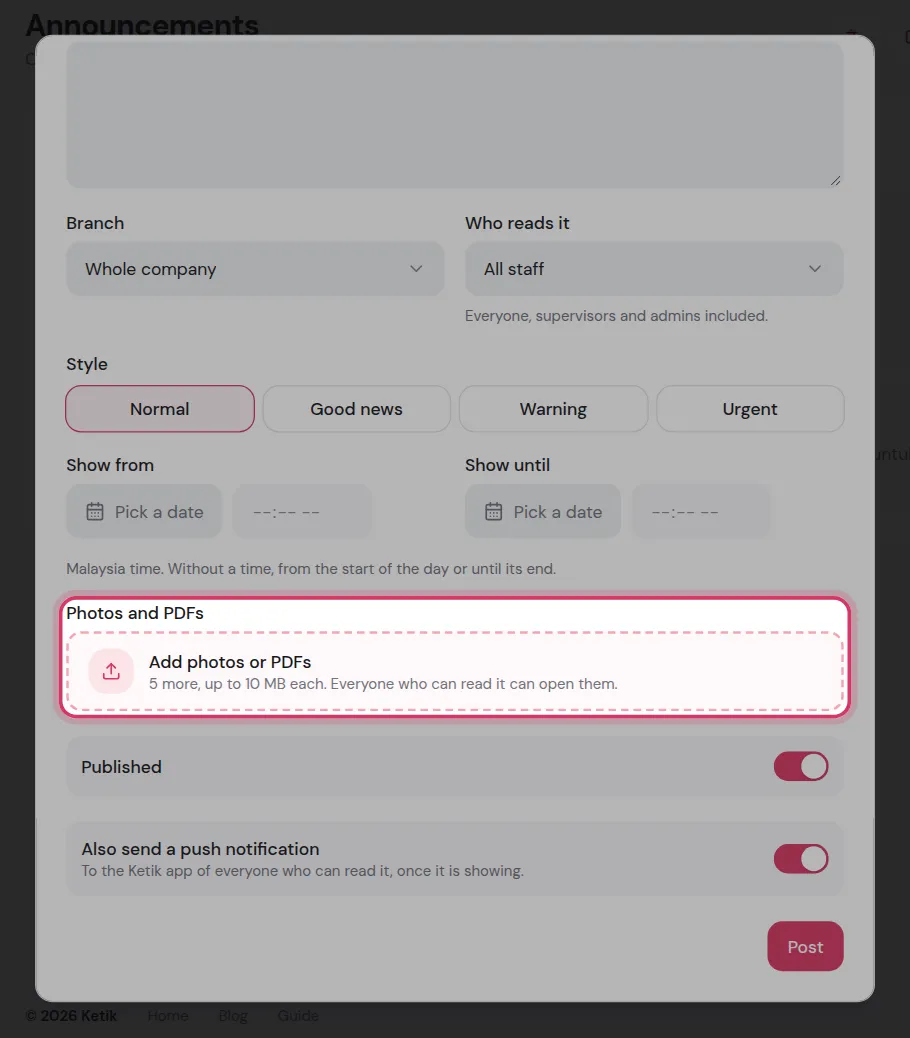
Under Photos and PDFs, add up to 5 files of 10 MB each. Turn on Also send a push notification to alert their Ketik app, then click Post.
Was this guide helpful?