Read announcements
Find your company’s news on the dashboard, open it in full and search older ones.
Staff
3 steps
·
1 min · Updated 29 November 2026
-
1
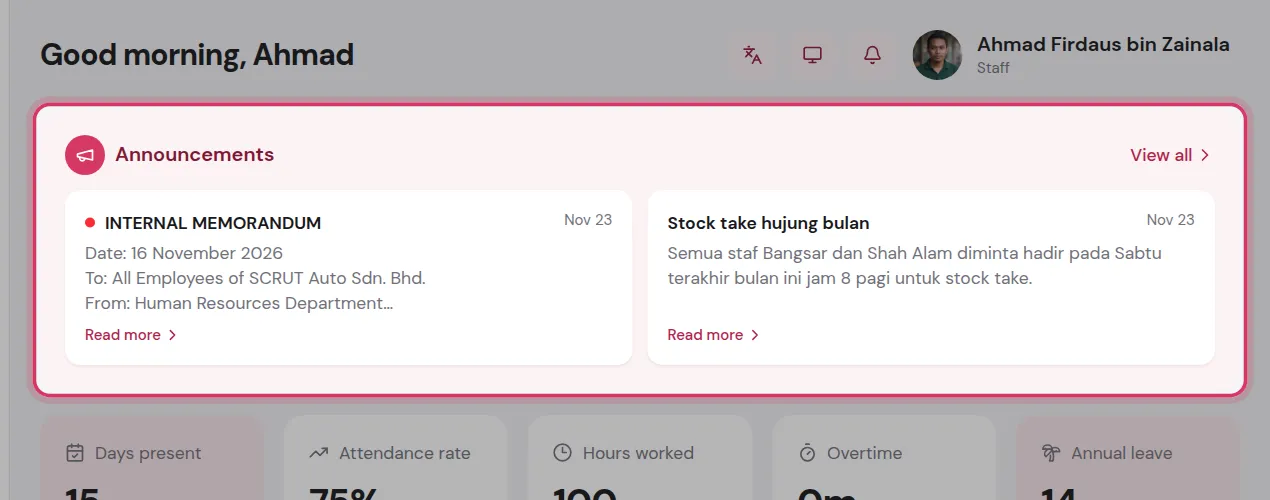
See the latest on your dashboard
The Announcements block at the top of your dashboard shows the latest four. A red or amber dot marks an urgent one or a warning.
-
2
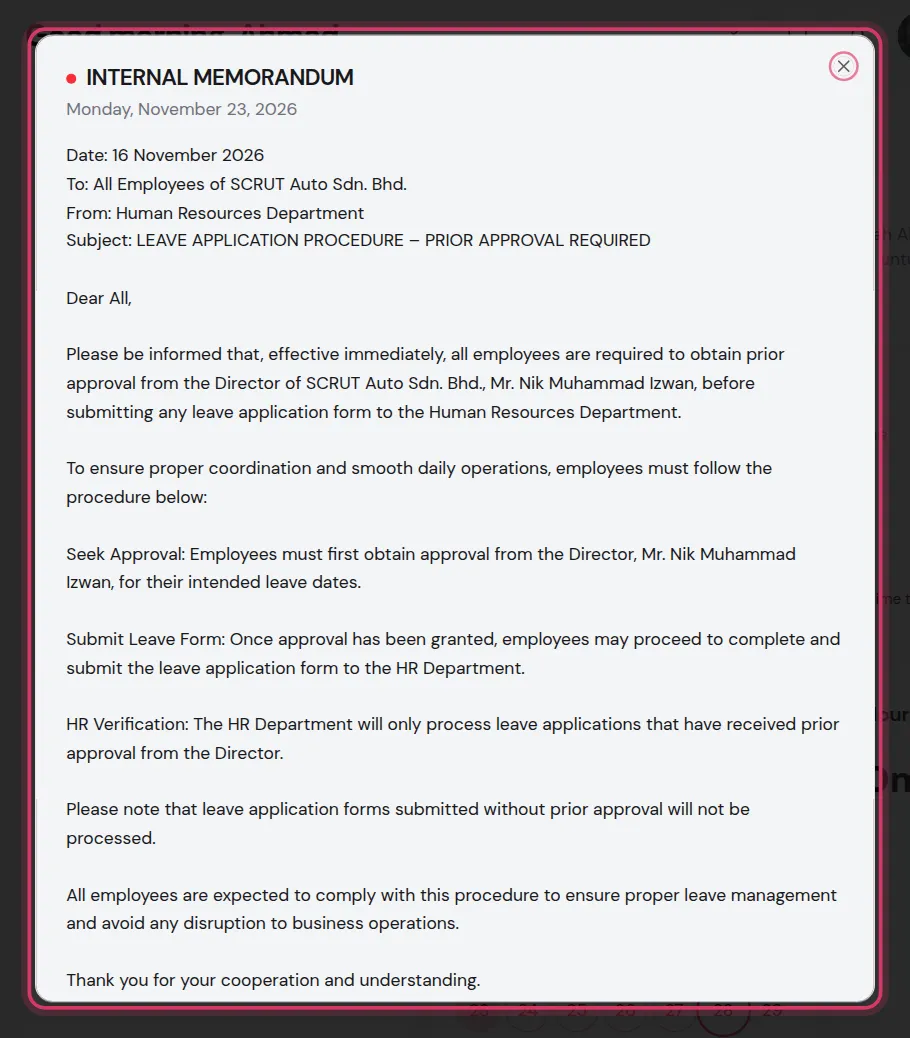
Open one in full
Click a card or Read more to read the whole message and open its photos and PDFs. A file opens full screen, with a Download button.
-
3
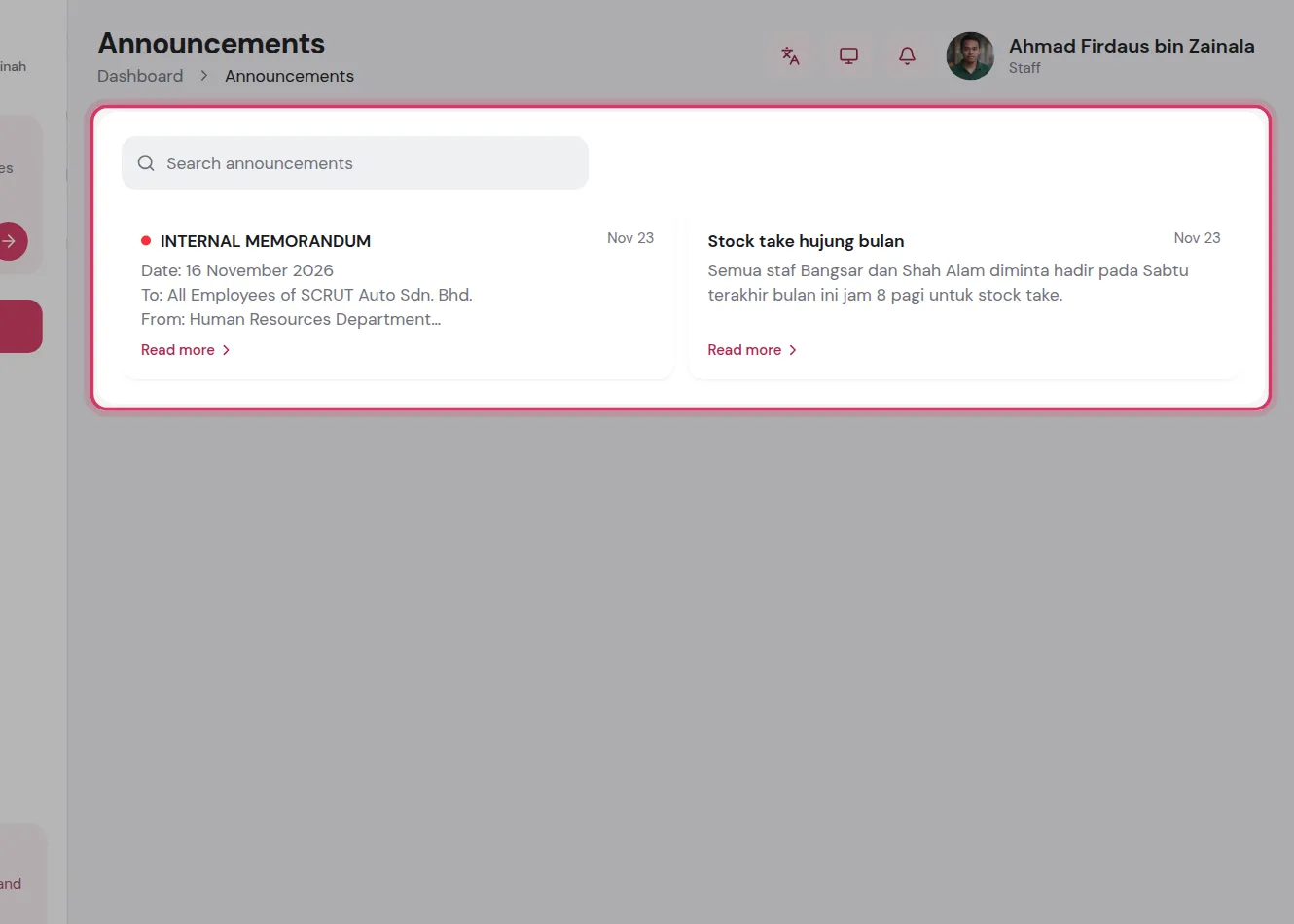
See them all
Click View all for every announcement you can read, newest first. Type in the search box to find one by its title or message.
Was this guide helpful?