Add public holidays
Pick your holidays from Malaysia’s official list, national and state. Holidays are not counted as absences or leave, and work on them counts as holiday overtime.
-
1
Open Public holidays
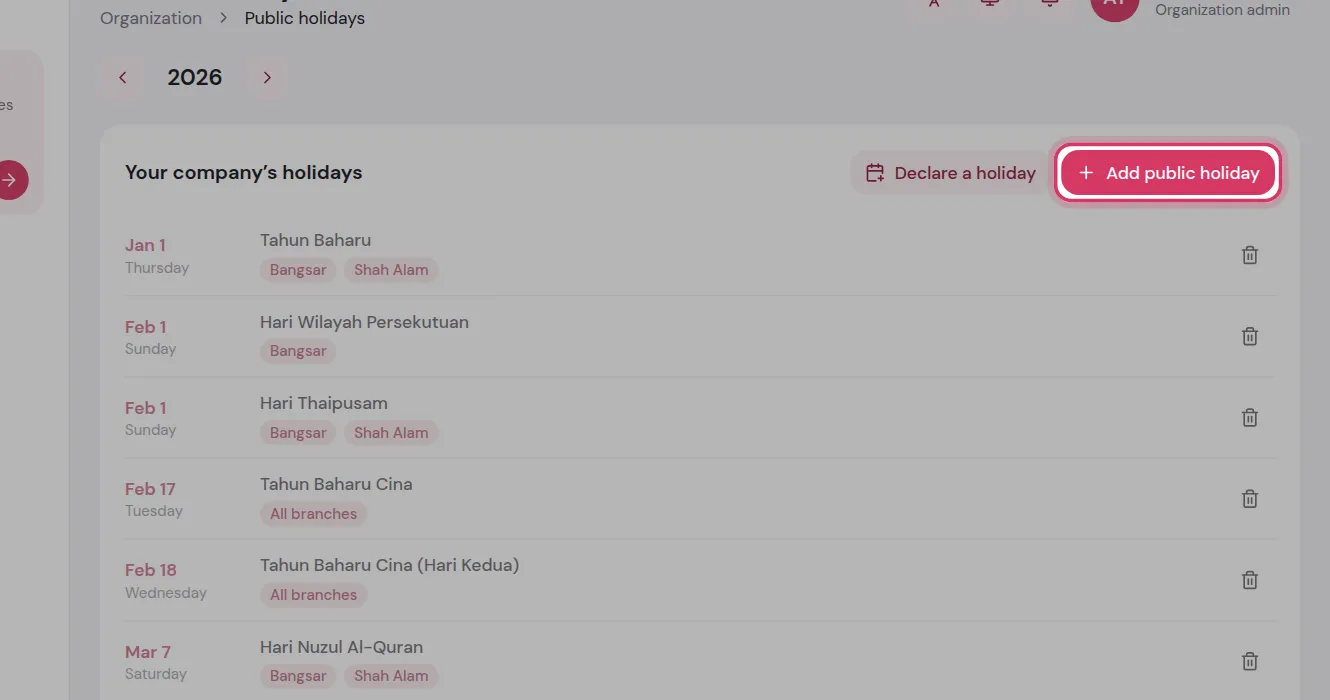
Use the arrows to pick the year. Your company’s holidays lists the days already given. Click Add public holiday to open the Malaysian list: national holidays and those of your branches’ states (turn on All states to see every state).
-
2
Add the ones your company gives
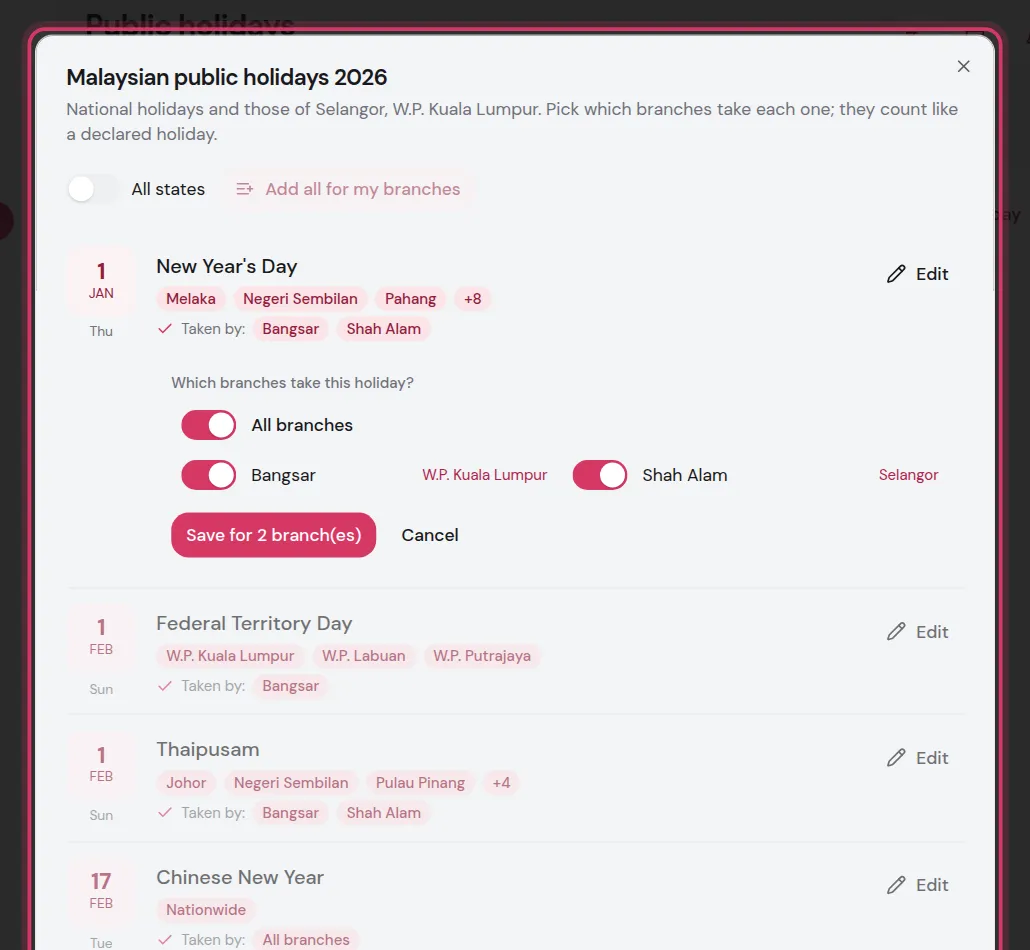
Click Add on a holiday and switch on the branches that take it (for example Thaipusam for the KL branch but not Sabah), then save. Add all for my branches adds the whole list at once; Edit changes the branches later.
-
3
Declare a day of your own
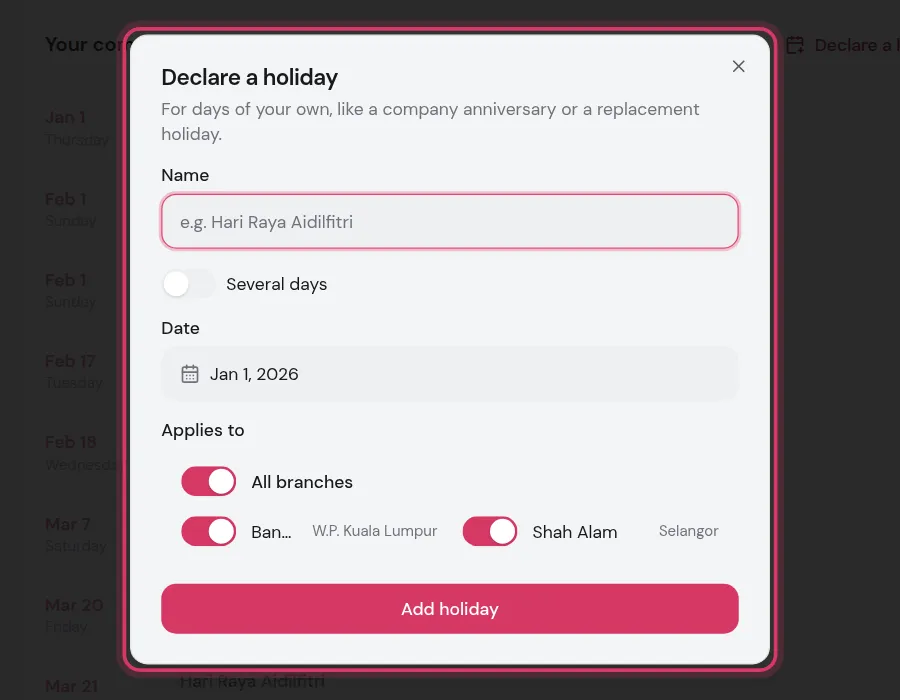
For a day not on the list, like a replacement holiday or a company anniversary: click Declare a holiday, give it a name and pick the date. For a longer break, turn on Several days and pick From and To (up to 31 days). Under Applies to, keep All branches on or switch on just the branches that get it, then click Add holiday. Consecutive days show as one row, like 24–26 Dec.
Was this guide helpful?