See who changed what (audit log)
Every addition, change and deletion in your company: by whom, when and from where, kept for two years.
Only organization admins can open the audit log. It records changes to staff, branches, shifts, locations, leave, time-off, reasons, overtime, holidays, announcements and more, whether made on the web, in the Ketik app or by Ketik.
-
1
Open Audit log
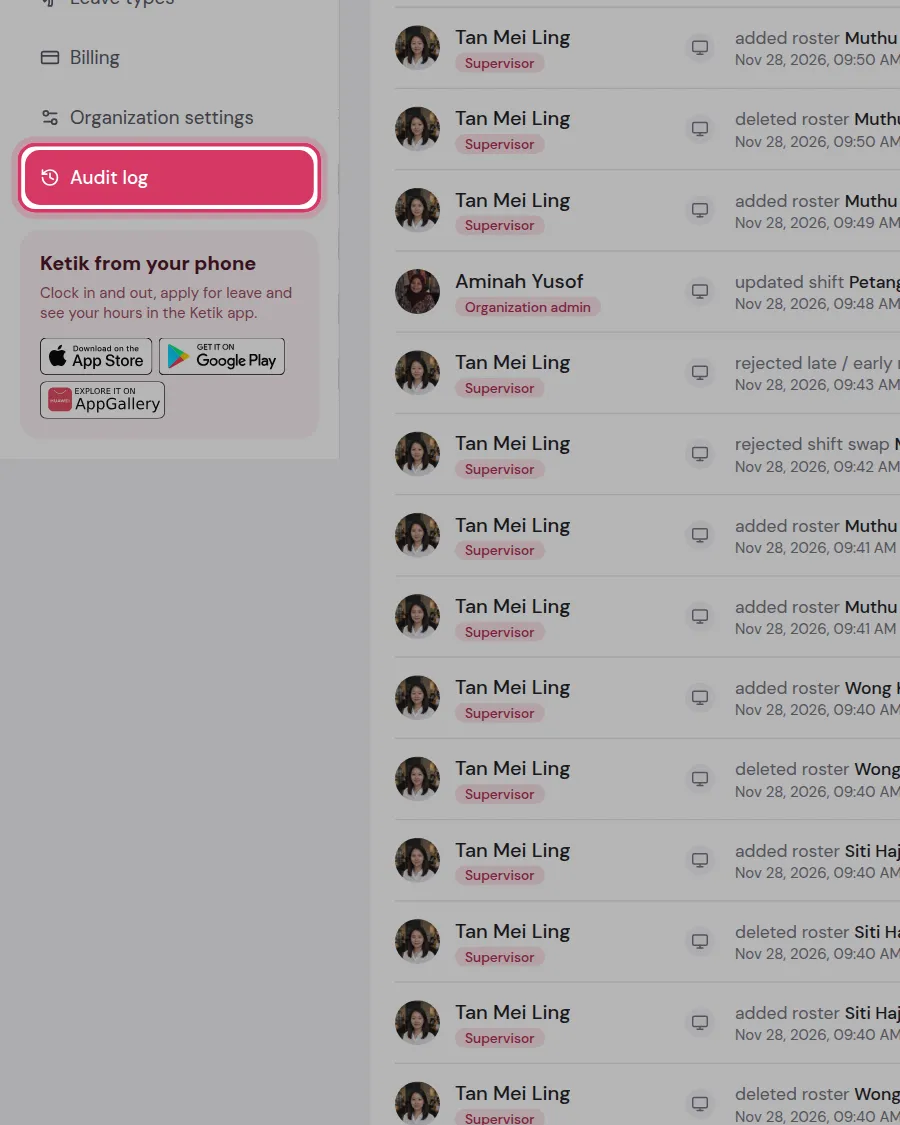
Click Audit log at the bottom of the Organization menu. The newest changes come first.
-
2
Filter the list
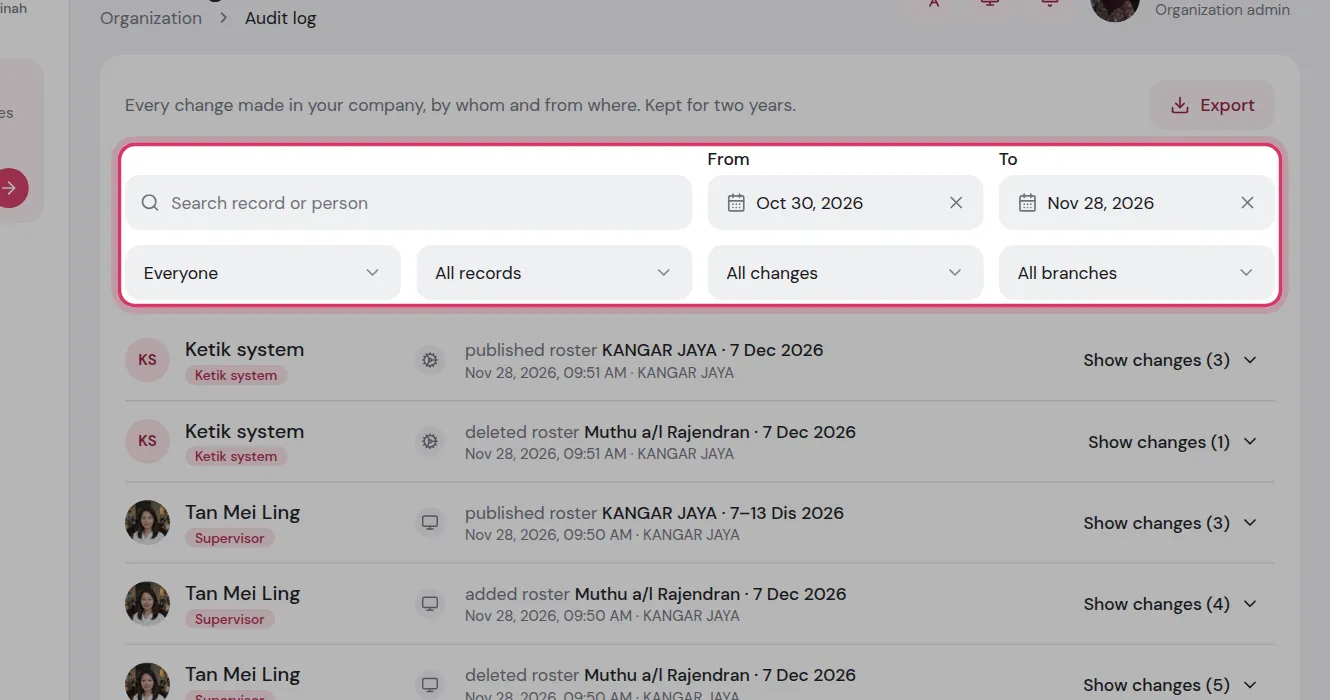
Search for a record or a person, set the From and To dates (the last 30 days at first), or narrow it down by person, kind of record, kind of change and branch.
-
3
Show what changed
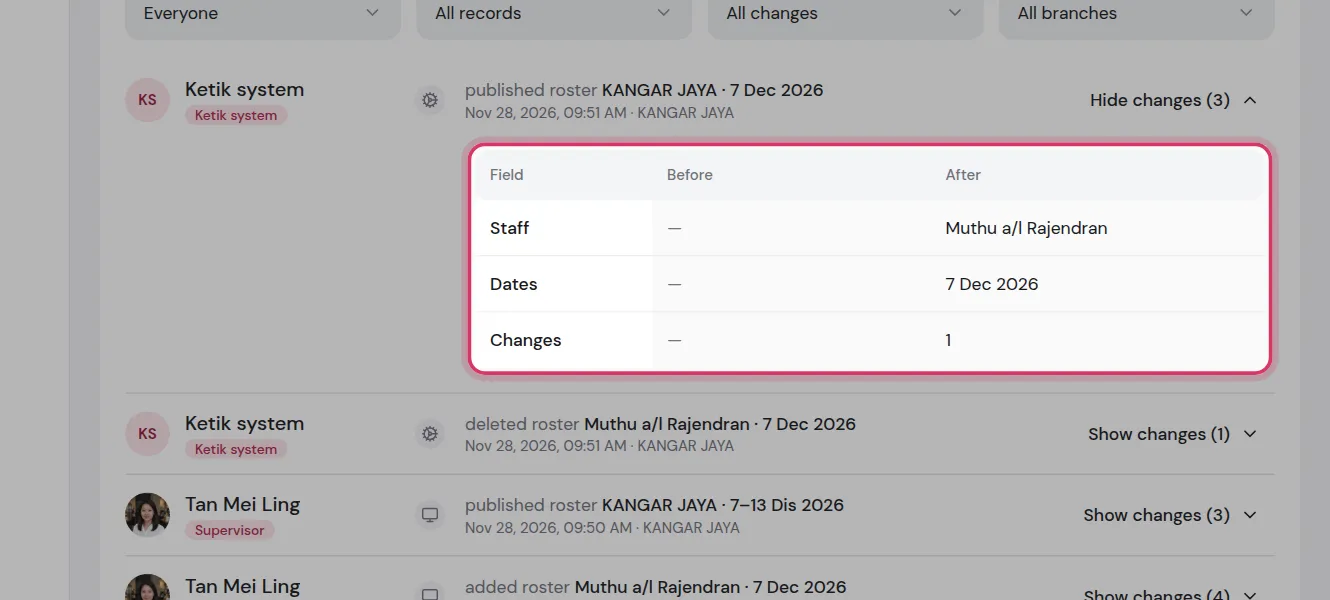
Each entry says who did what, when and at which branch, and an icon shows whether it came from the web or the app. Click Show changes to see each field before and after.
-
4
Export it
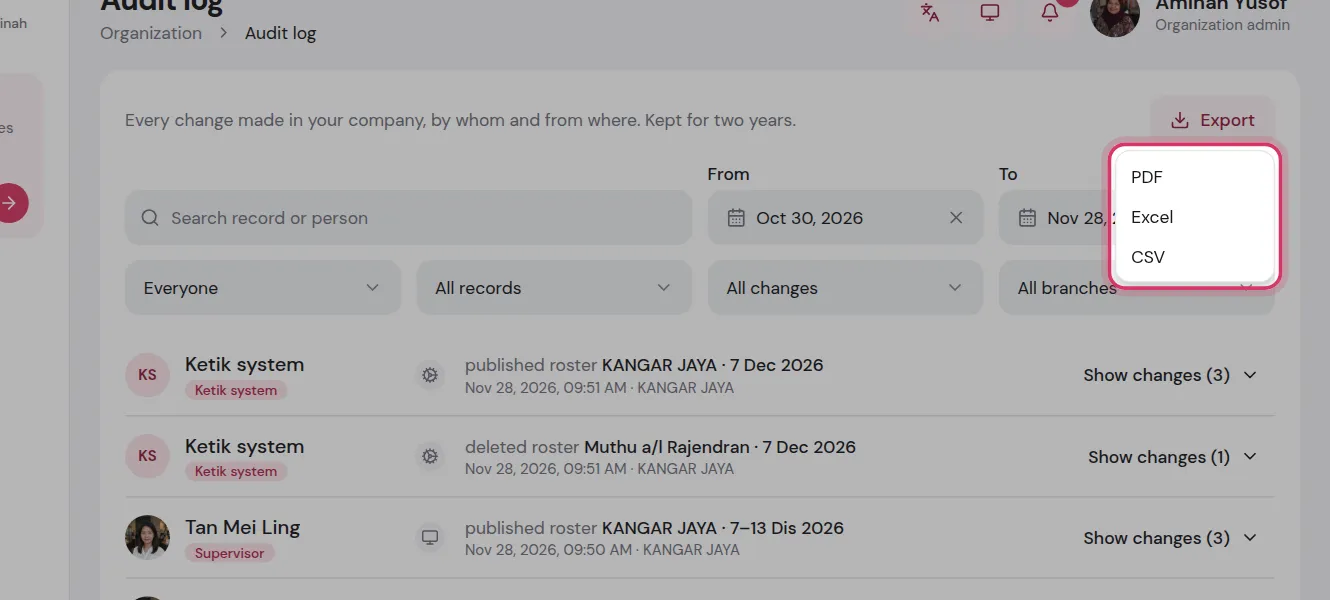
Click Export for a PDF, Excel or CSV of the entries that match your filters (up to the newest 5,000).
Was this guide helpful?