Review the company’s leave and time-off
Every leave application, time-off request and late or early reason in the company, filtered, approved and exported in one place.
For organization admins: the whole company’s history, not only what waits for you.
-
1
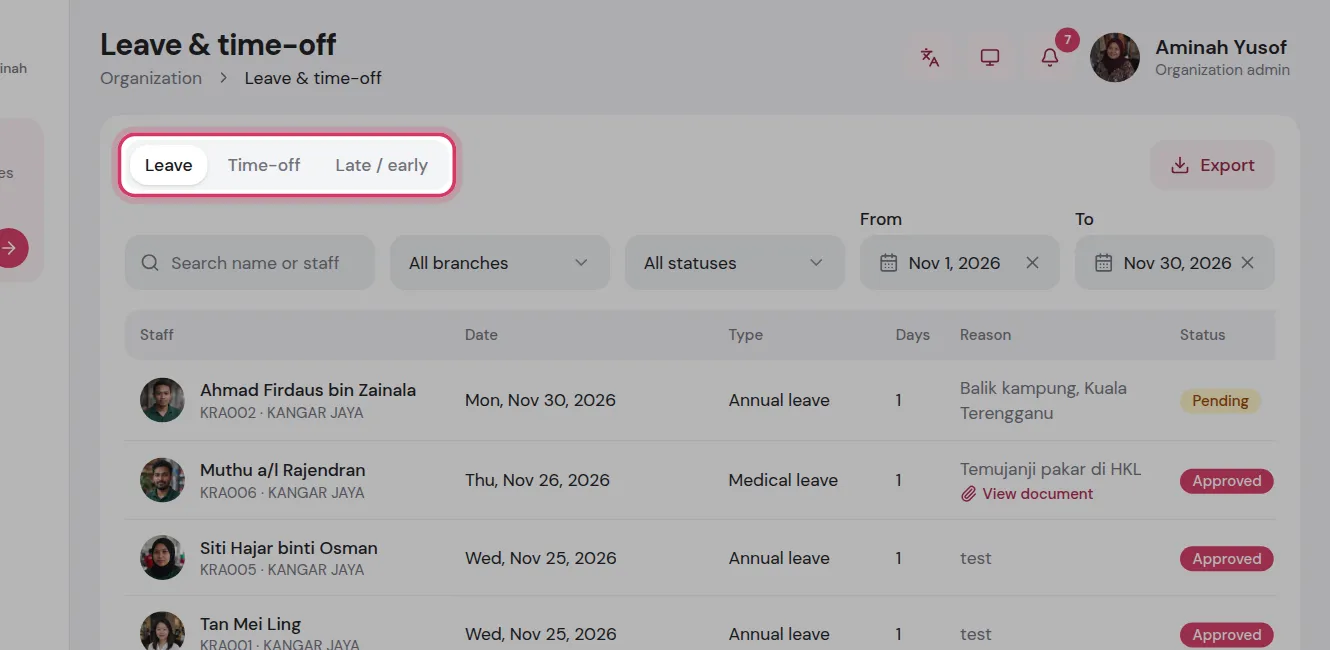
Open Leave & time-off
In the Organization menu, click Leave & time-off. The tabs switch between Leave, Time-off and Late / early reasons.
-
2
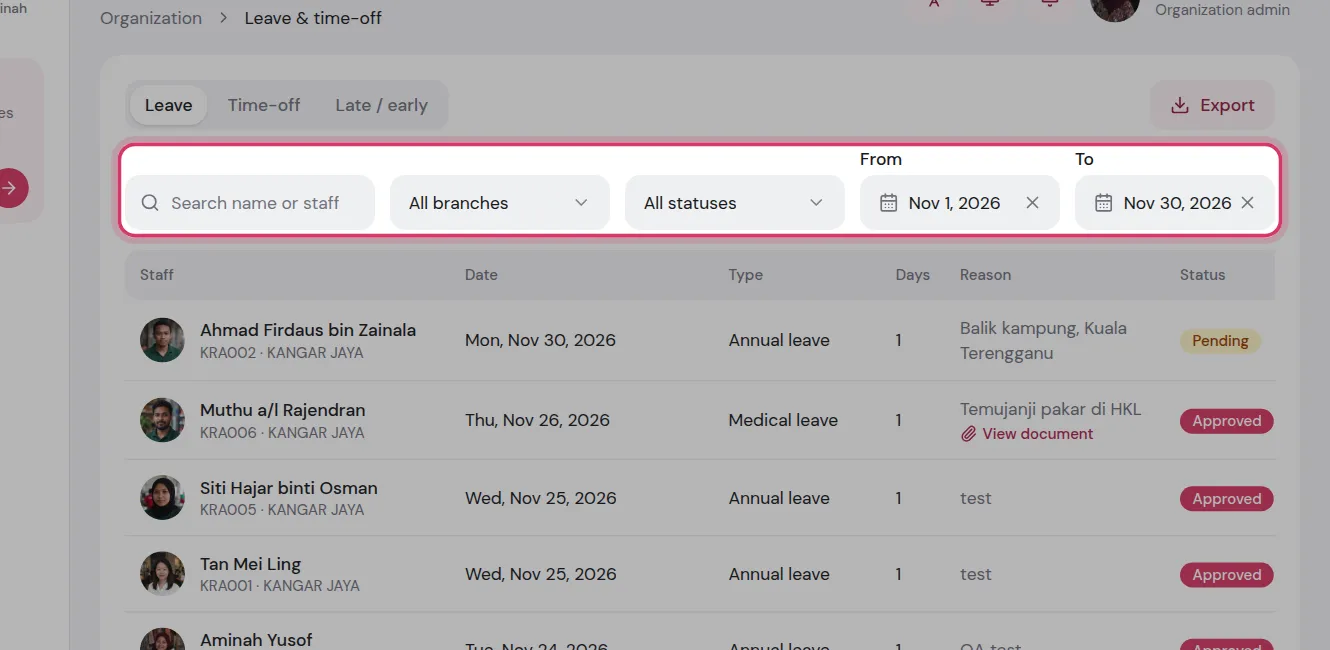
Filter the list
Search by name or staff ID, pick a branch and a status (pending, approved or rejected), and set the dates: this month at first, up to a year.
-
3
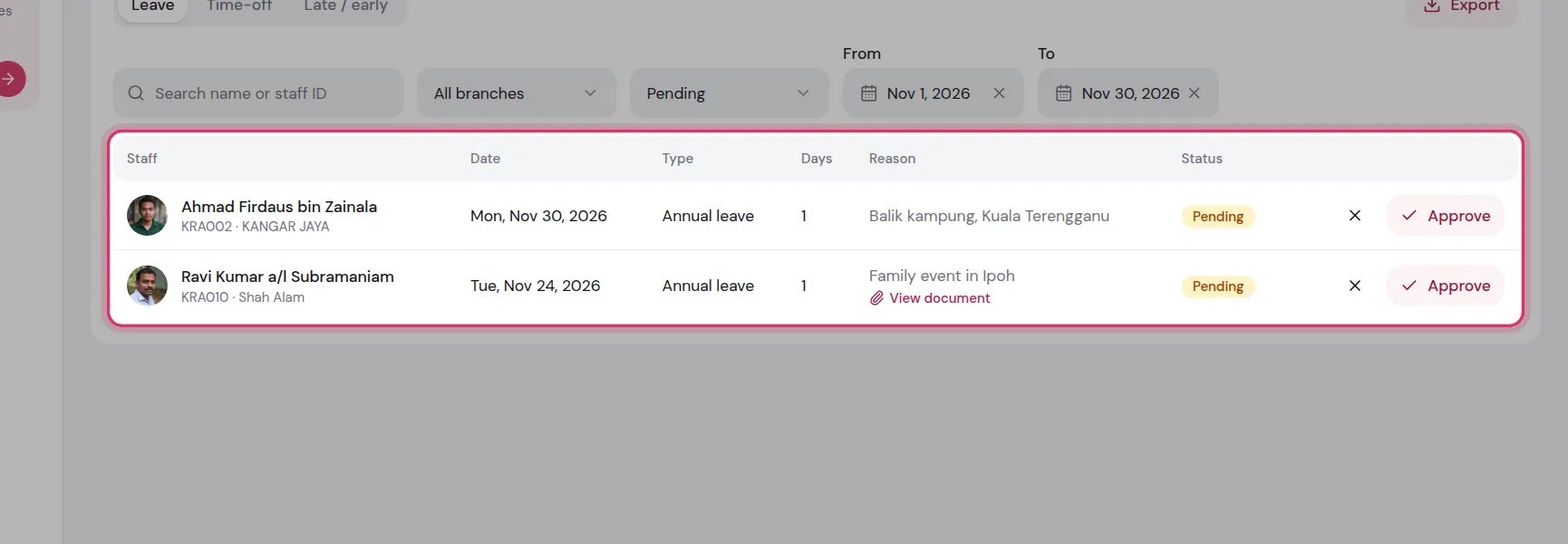
Read the list
Leave has one row per application, however many days it covers, with its days, reason and any supporting document. Each person’s staff ID and branch show under their name.
-
4
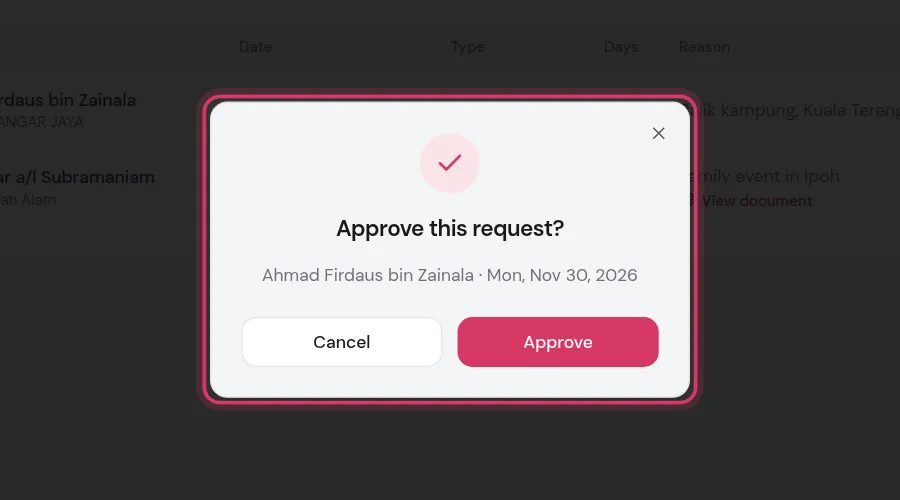
Approve or reject
Pending requests have Approve and a reject button (✕), each asking you to confirm. Approving a leave application approves all its days at once. Your own requests are decided by another organization admin.
-
5
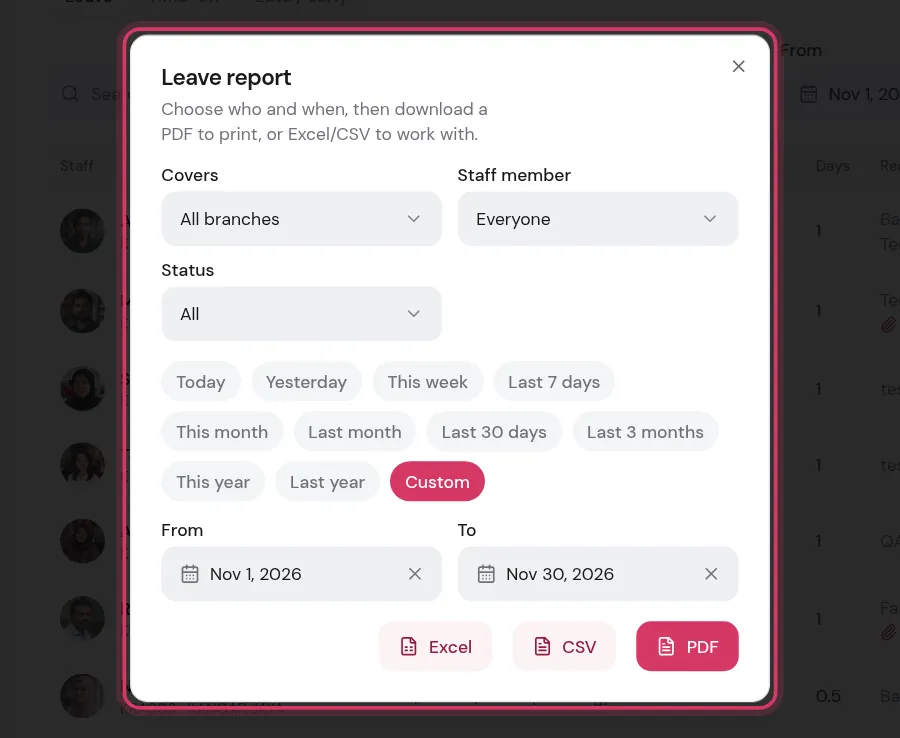
Export
Click Export for the report of the tab you are on, already set to the page’s branch, status and dates. Download it as PDF, Excel or CSV.
Was this guide helpful?