Get LHDN e-invoices for your payments
Add your TIN so every payment gets its own e-invoice validated on MyInvois.
Organization admin
3 steps
·
2 min · Updated 22 November 2026
-
1
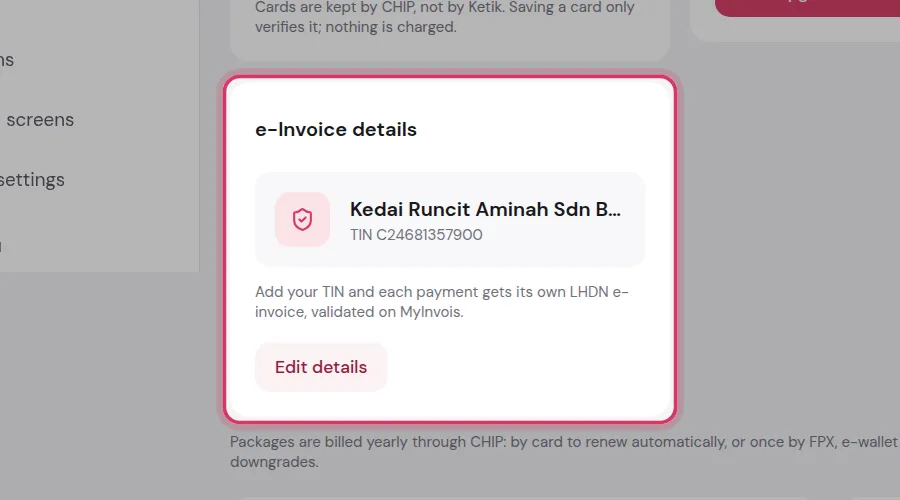
Open e-Invoice details
On Billing, find e-Invoice details. Without a TIN, your payments are in Ketik’s monthly consolidated e-invoice.
-
2
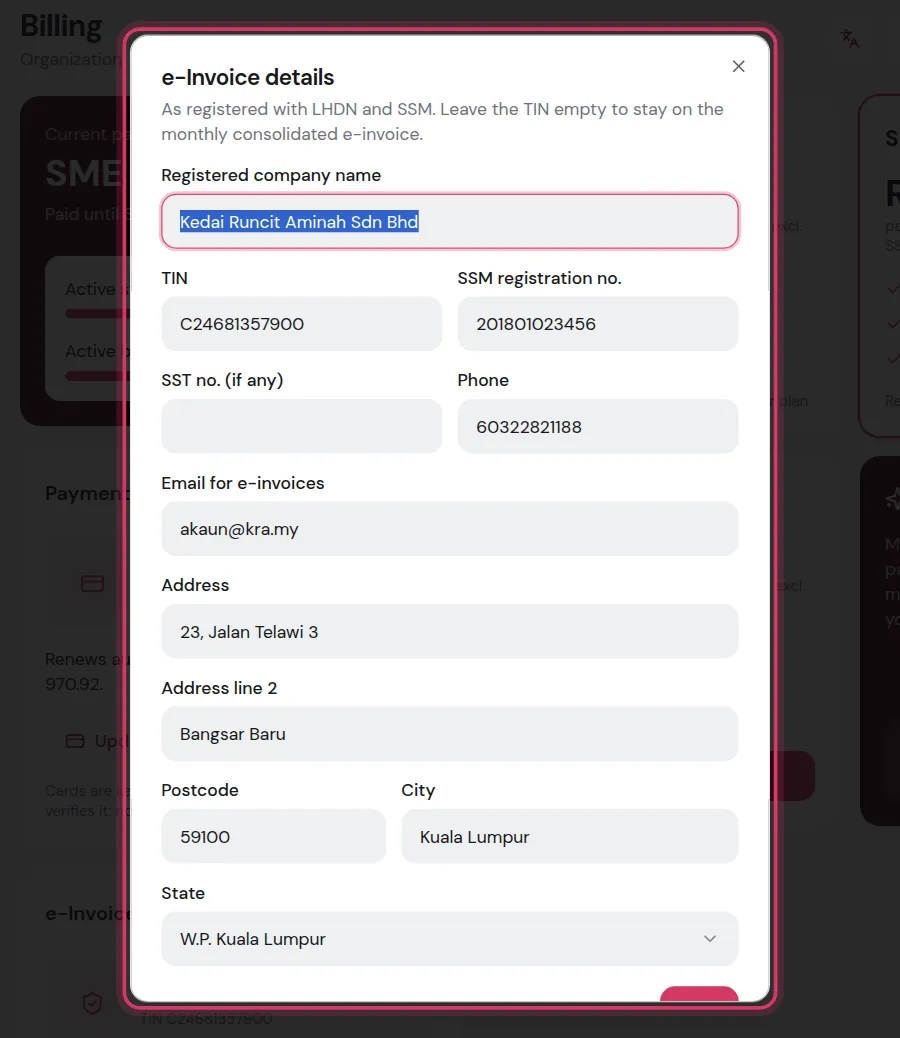
Enter your company’s tax details
Type the TIN, SSM registration number, address and an email for e-invoices, exactly as registered with LHDN and SSM, then save.
-
3
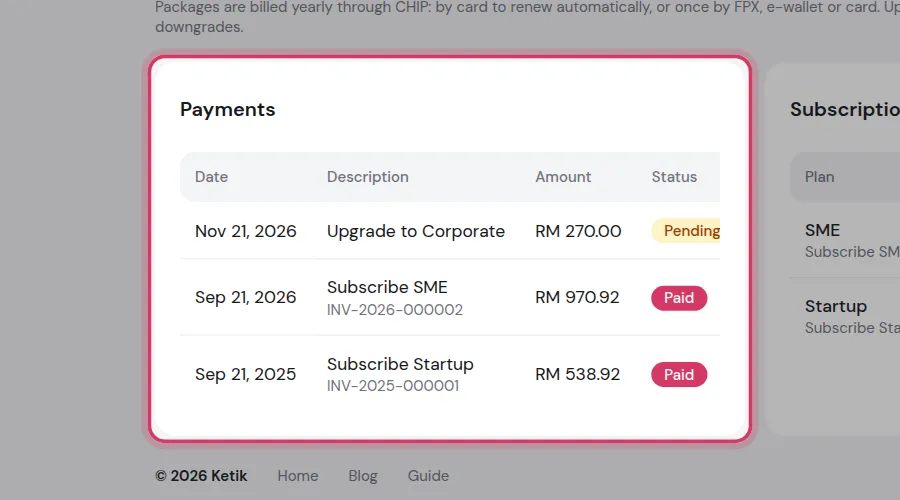
Check each e-invoice
Under Payments, each payment shows its e-invoice status. The printable invoice carries the MyInvois QR code once it is validated.
Was this guide helpful?