Set up a QR / PIN screen
Put a tablet or TV at the entrance that shows a changing QR code and PIN.
Branch admin
4 steps
·
4 min · Updated 22 November 2026
Staff must be on site to scan a code that changes every few seconds, so nobody can clock in for a friend from home.
-
1
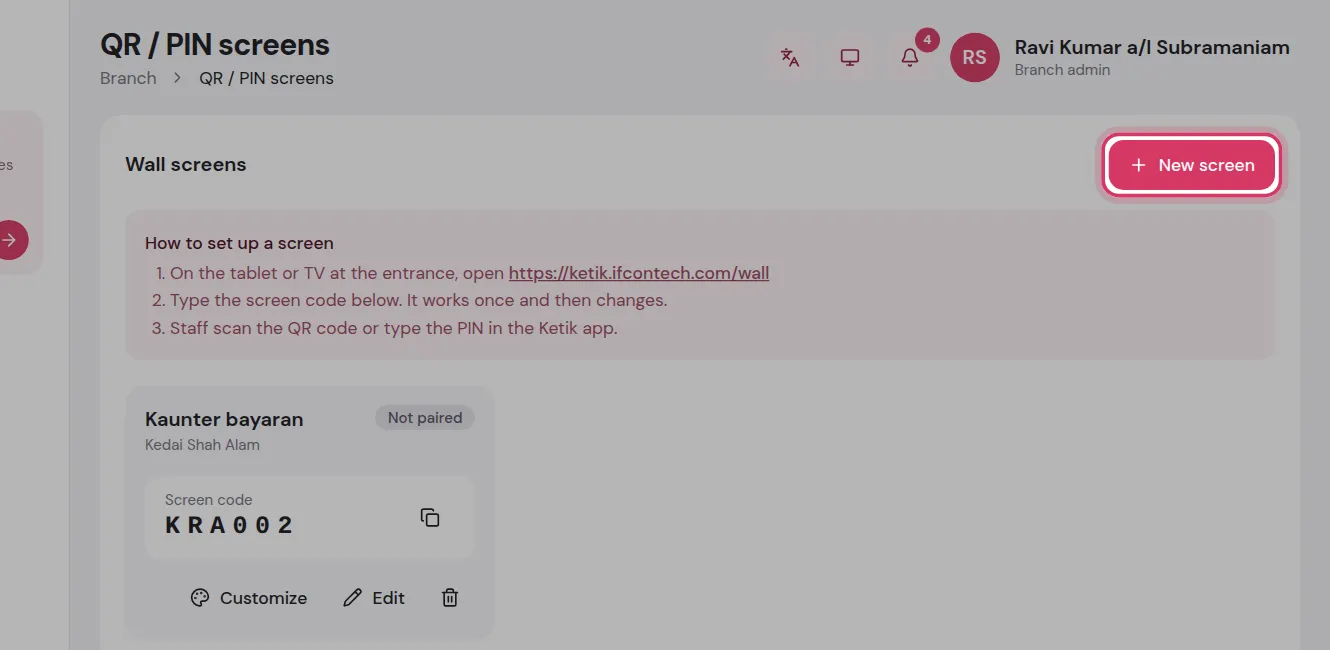
Click New screen
Open QR / PIN screens and click New screen.
-
2
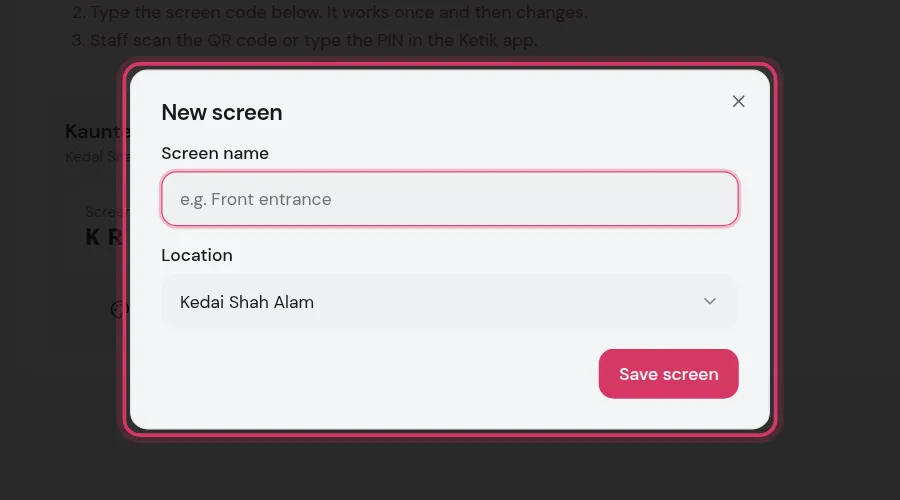
Name it and pick a location
For example “Front entrance”. Save, and the screen gets a one-time screen code.
-
3
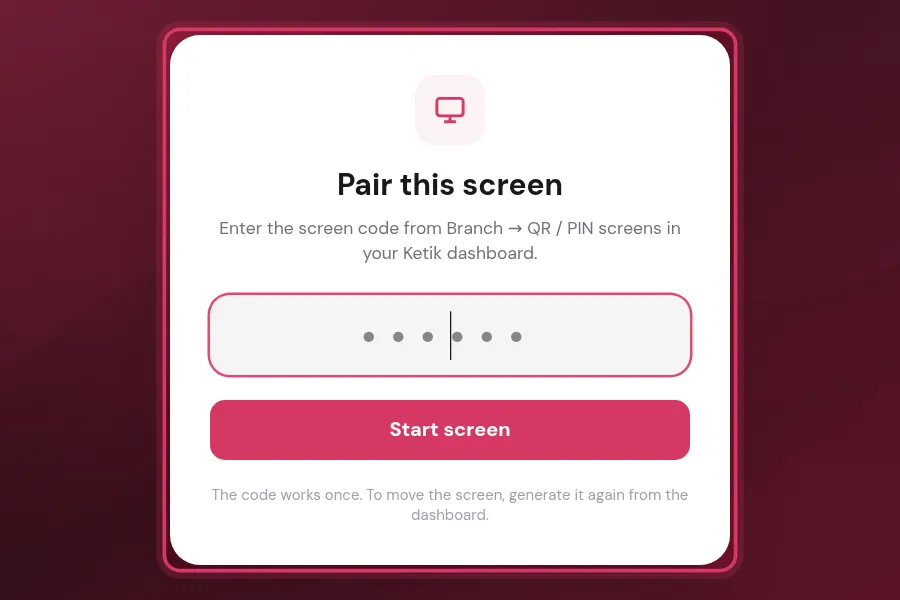
Pair the tablet
On the tablet or TV, open ketik.my/wall and type the screen code. The QR code and PIN appear and keep changing.
-
4
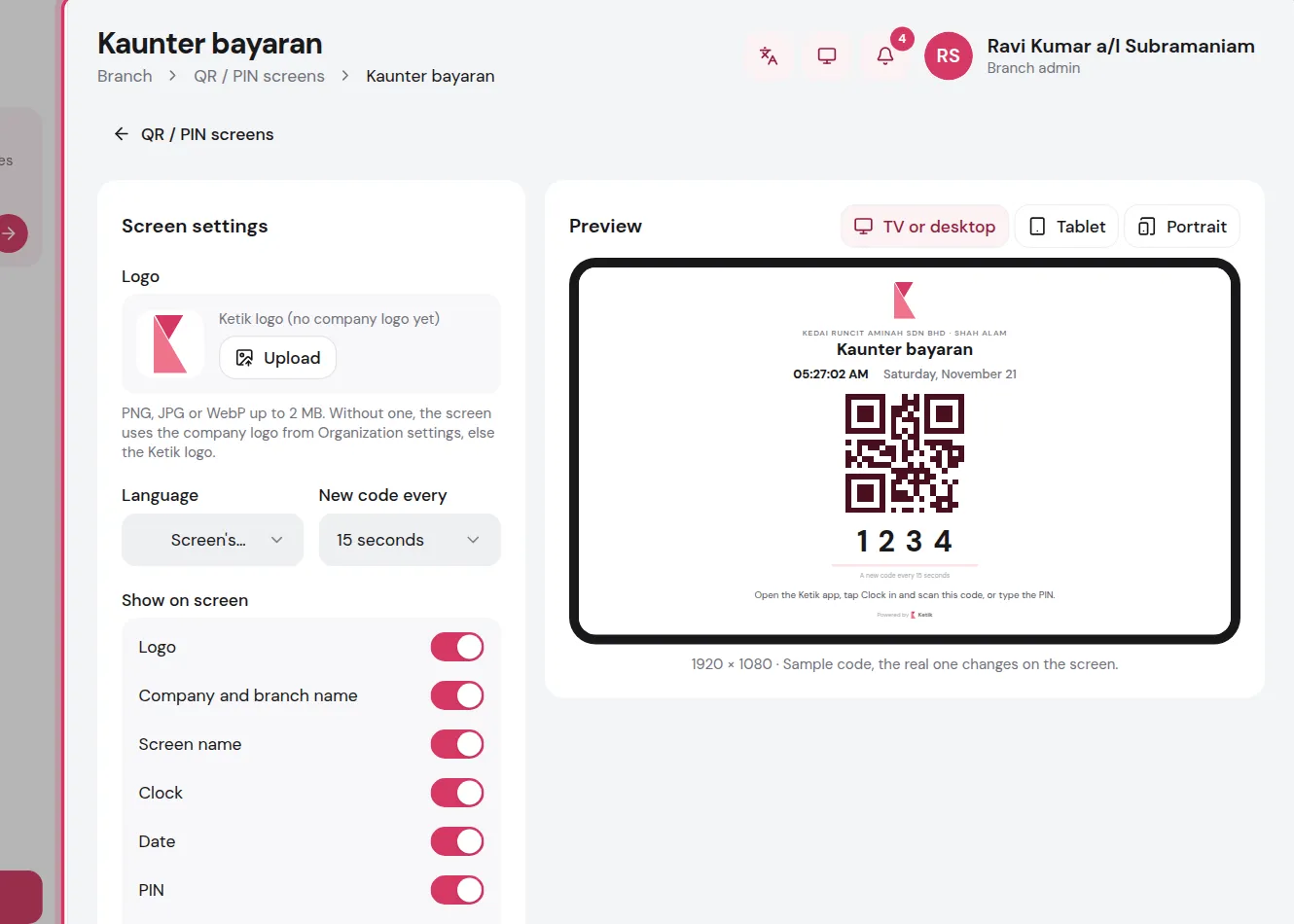
Make it yours
Click Customize on the screen. Choose the language, how often the code changes, your logo, and what to show (clock, date, names, PIN). The preview shows a TV and a tablet.
Was this guide helpful?