Create shifts
For staff whose hours change: they pick their shift when they clock in.
Branch admin
3 steps
·
2 min · Updated 22 November 2026
-
1
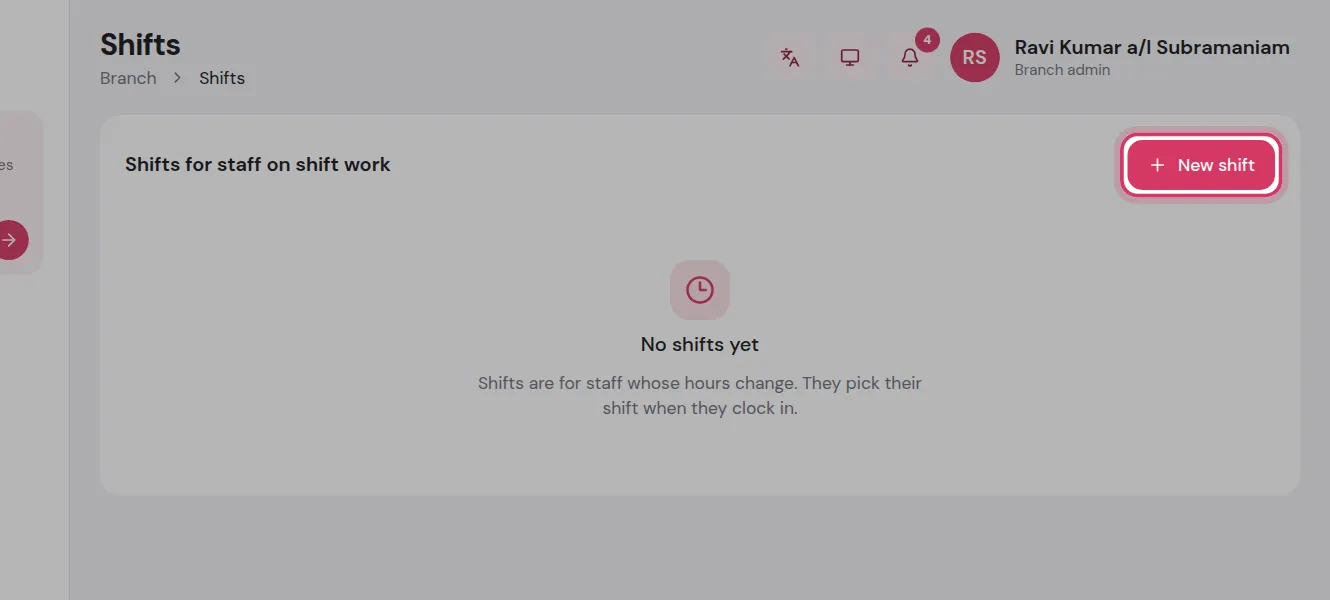
Click New shift
Open Shifts in the Branch menu and click New shift.
-
2
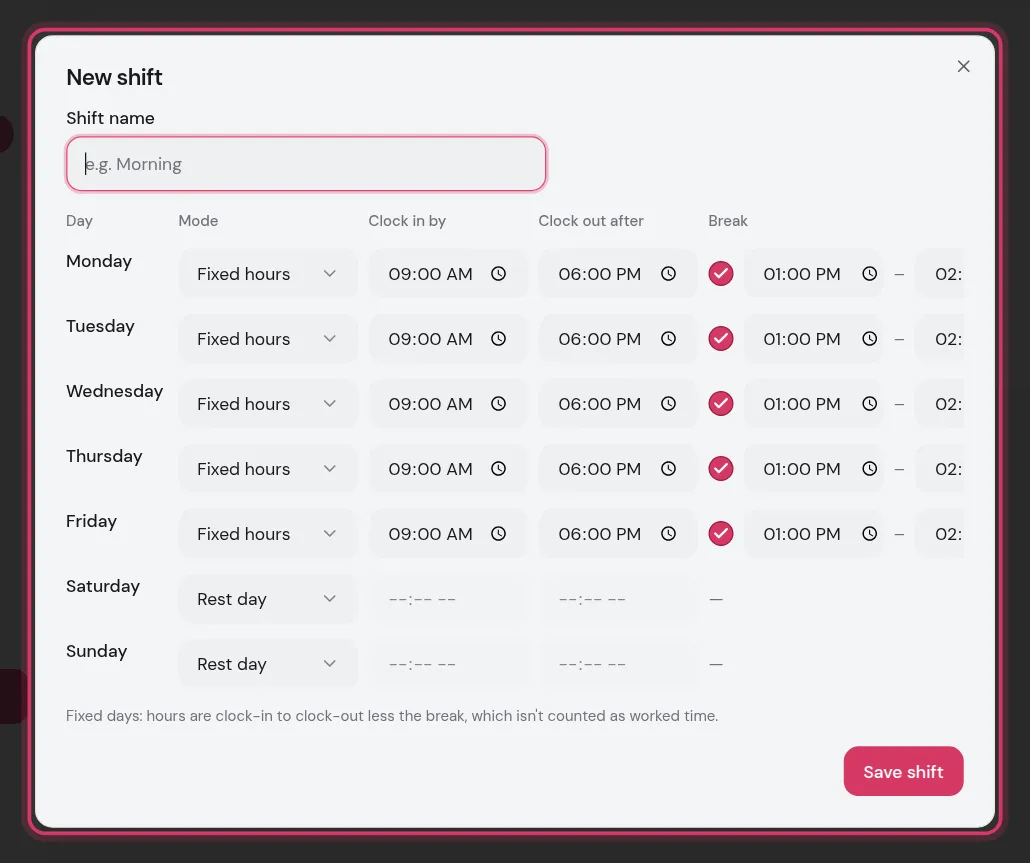
Set the hours and save
Name it (e.g. Morning), set start and end times for each day, and click Save shift.
-
3
Put staff on shifts
In Branch staff, edit a person and choose Shifts as their hours.
Was this guide helpful?