Choose clock-in methods and working hours
Decide how staff may clock in, the working week and overtime rules.
Branch admin
4 steps
·
3 min · Updated 22 November 2026
-
1
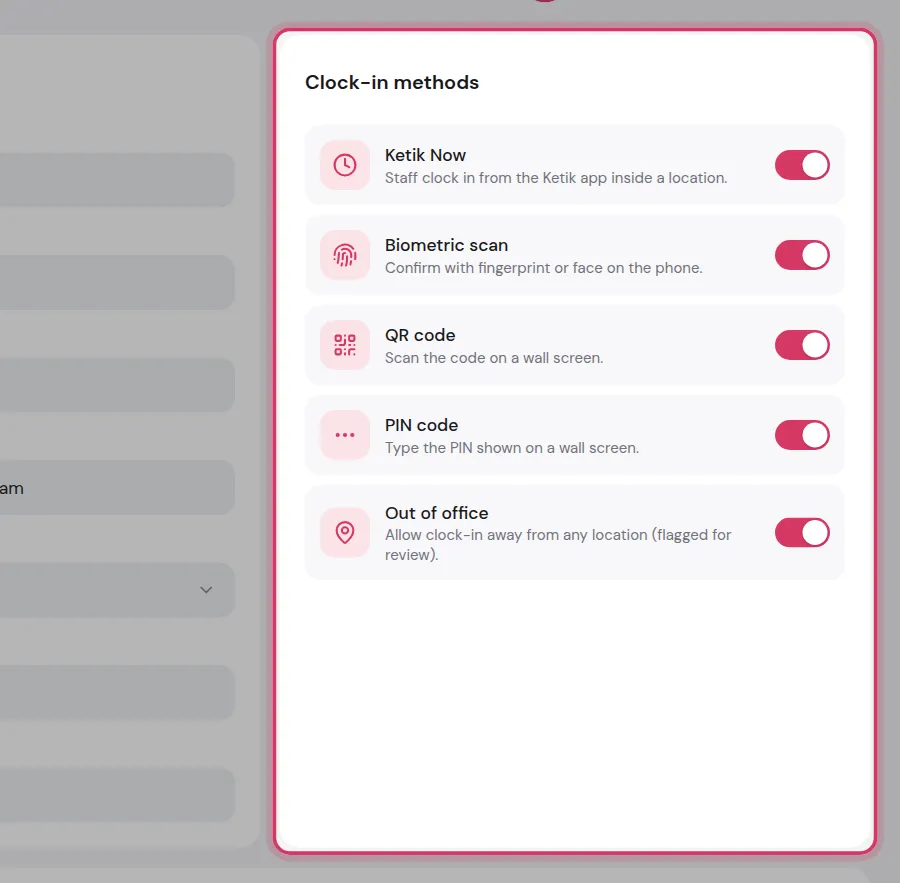
Pick the clock-in methods
In Branch settings, switch on what you allow: Ketik Now (GPS), biometric scan, QR code, PIN code and out of office.
-
2
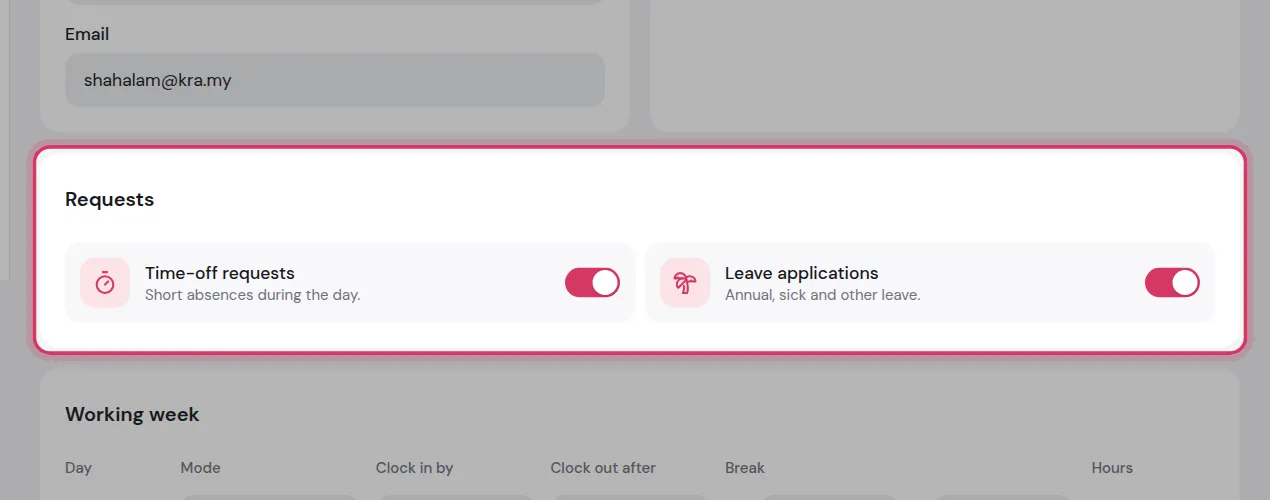
Choose what staff can request
Under Requests, switch time-off (short absences during the day) and leave applications on or off. They go to the supervisor for approval.
-
3
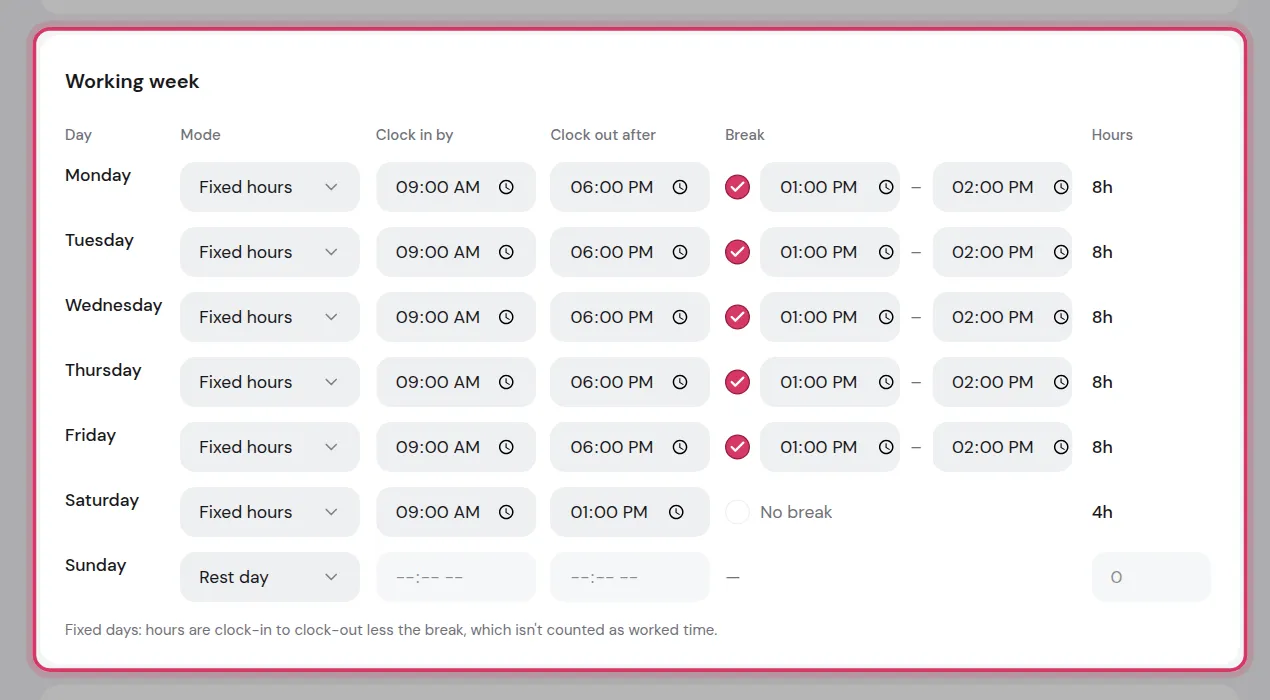
Set the working week
For each day: fixed hours, flexible hours or rest day, with the clock-in time that counts as late.
Fixed days have a break (13:00–14:00 to start with; untick it for No break). The break isn't worked time, so 09:00–18:00 with a one-hour lunch is 8 hours, and a half day off ends or starts at the break.
-
4
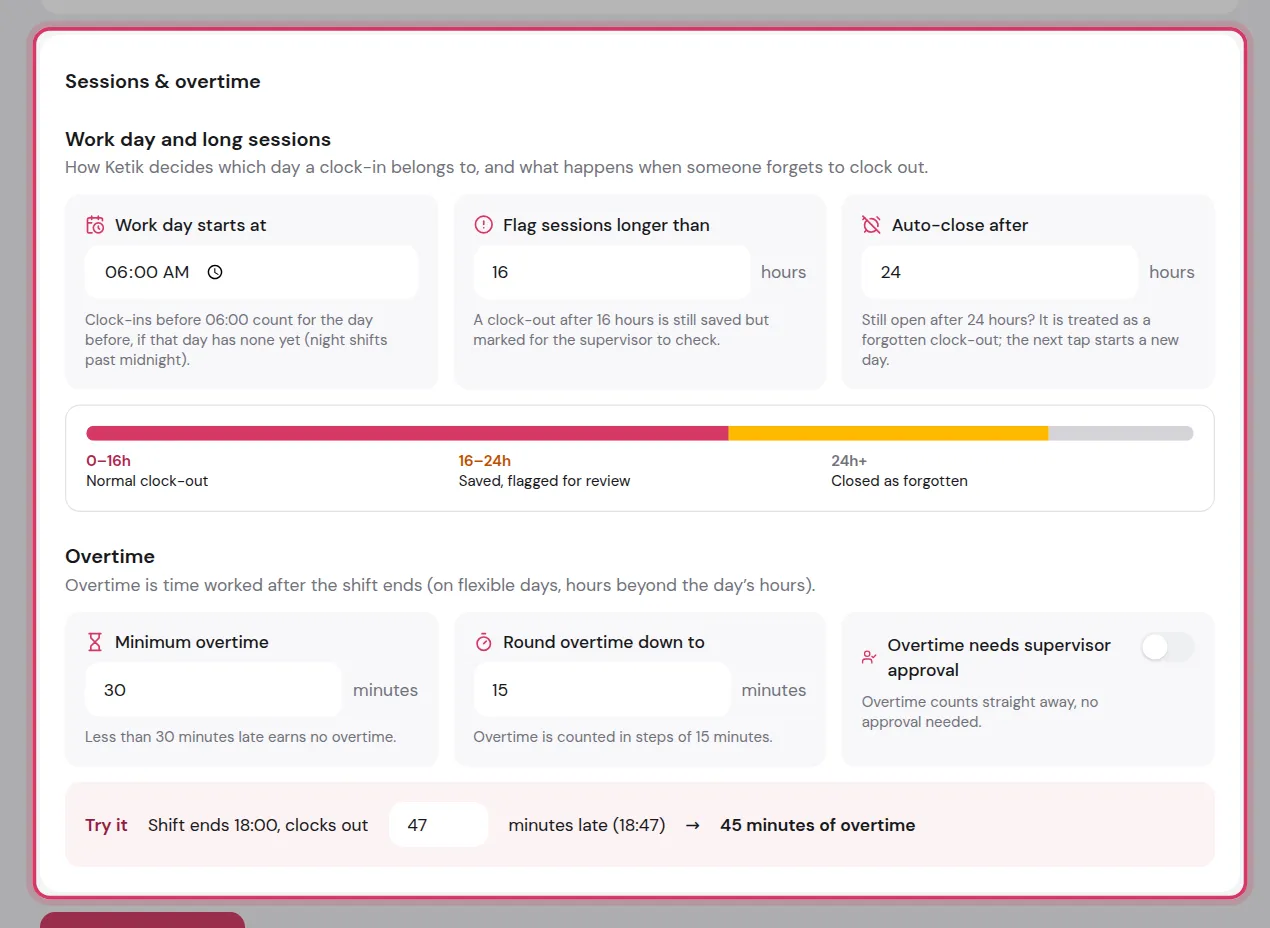
Overtime rules, then save
Set the minimum and rounding for overtime and whether a supervisor must approve it. Click Save settings.
Was this guide helpful?