Approve shift swaps
Approve or reject the shift swaps your staff have agreed between them.
Supervisor
3 steps
·
1 min · Updated 29 November 2026
A swap reaches you once the colleague has accepted it. It is decided by whoever arranges both people’s roster: their supervisor, their branch admin or an organization admin, never one of the two.
-
1
Open Approvals
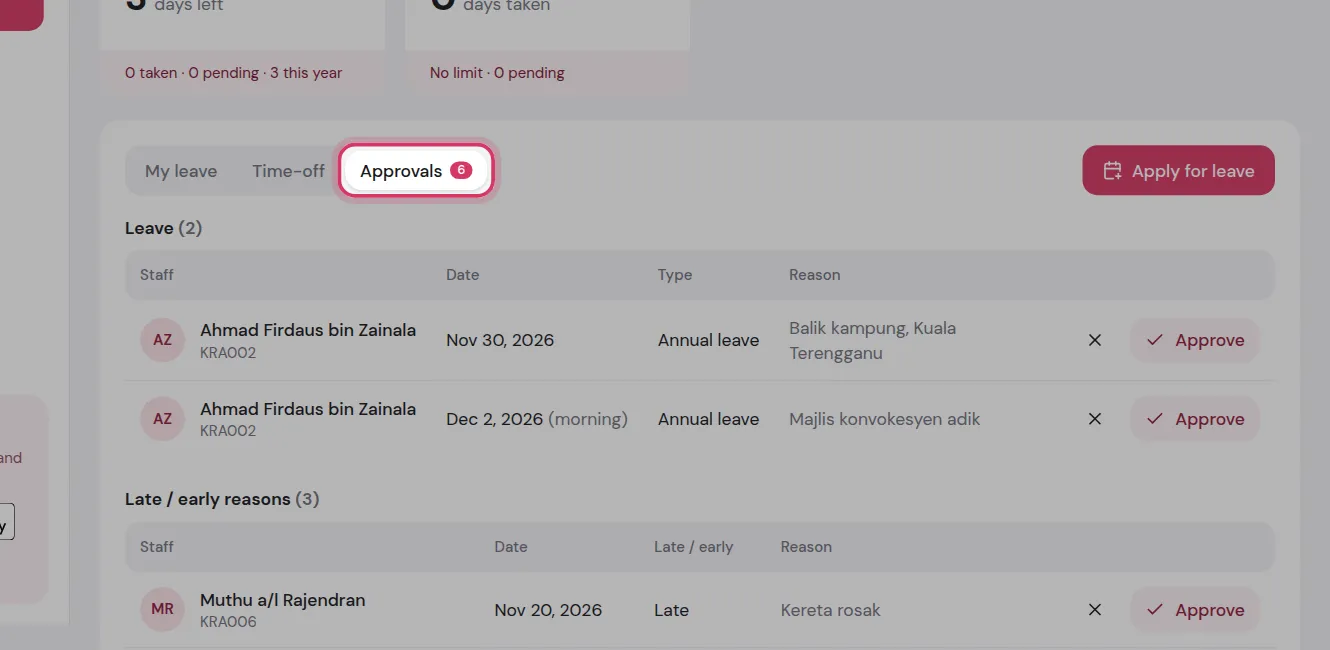
Go to My leave and open the Approvals tab. The number shows how many requests are waiting for you.
-
2
Check the swap
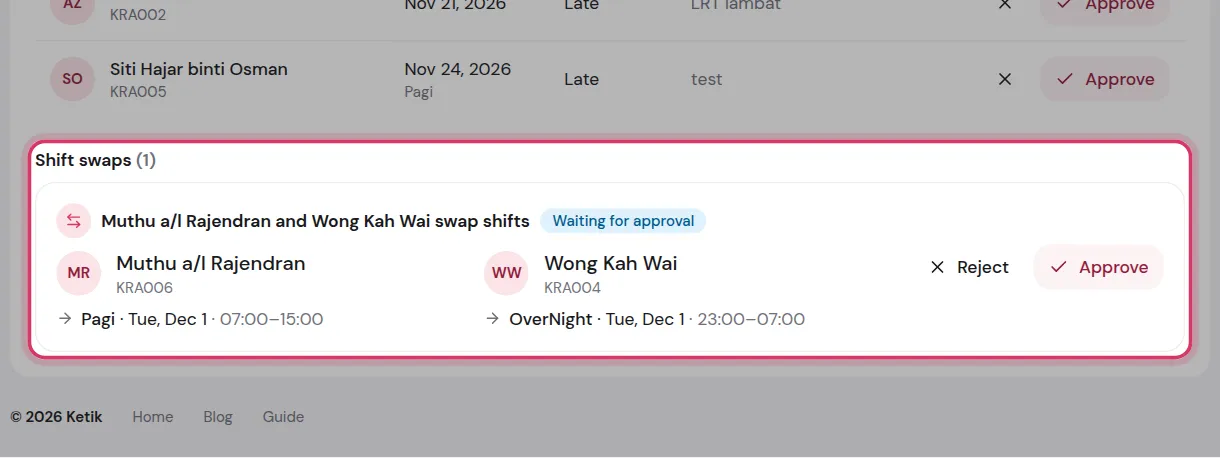
Under Shift swaps, each card shows who gives which shift to whom, with the dates and hours.
-
3
Approve or reject
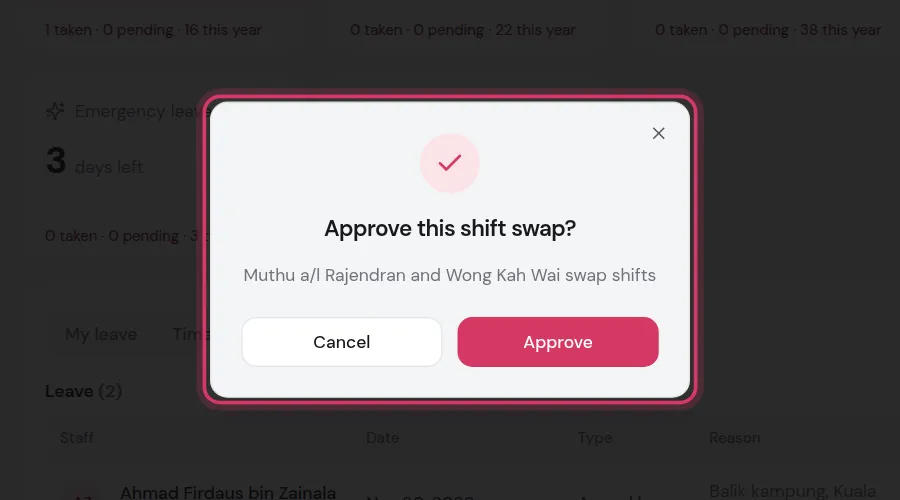
Click Approve or Reject and confirm. Both people are told straight away, and an approved swap changes the published roster at once.
Was this guide helpful?