Approve requests in the app
Leave, time-off, late reasons and overtime from your team, decided from your phone.
Supervisor
3 steps
·
2 min · Updated 29 November 2026
-
1
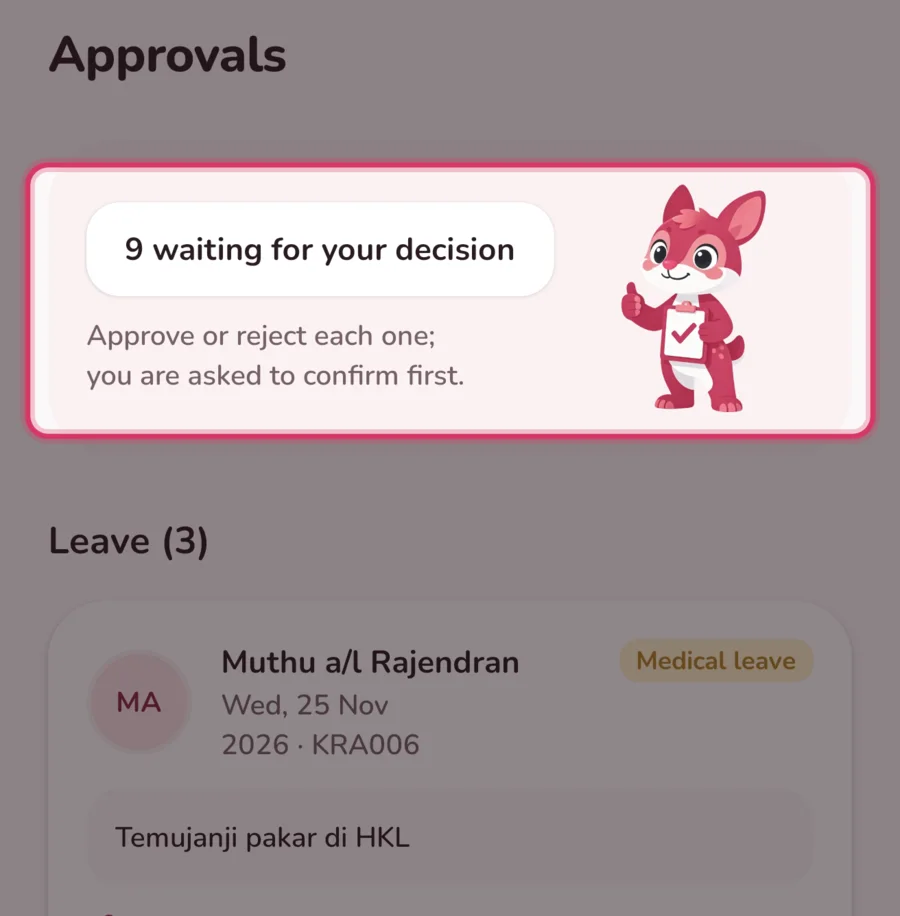
Open Approvals
The Approvals tab shows how many requests wait for you. A notification also tells you when a new one comes in.
-
2
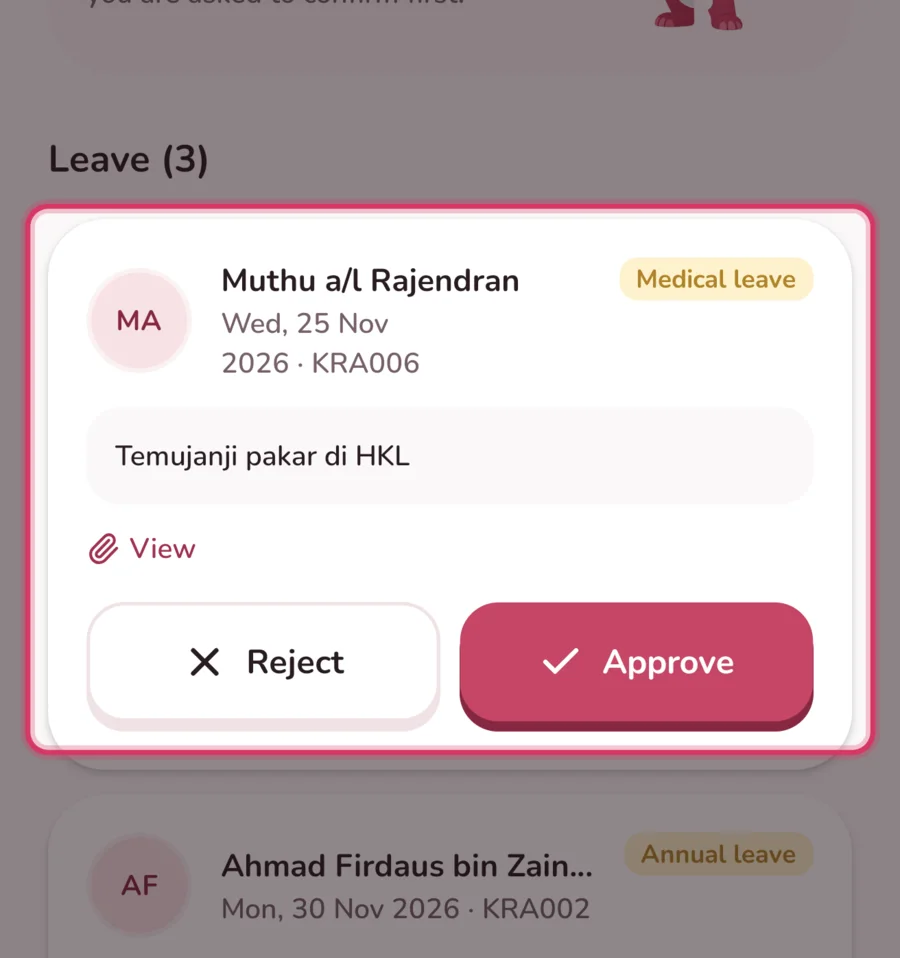
Read the request
Requests are grouped: leave, time-off, late and early reasons, overtime. Each shows who, when, the reason and any document (tap View document).
-
3
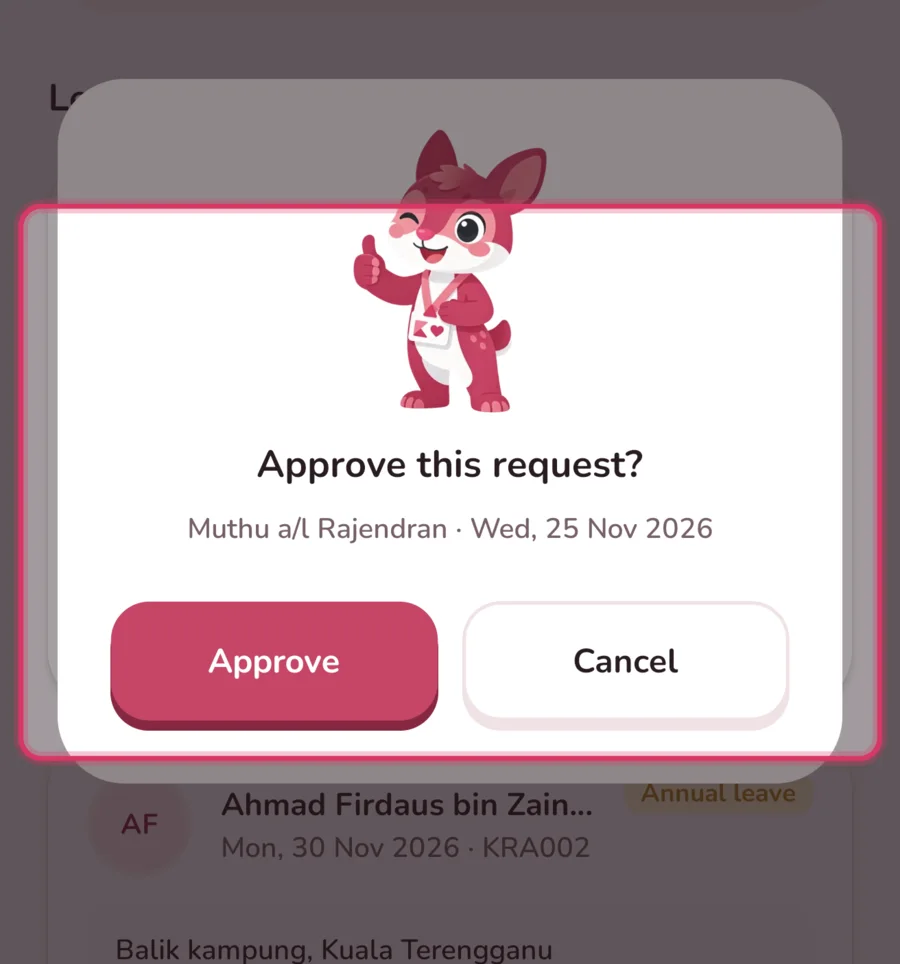
Approve or reject
Tap Approve or Reject, then confirm. The person gets a notification straight away.
Was this guide helpful?