See your team today in the app
Who is working, late, absent or on leave today, at a glance.
Supervisor
3 steps
·
1 min · Updated 29 November 2026
-
1
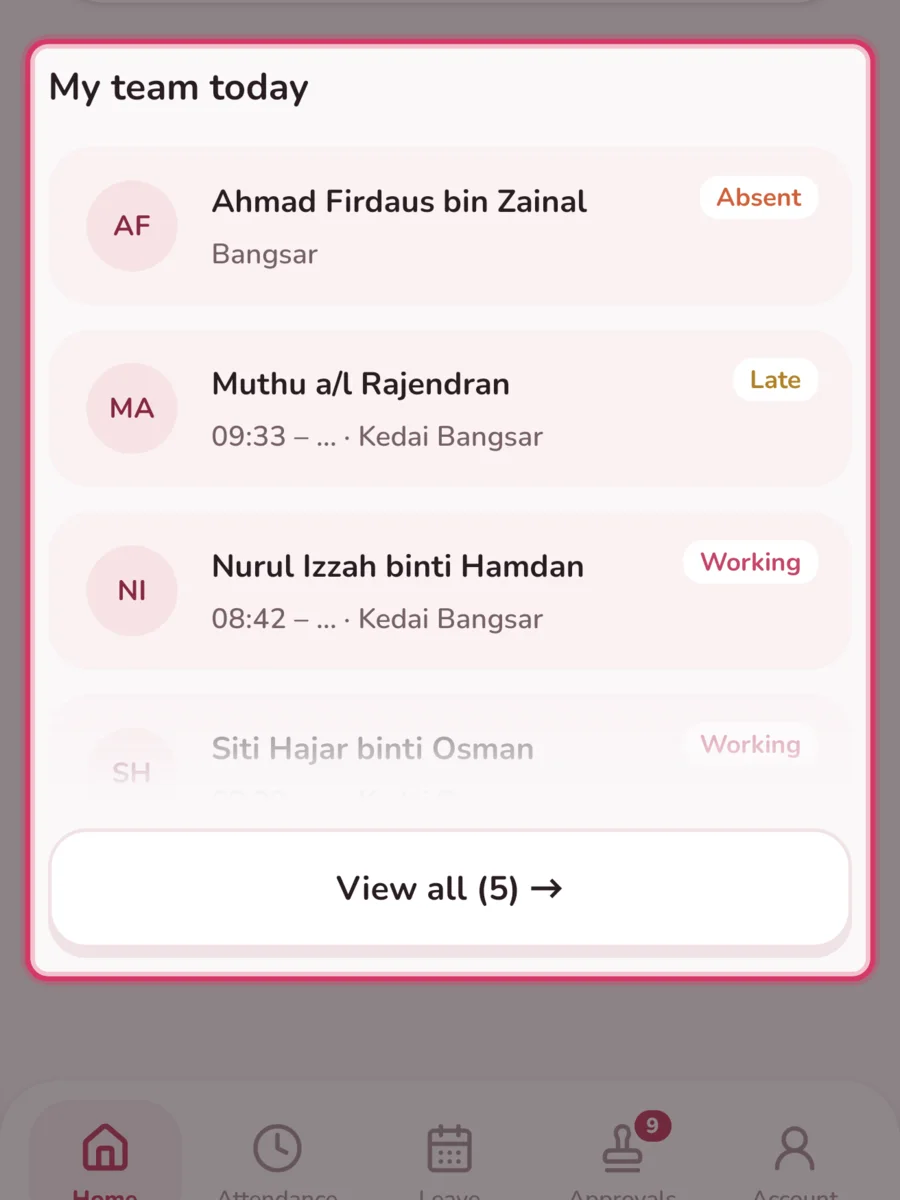
My team today on Home
Scroll down Home: the first people of your team with where they are today. Tap View all for everyone.
-
2
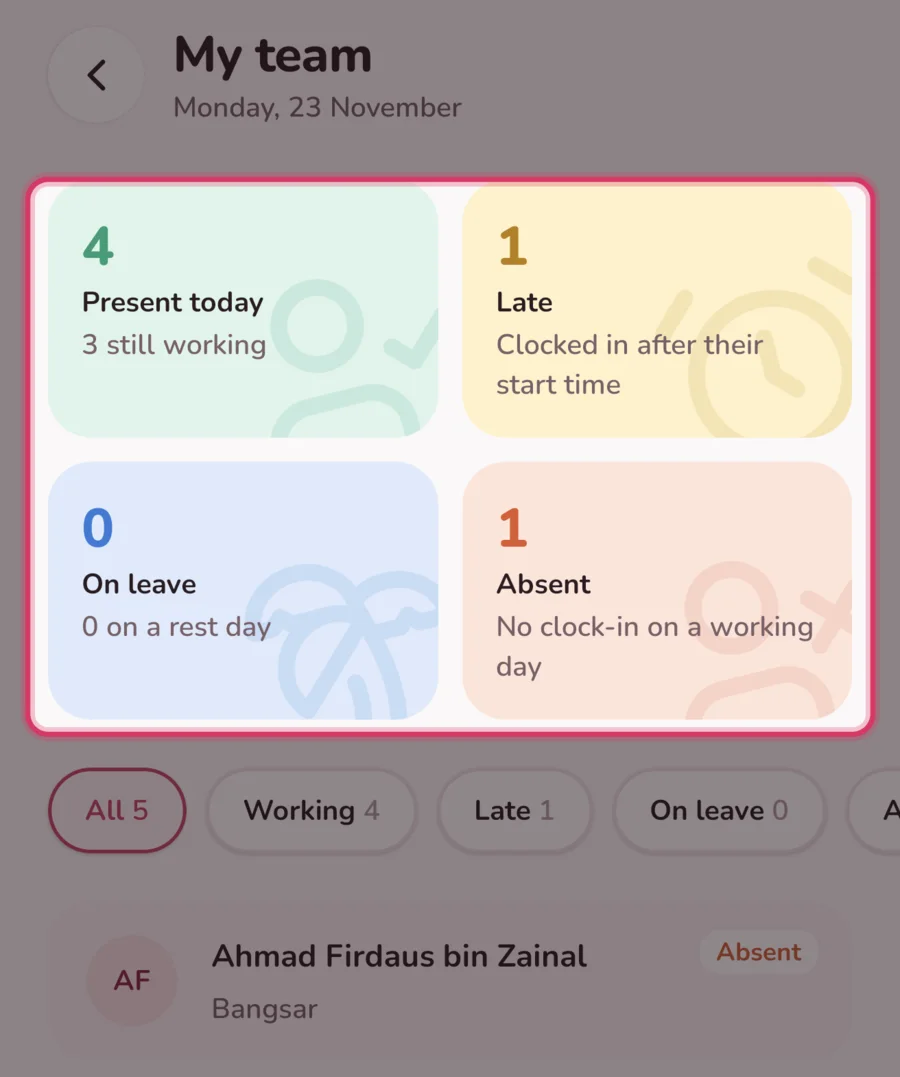
The day in numbers
Present today (and still working), late, on leave and absent.
-
3
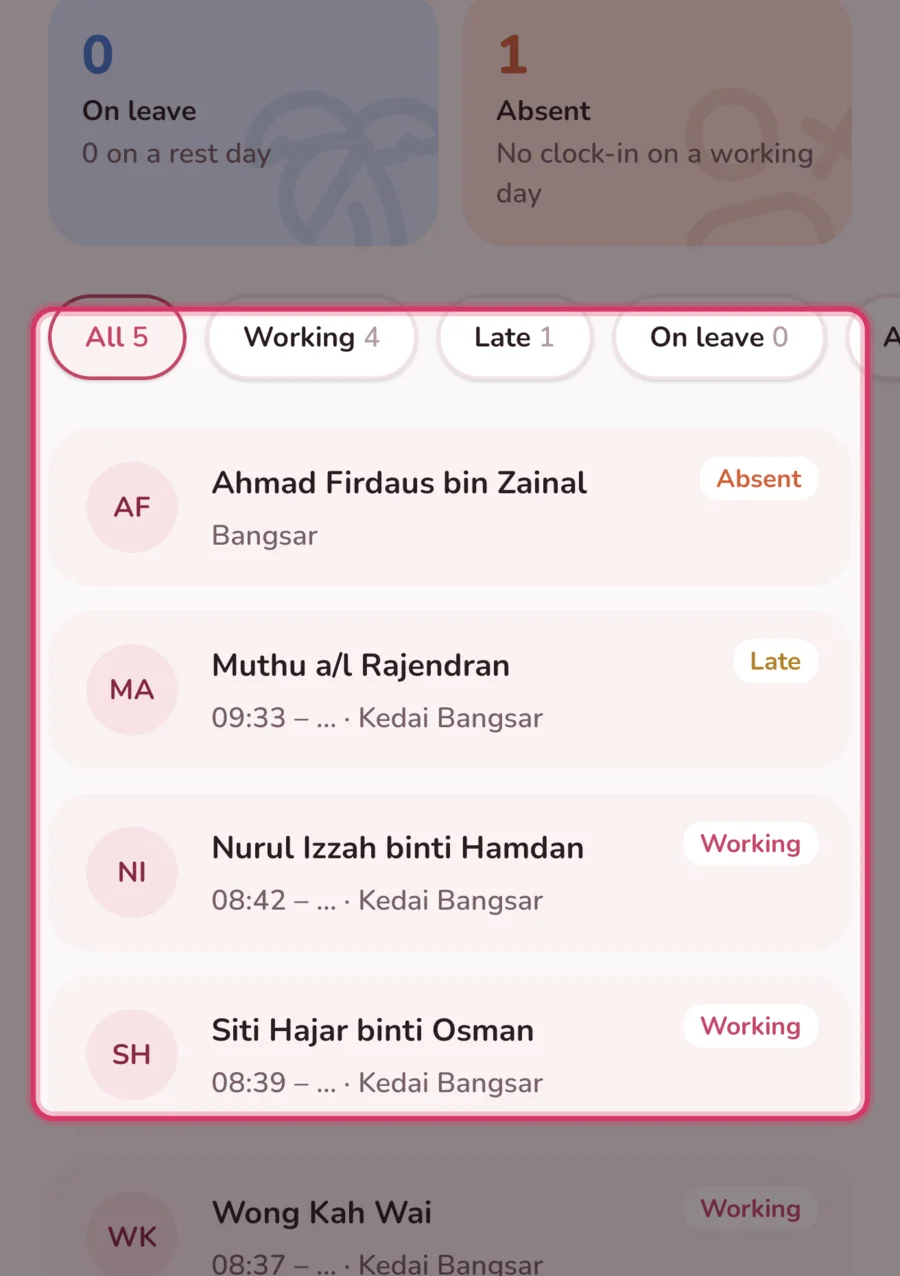
Filter the list
Tap a chip such as Late or Absent to see only them. Each person shows their clock-in time and where.
Was this guide helpful?