Add staff
Create an account for each employee so they can clock in with the app.
Branch admin
4 steps
·
3 min · Updated 22 November 2026
-
1
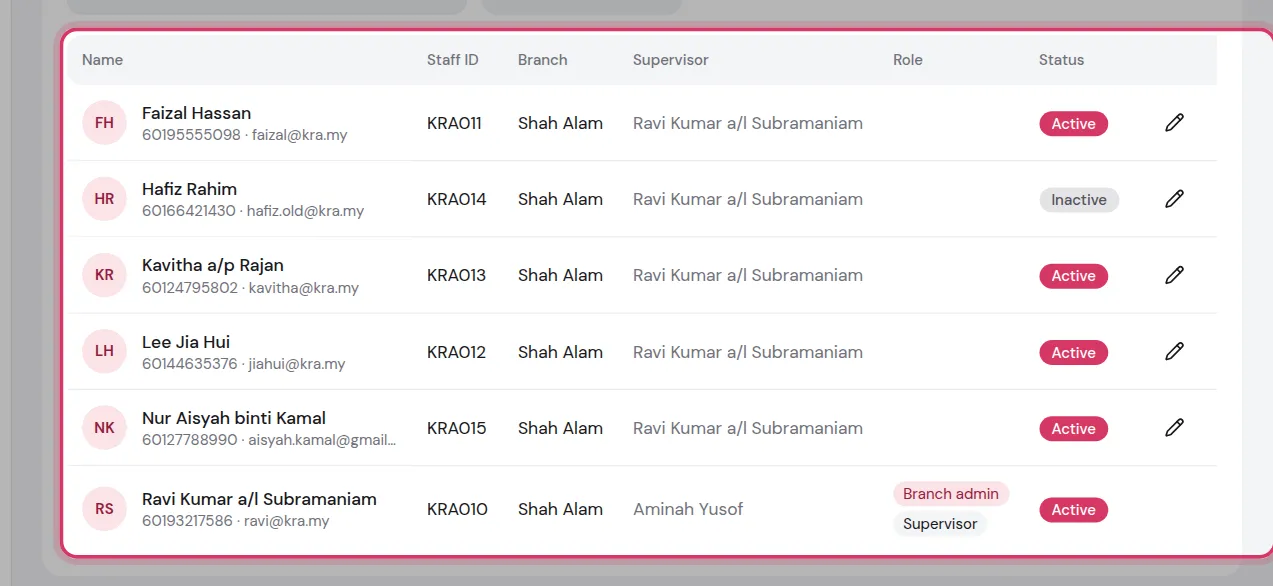
Open Branch staff
You see everyone in the branch and how many places your package has left.
-
2
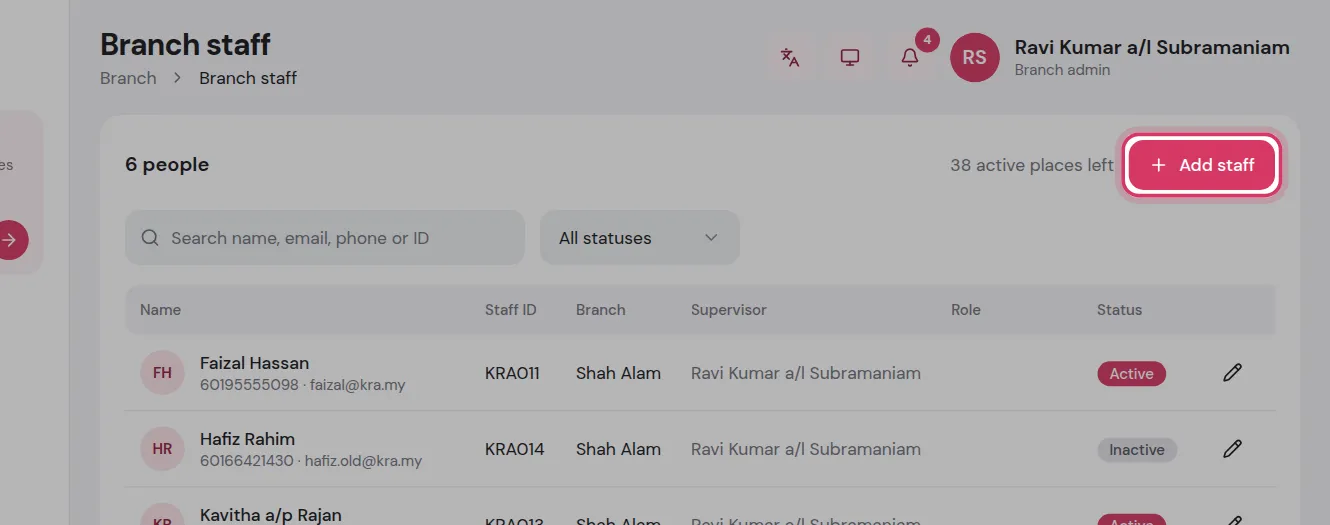
Click Add staff
The button is at the top right of the list.
-
3
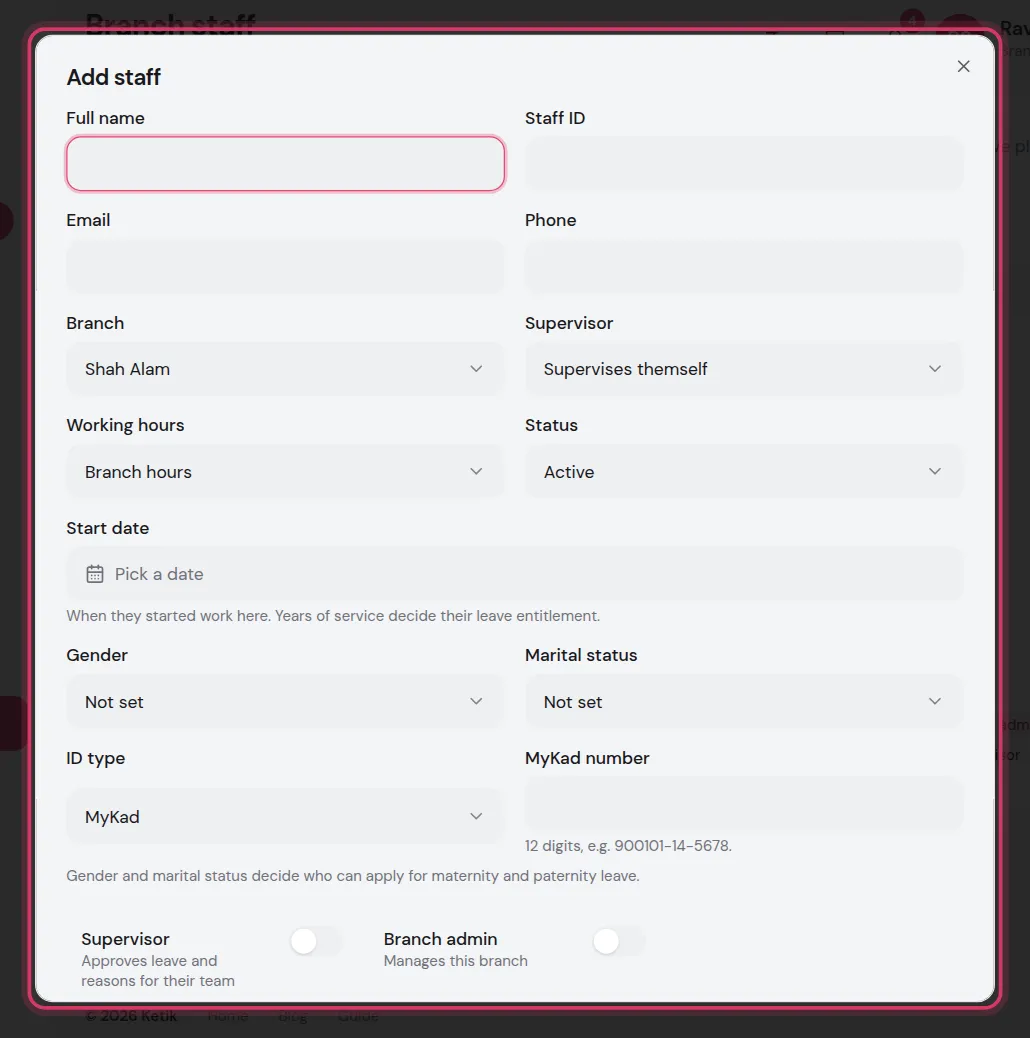
Fill in their details
Name, email, phone, staff ID, supervisor and start date (it decides their leave entitlement). Pick their hours: branch hours, a personal schedule or shifts.
Add their gender and marital status (they decide who can take maternity and paternity leave) and their MyKad or passport number, which is separate from the staff ID.
-
4
They get an email
Ketik emails a temporary password for the Ketik app, so they can download it and log in straight away. On the web they log in with their email or phone number, no password needed.
Was this guide helpful?