Work at more than one company
One login for every company you work at: choose one when you log in, switch any time.
Part-time in the morning at one company and at another at night? Keep one email or phone number for Ketik. Each company keeps its own staff ID, attendance and leave for you, and never sees the other's.
-
1
Accept the invitation
When a second company adds you, you get an email: Company added you on Ketik. Open See the invitation and click Accept. Until you do, you can't log in to that company.
-
2
Choose your workplace
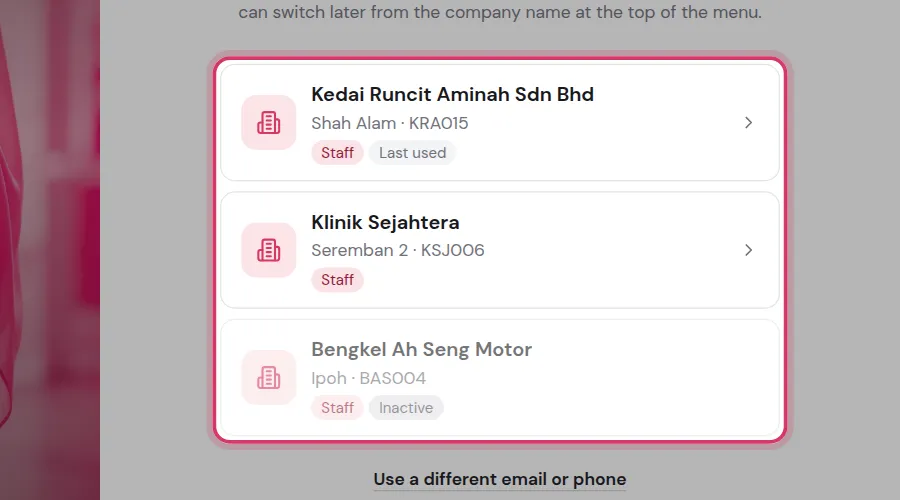
Log in with your email or phone as usual. After the code, pick the company you want. The one you used last is marked; a company where your account is inactive is greyed out.
-
3
Switch company
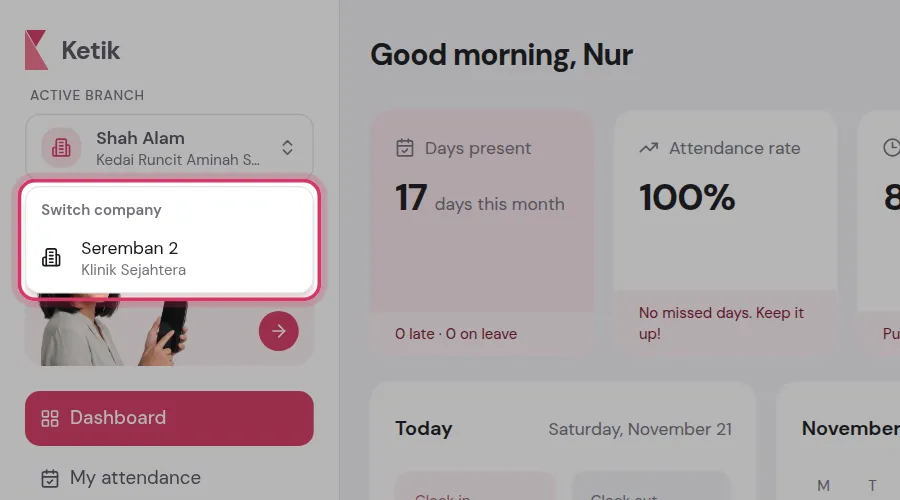
Click the company name at the top of the menu (on a phone, open the menu first), then pick the other company. You land on its dashboard.
Was this guide helpful?