See the team calendar
Your company’s public holidays for the year, and who is on leave on each day.
Staff
4 steps
·
1 min · Updated 22 November 2026
-
1
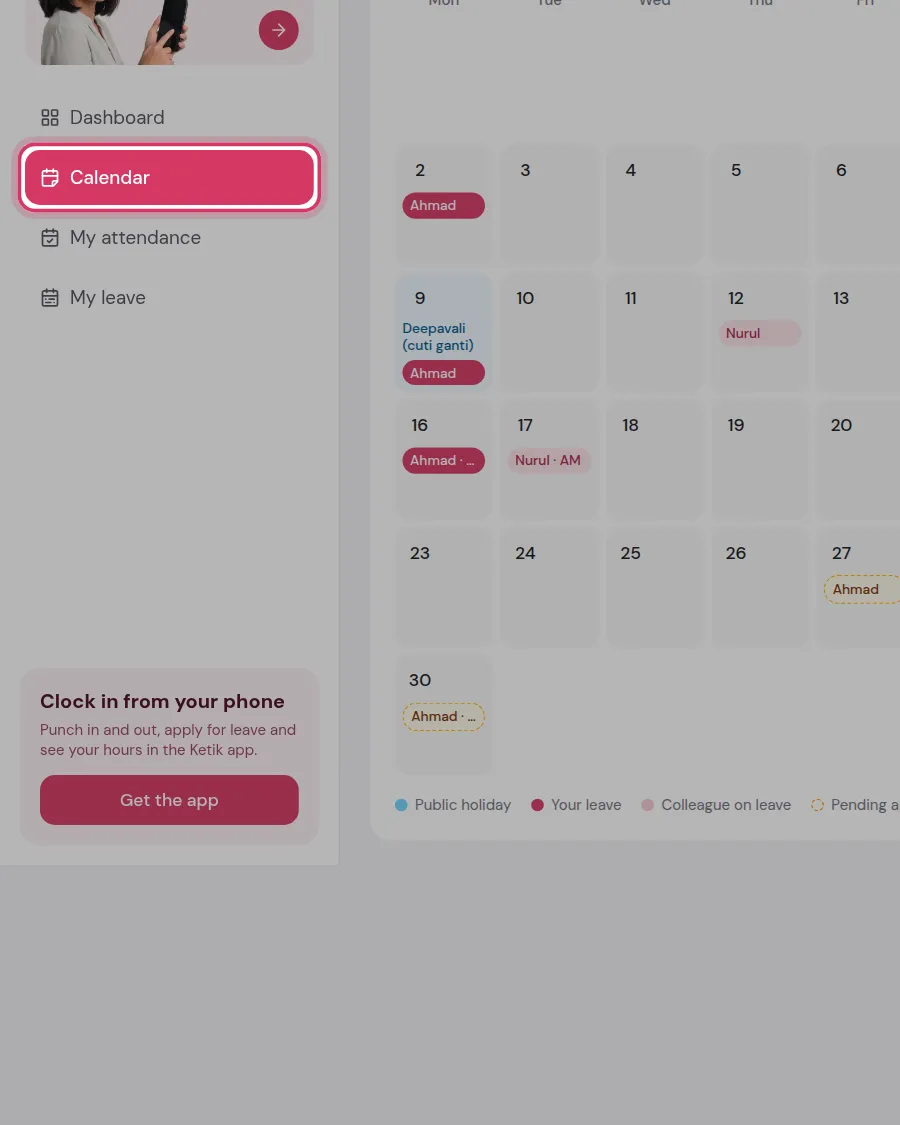
Open Calendar
Click Calendar in the menu, under Me. Use the arrows to change the month; Today brings you back.
-
2
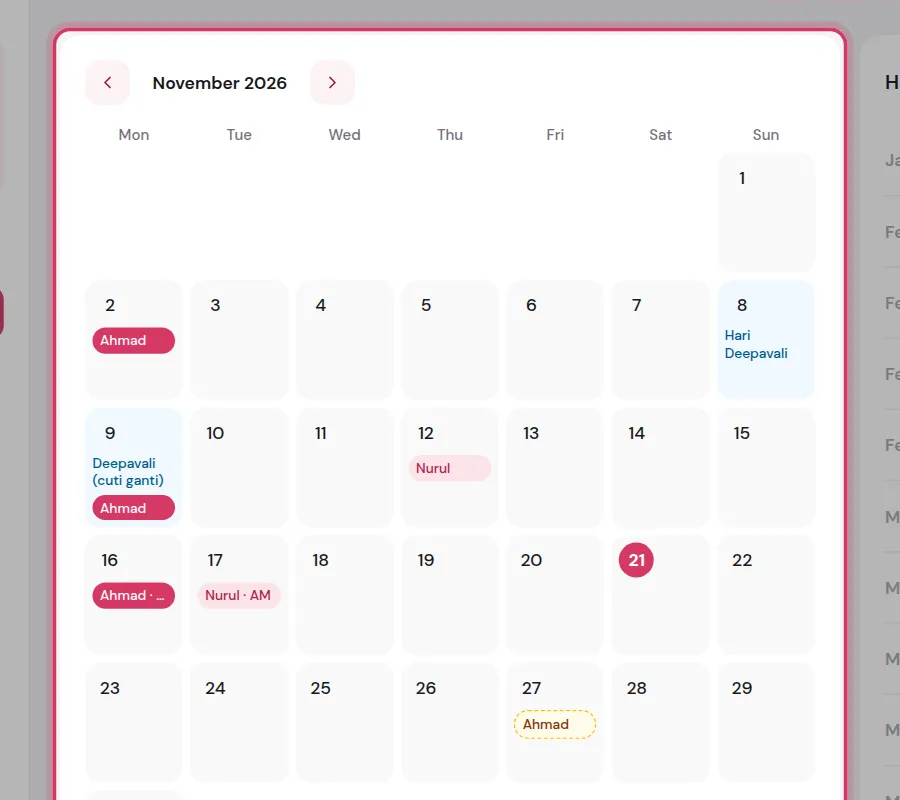
Read the month
Public holidays are blue. Your own leave is solid pink, colleagues’ leave light pink. A dashed outline is leave still waiting for approval: only you and whoever approves it see those.
-
3
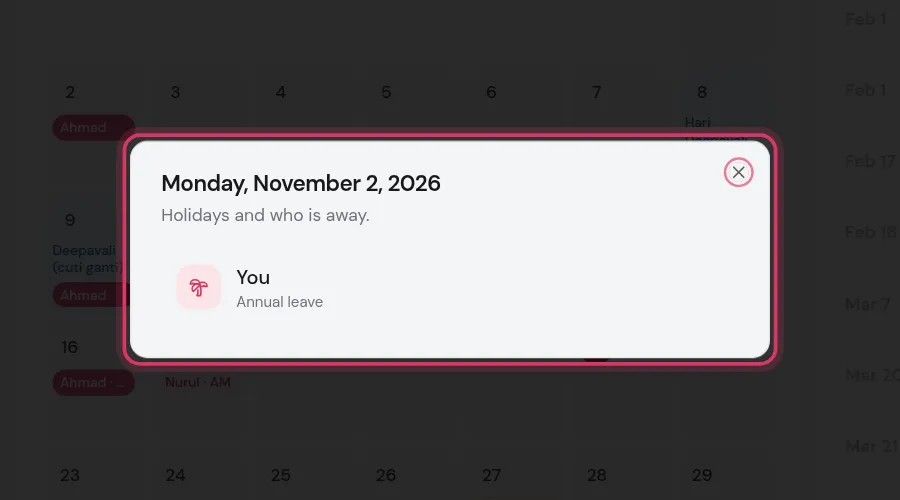
Click a day for details
See the holiday, and who is away that day with which kind of leave.
-
4
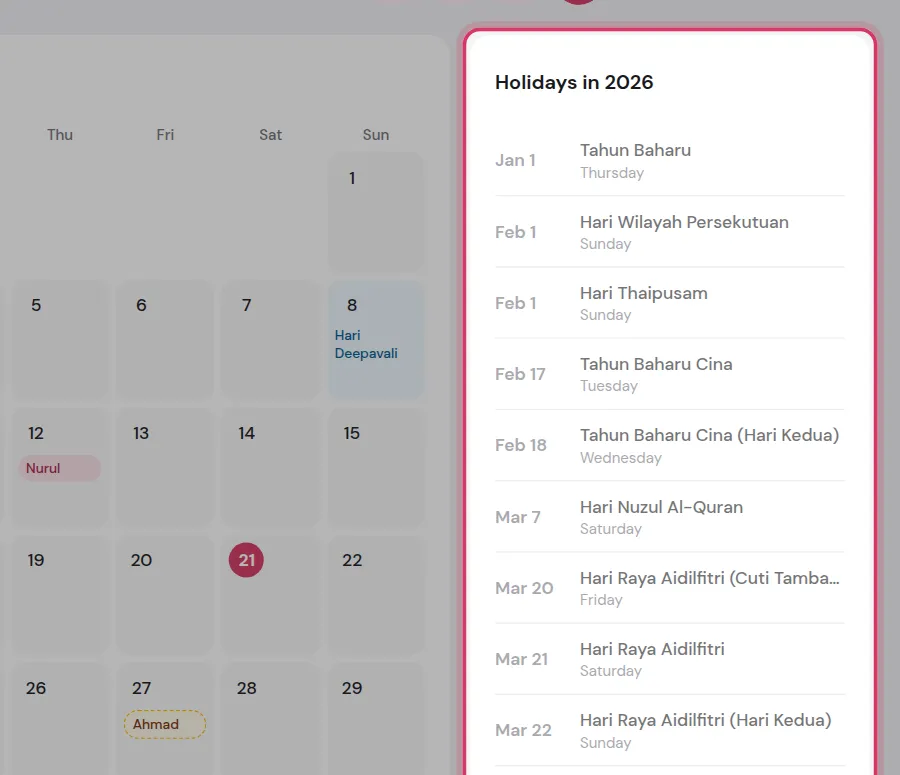
All holidays this year
The list beside the calendar has every holiday your company gives your branch this year. Click one to jump to its month.
Was this guide helpful?