Take a break in the app
Pause your working time for a break, then come back to work.
Staff
3 steps
·
1 min · Updated 29 November 2026
-
1
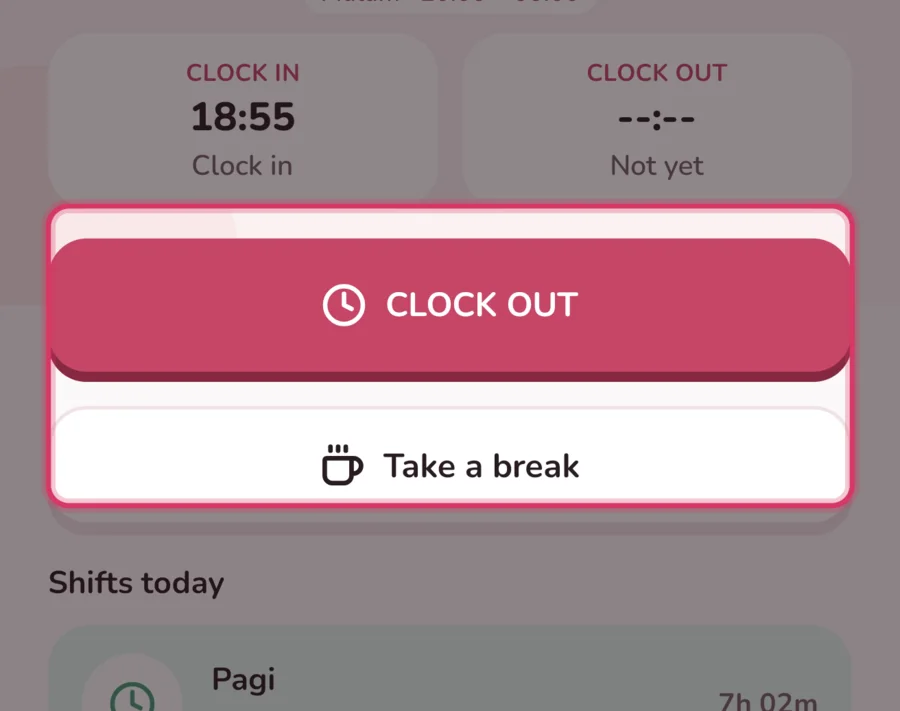
Tap Take a break
While you are at work, tap Take a break under Clock out. Ketik checks it as it checks a clock-in: your location, and your PIN, QR code or fingerprint when that is how you clock in.
-
2
Back to work
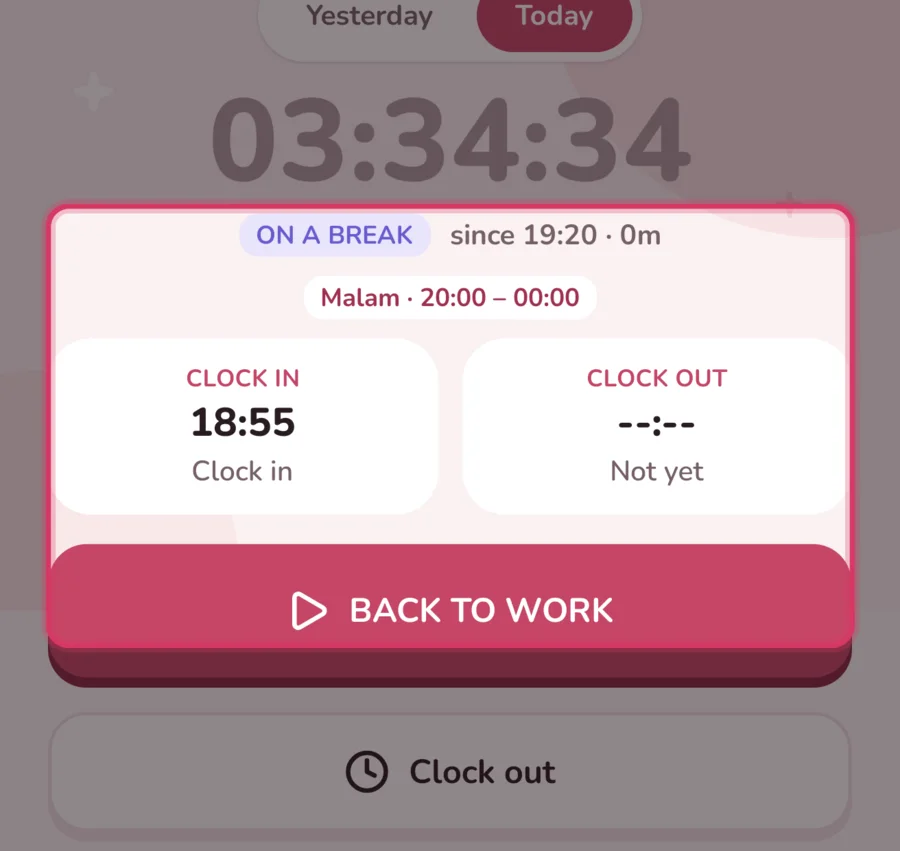
On a break the timer stands still and shows since when. Tap Back to work when you return: the break is left out of your working time.
-
3
Back after clocking out?
If you clocked out and then went back to work, tap Resume work under the card (it shows until your next working day starts). The time you were away counts as a break.
Was this guide helpful?