Check your attendance in the app
Your month on a calendar, how punctual you were, and every day’s times.
Staff
3 steps
·
2 min · Updated 29 November 2026
-
1
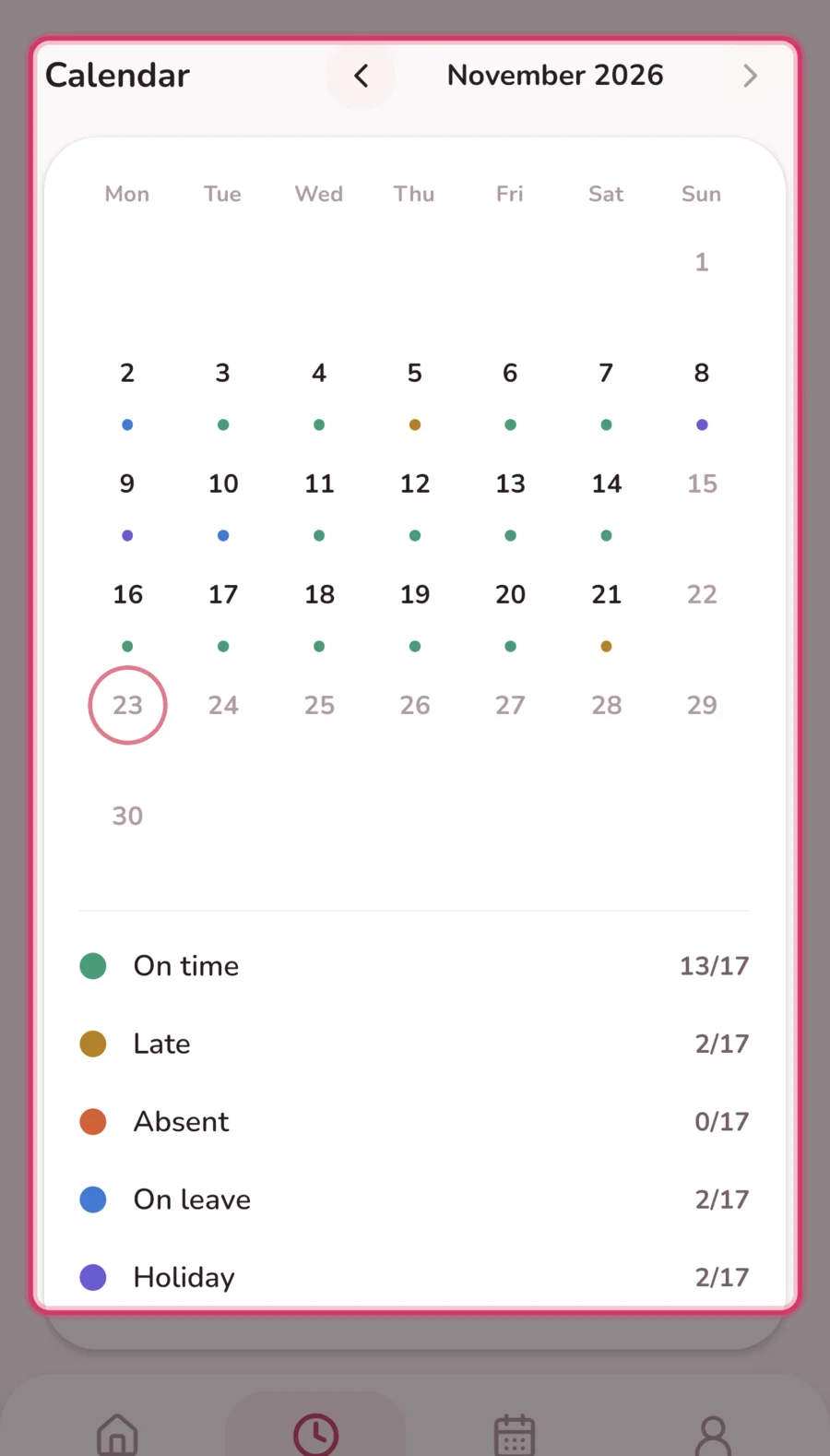
Open Attendance
Each day has a dot: on time, late, absent, on leave or a holiday. Use the arrows to see another month.
-
2
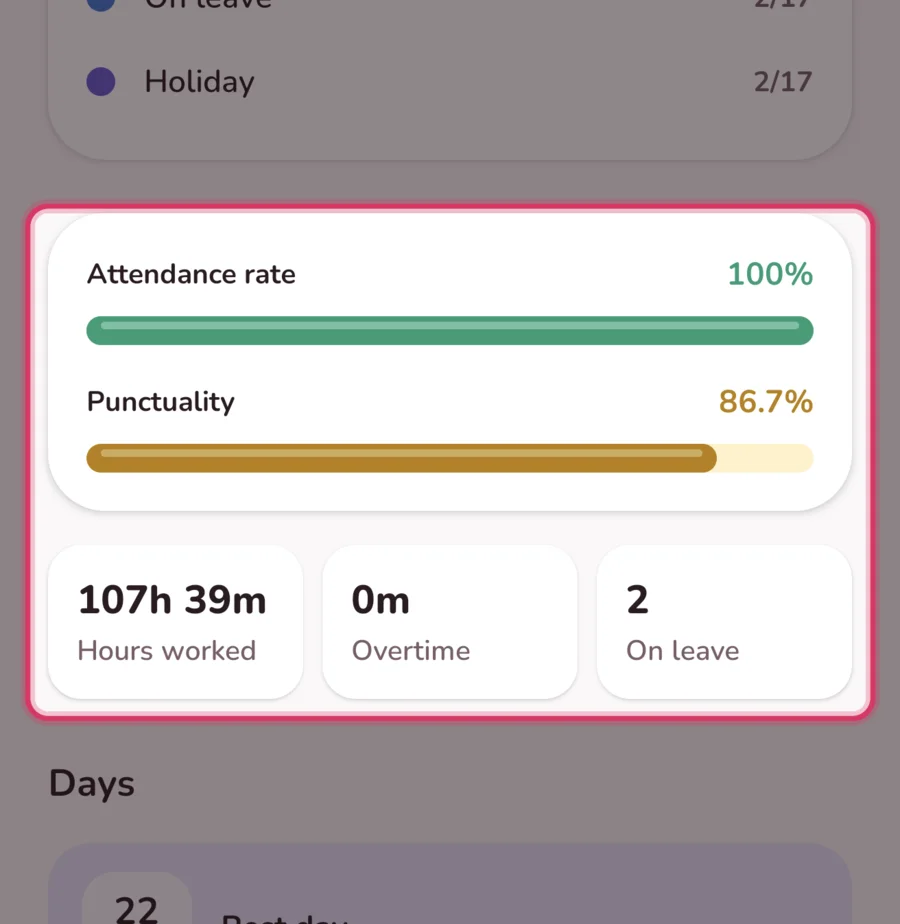
See how the month went
Attendance and punctuality, hours worked, overtime and days on leave for the month.
-
3
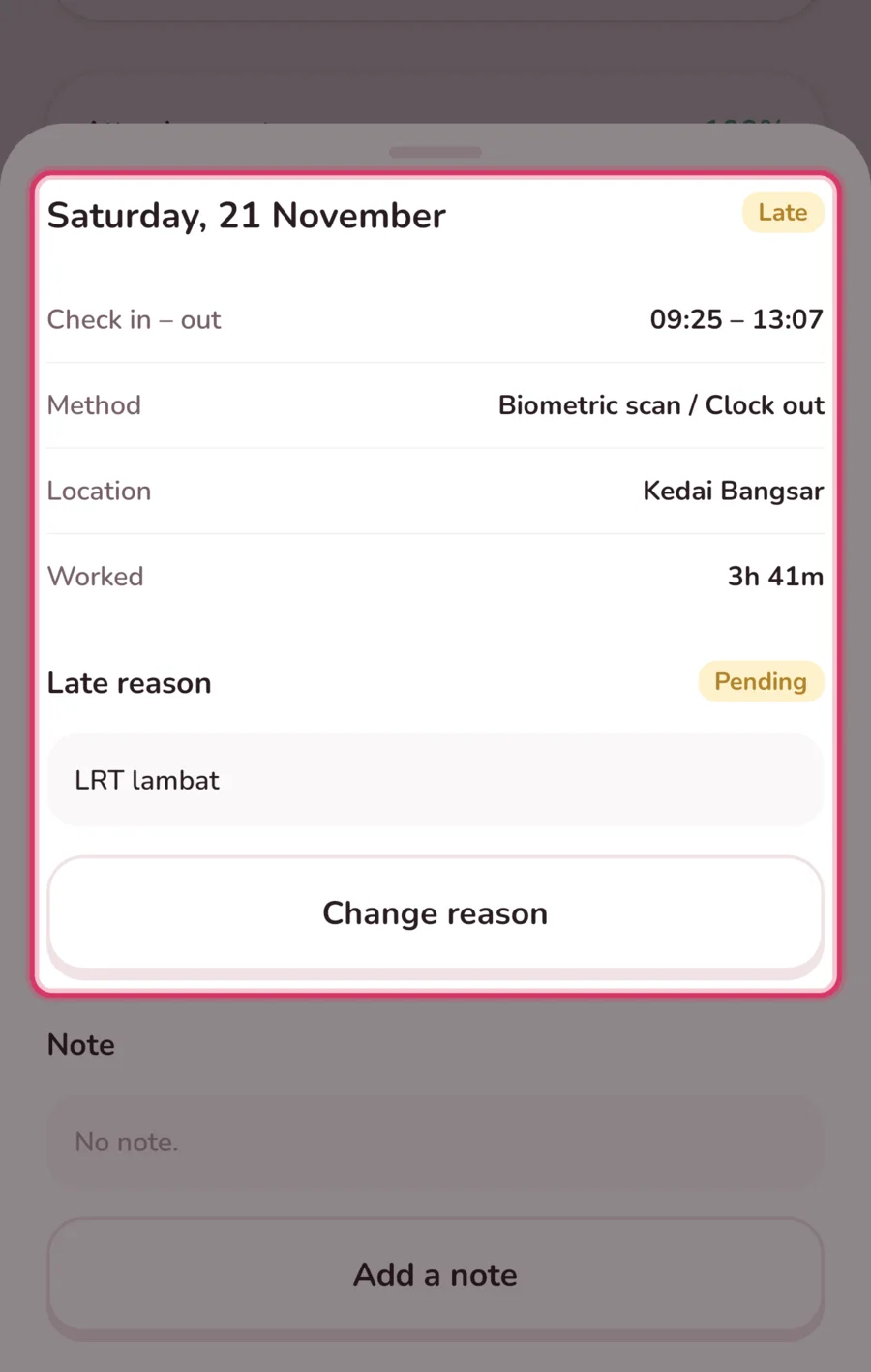
Look at a day
Under Days, tap a day for its clock-in and clock-out, where you were, and any late or early reason with its status.
Was this guide helpful?