Sign in to the Ketik app
Get the app on your phone and log in with a code: no password.
Get Ketik from the App Store, Google Play or AppGallery (or open ketik.my/download on your phone). Your company must have added you as staff first.
-
1
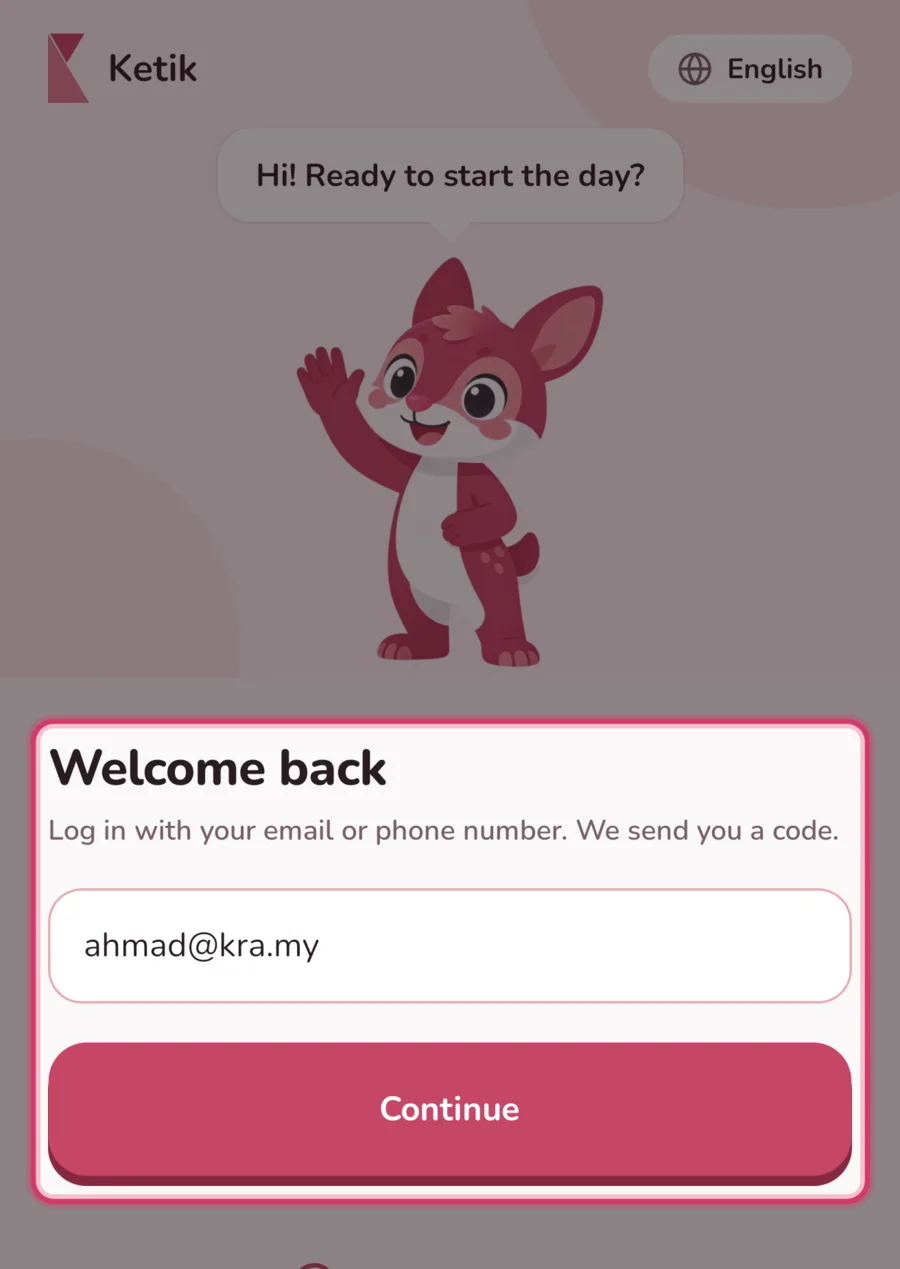
Type your email or phone number
Use the email or phone number your company has for you, then tap Continue. The language button at the top lists all nine of the app’s languages; you can change it later in Account › Language.
-
2
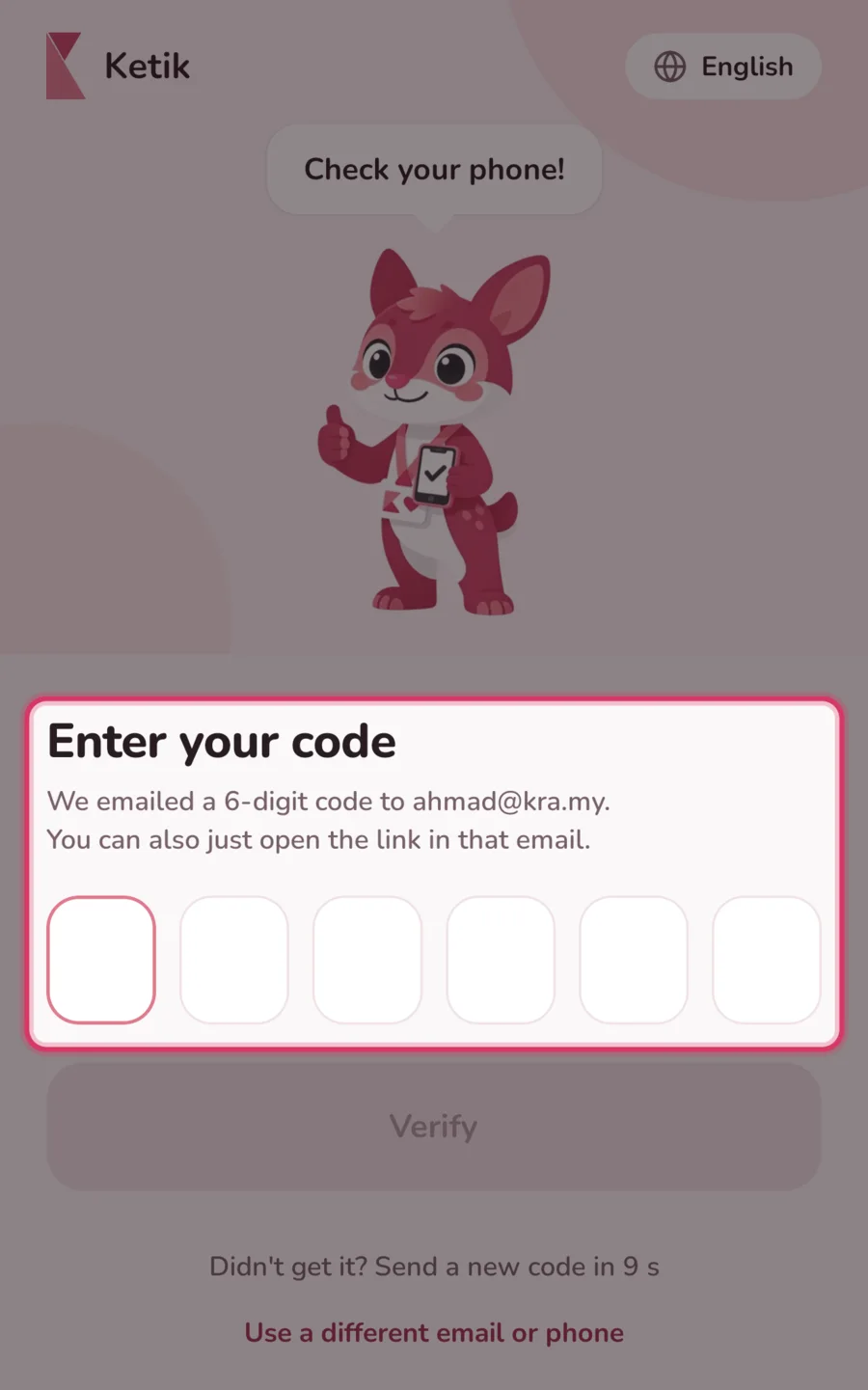
Enter the 6-digit code
Ketik sends a code by email, or by WhatsApp or SMS to your phone. Type it in: the app logs you in by itself. You can also open the link in the email on your phone.
-
3
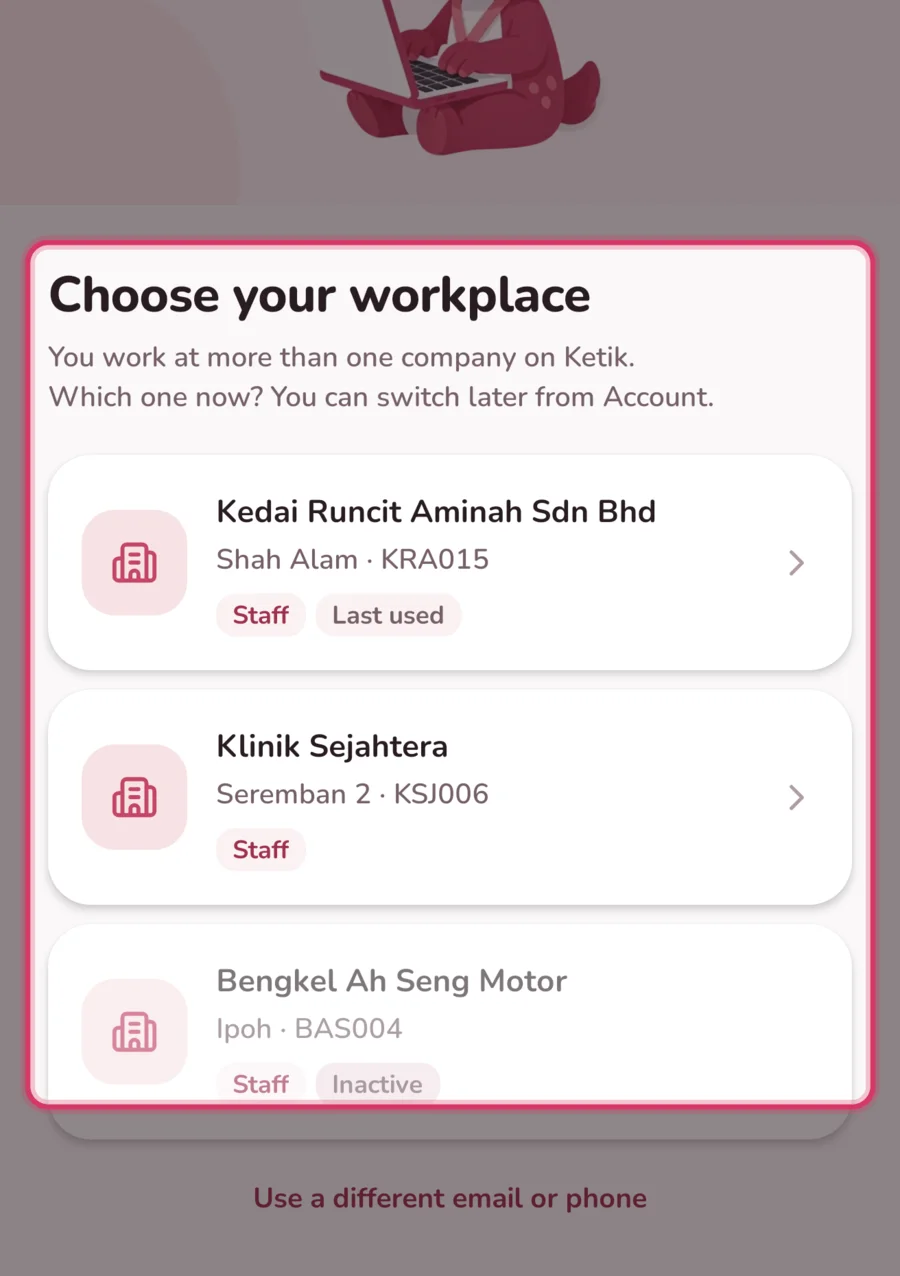
Choose your workplace
Only if you work at more than one company on Ketik: tap the one you are working at now. You can switch later from Account.
-
4
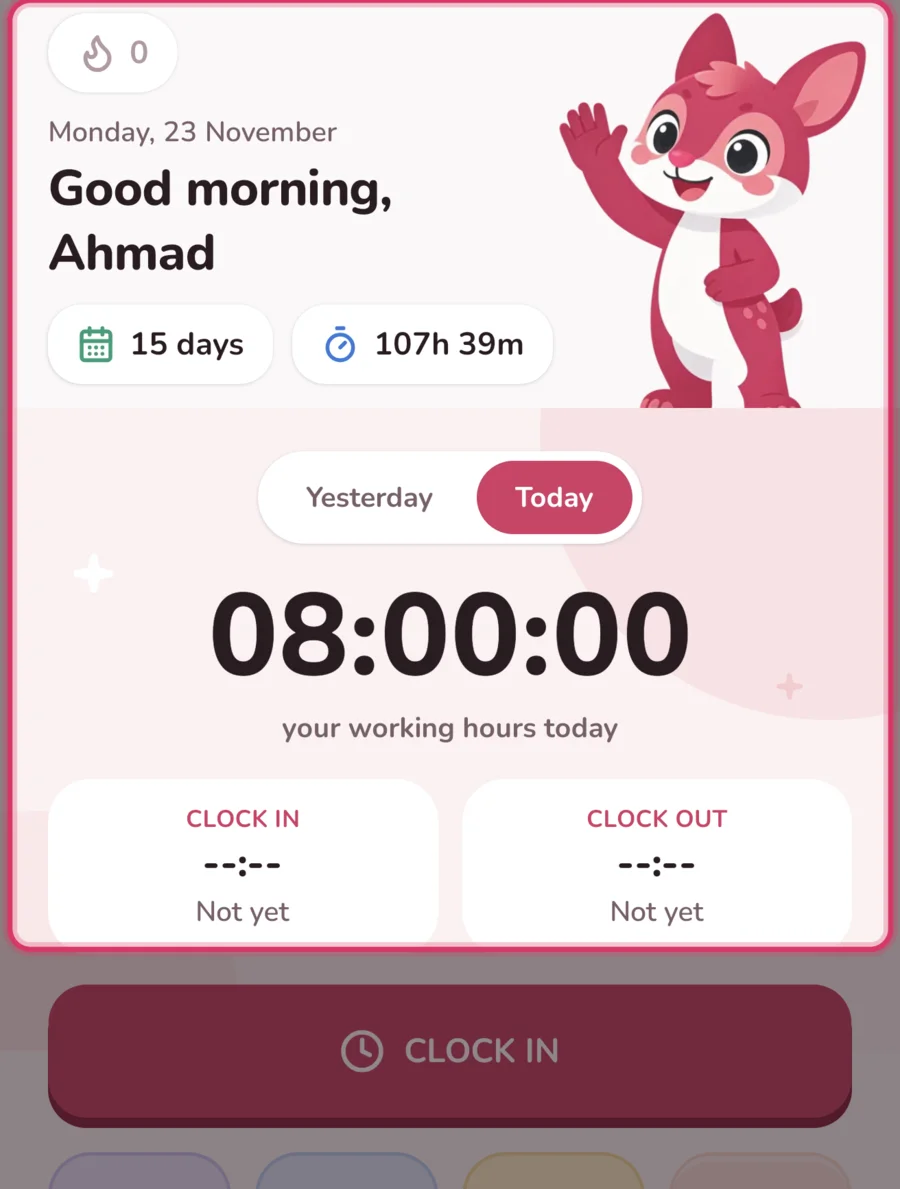
You are in
Home shows your day: your working hours, clock in and out, and announcements. You stay logged in until you log out (or after 6 months without opening the app).
Was this guide helpful?