Work shifts in the app
Clock in to the right shift, work more than one shift a day, and what happens when you work straight on.
For staff on shifts. You can work any of your branch’s shifts, and more than one on the same day: each shift you work is its own record.
-
1
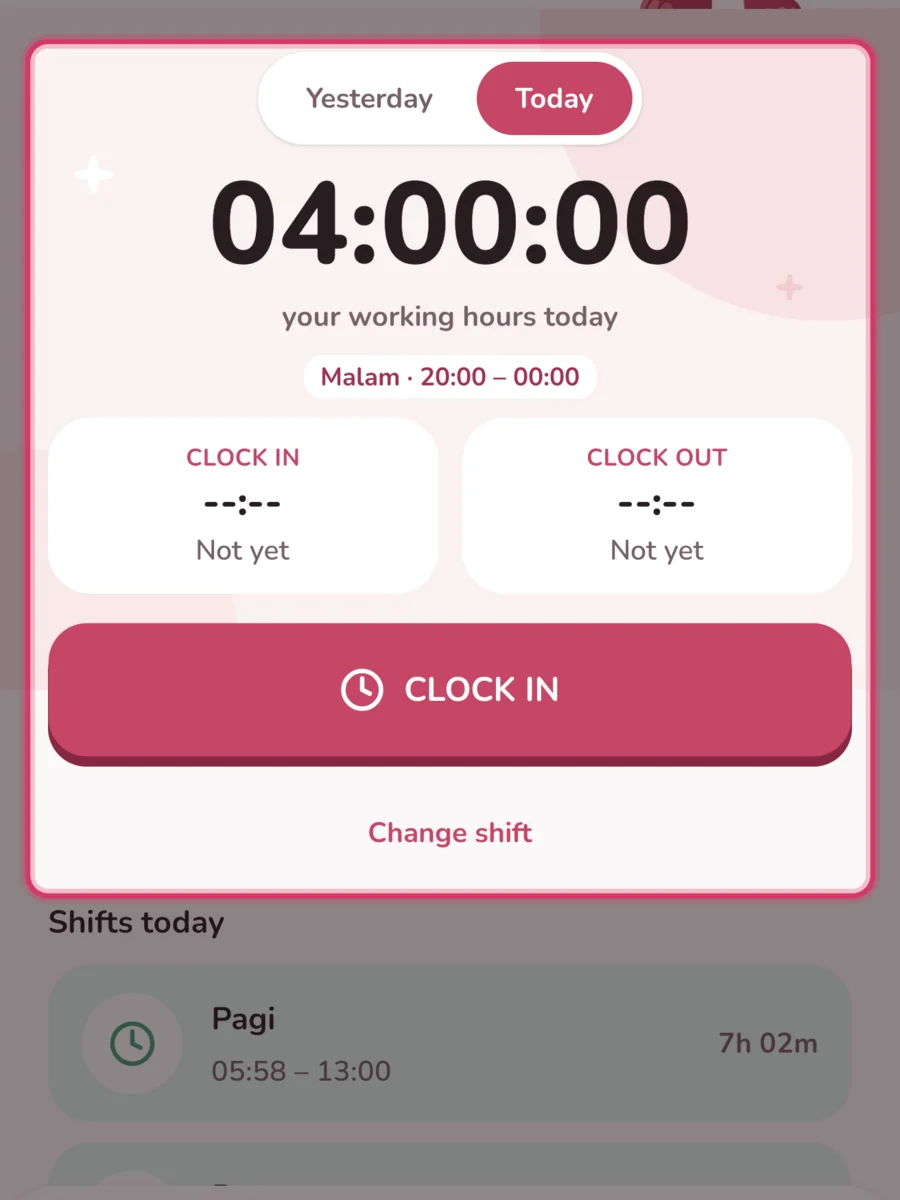
See which shift is next
Under the timer, Home shows the shift you are working, or the one Clock in will start, with its hours. Ketik picks the shift that starts closest to now.
-
2
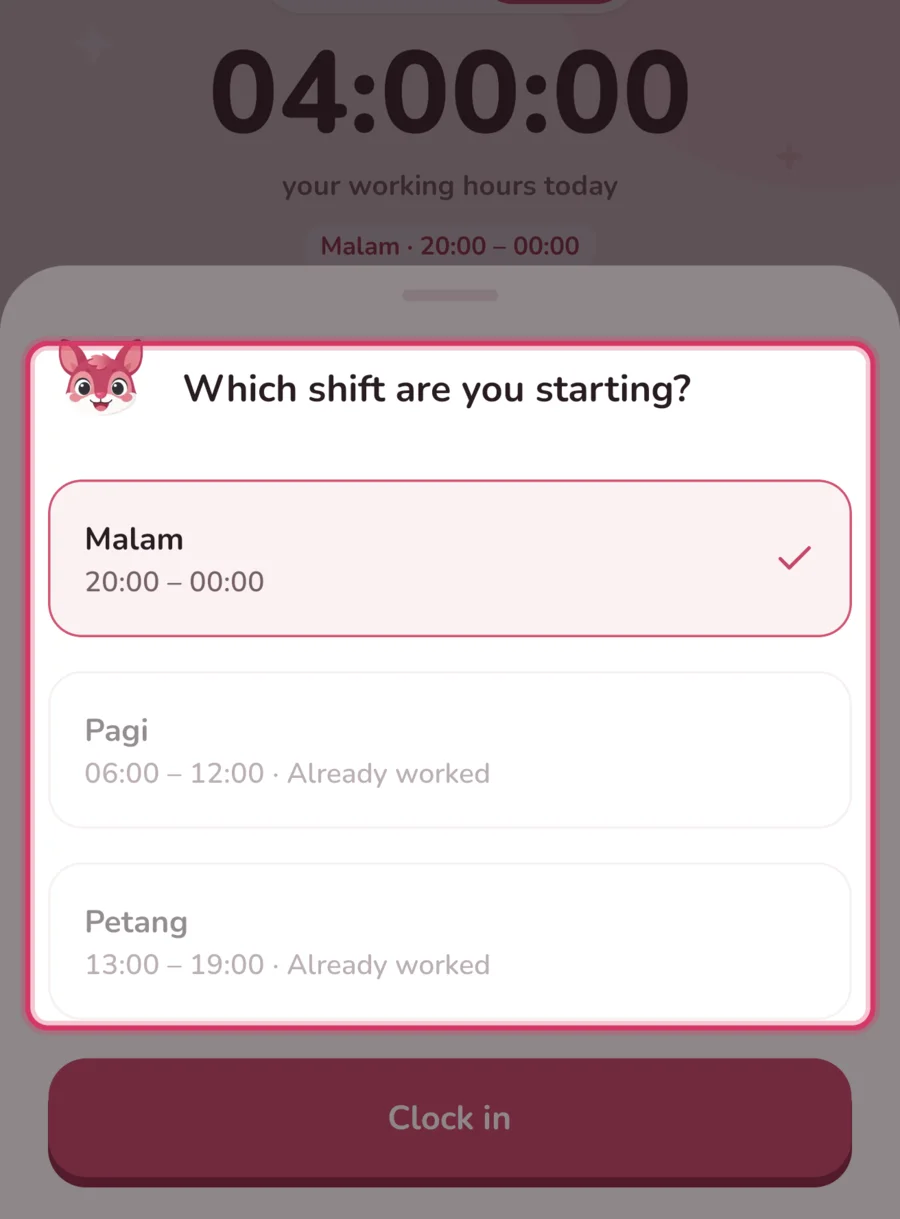
Start another shift
Tap Change shift, pick the shift and tap Clock in. Shifts you have already worked that day are greyed out. When two shifts start at the same time, the app asks which one first.
-
3
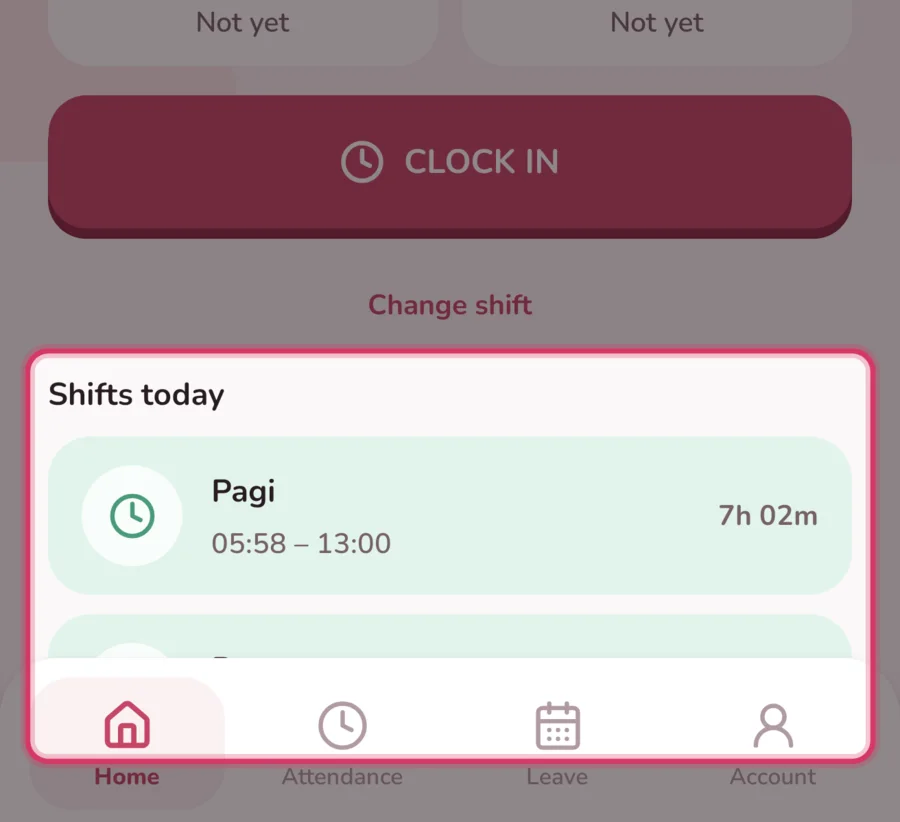
More than one shift a day
Clock out at the end of each shift and clock in again for the next. Shifts today under the card lists each one with its times and hours; a shift that still needs a reason has Give a reason on its row.
-
4
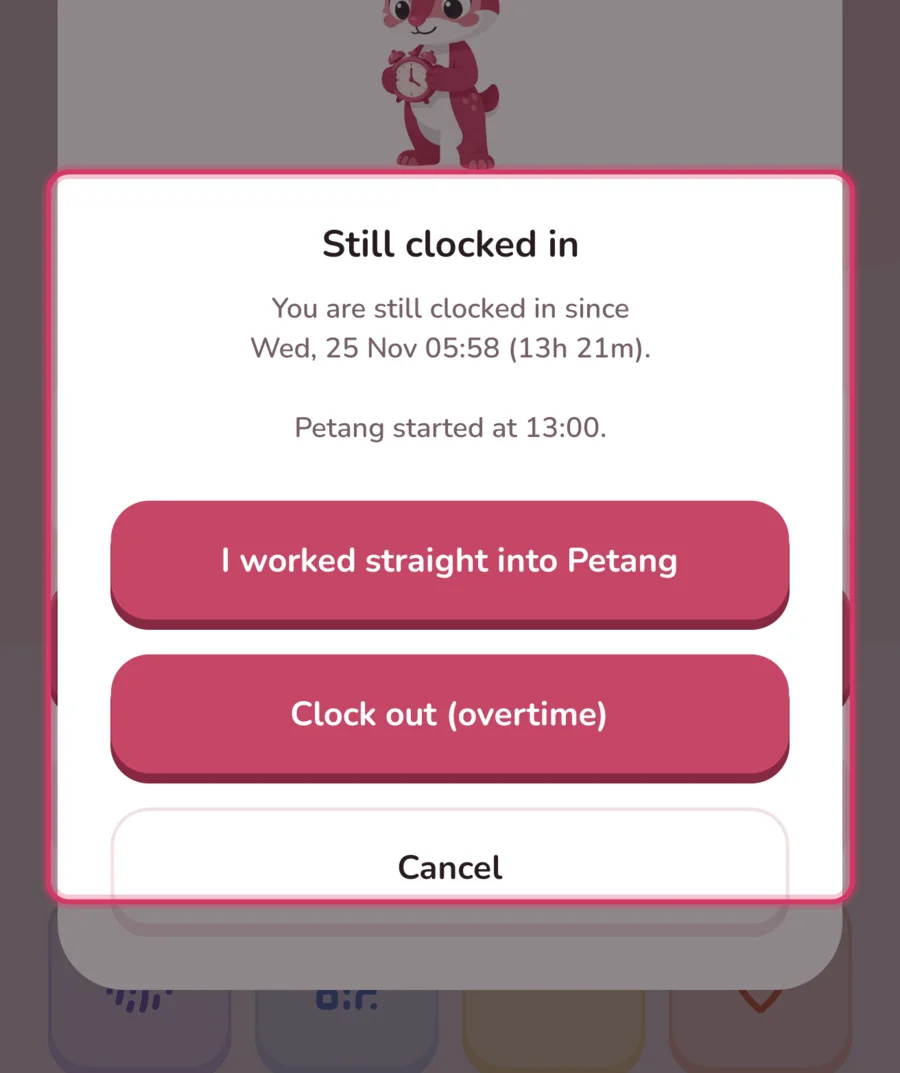
Worked straight into the next shift?
Clock out an hour or more after your shift ended, once the next shift has begun, and the app asks how to record it. I worked straight into … makes one record per shift; you can also stay clocked in for the next shift, clock out with overtime, or start the next shift if you forgot to clock out (that earlier record then needs a reason).
Was this guide helpful?