Give a reason or add a note in the app
Explain a late arrival, an early leave or an absence, and keep a note on any day.
Staff
4 steps
·
2 min · Updated 29 November 2026
-
1
Find the days that need one
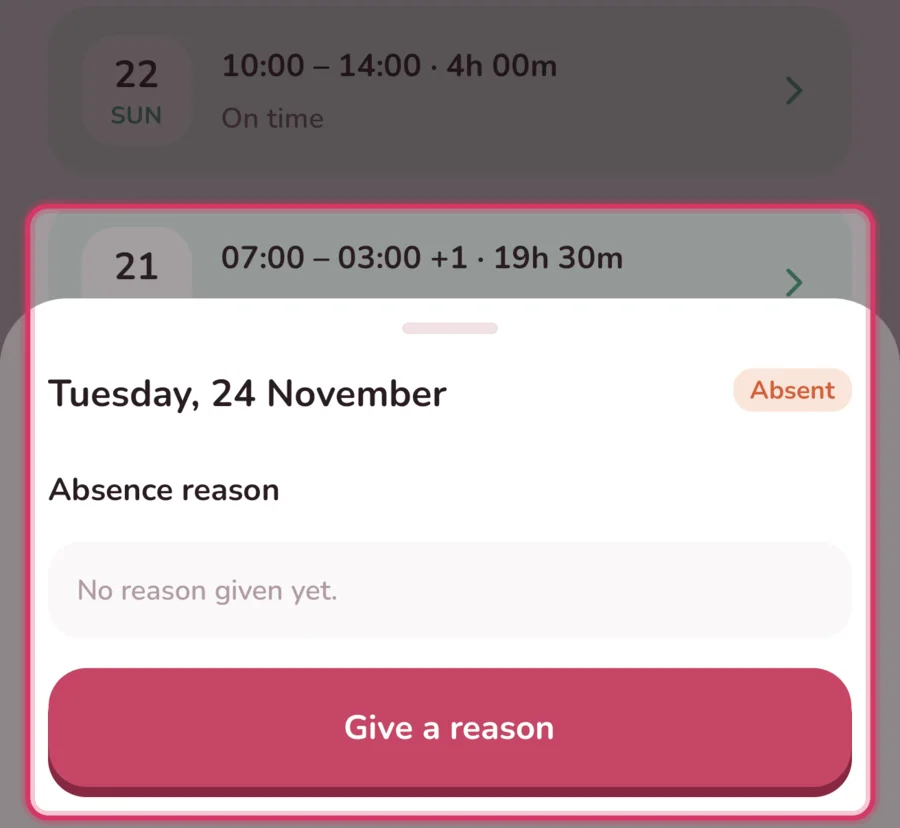
In Attendance, days that still need a reason say Reason needed. Tap one: the day shows which reason is missing and Give a reason.
-
2
Write it and send
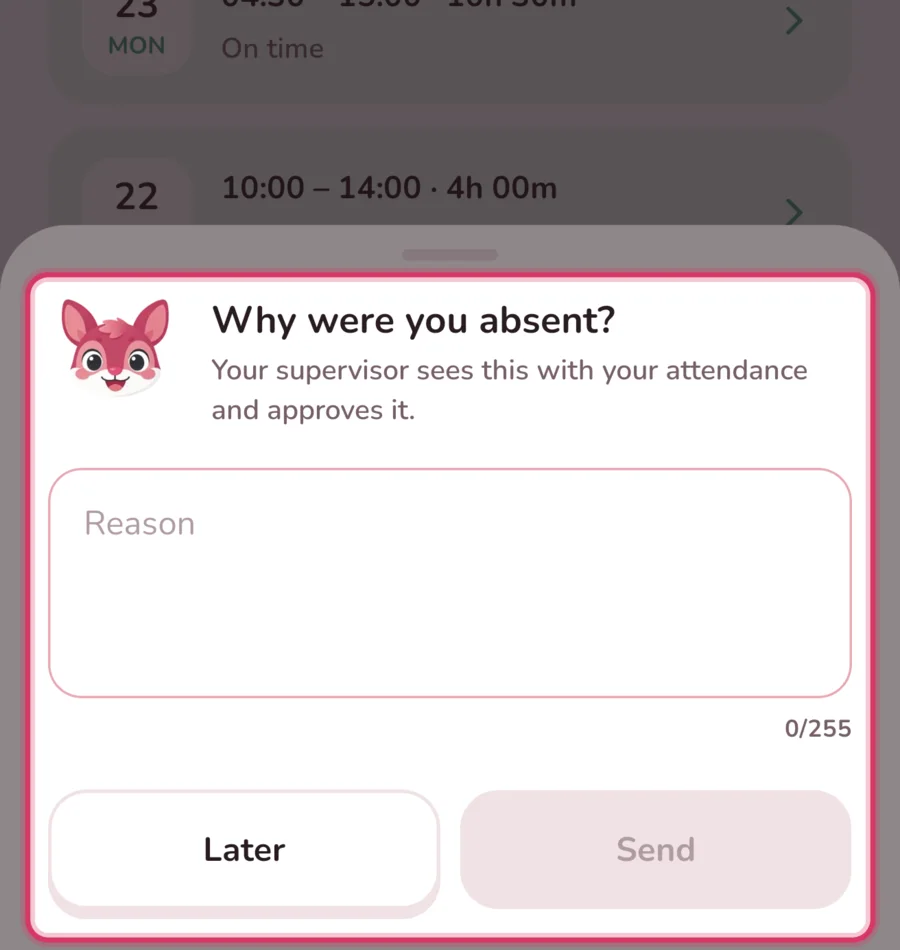
Type what happened and tap Send. Your supervisor sees it with your attendance and approves or rejects it. Later leaves it for another time.
-
3
Days with several shifts
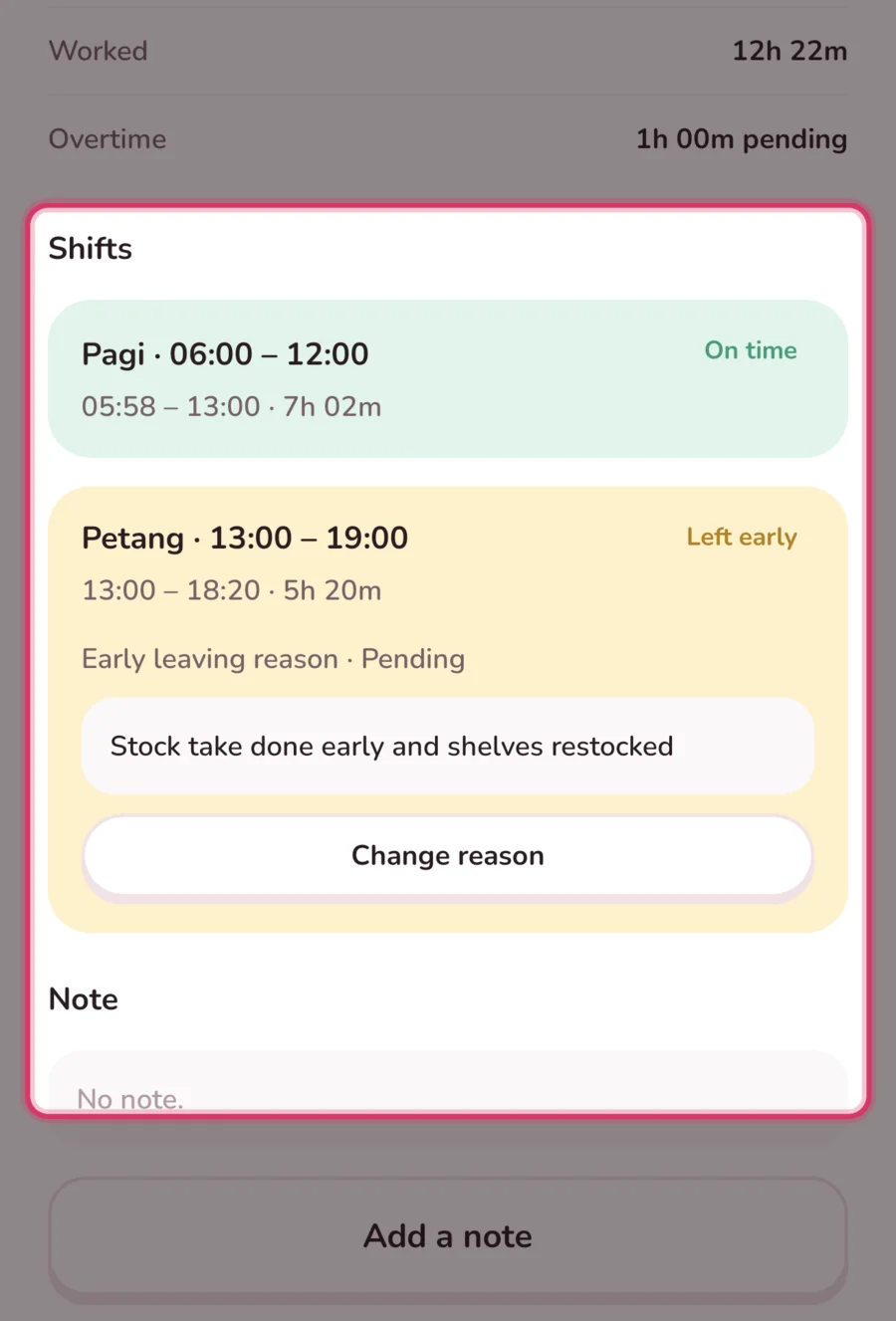
Each shift has its own reason. The day lists its Shifts, each with its times and status, and the reason under the shift it is for, with Give a reason or Change reason.
-
4
Add a note
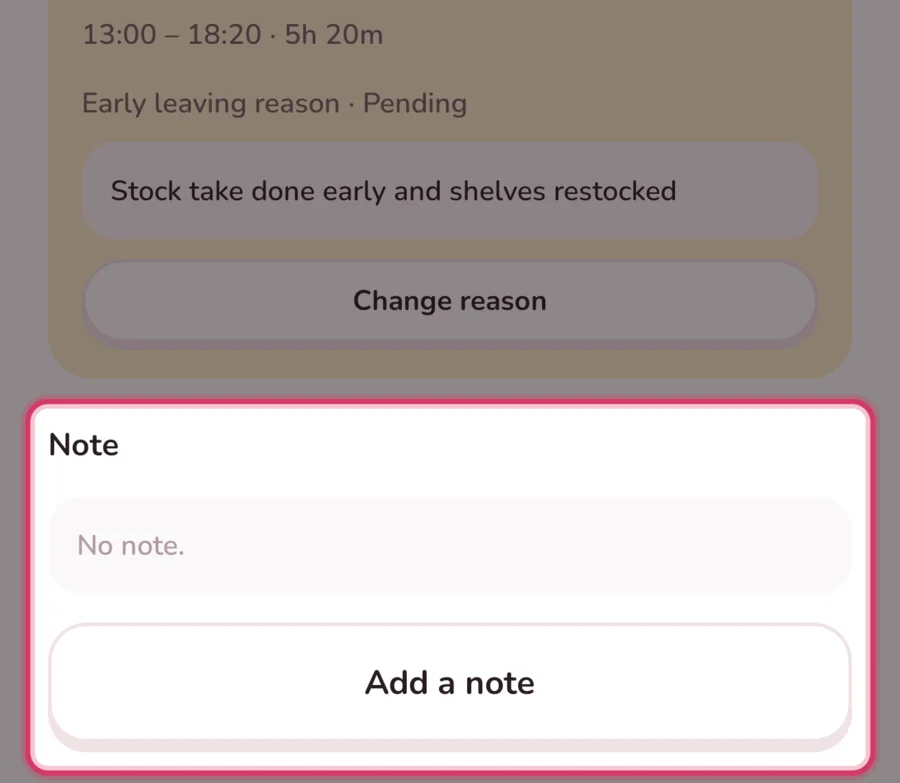
Under Note, tap Add a note to remember something about the day. Your supervisor can see it.
Was this guide helpful?