Apply for leave and time-off in the app
See what you have left, apply for leave or a short time-off, and cancel while it is pending.
Staff
4 steps
·
3 min · Updated 29 November 2026
-
1
Check your balance
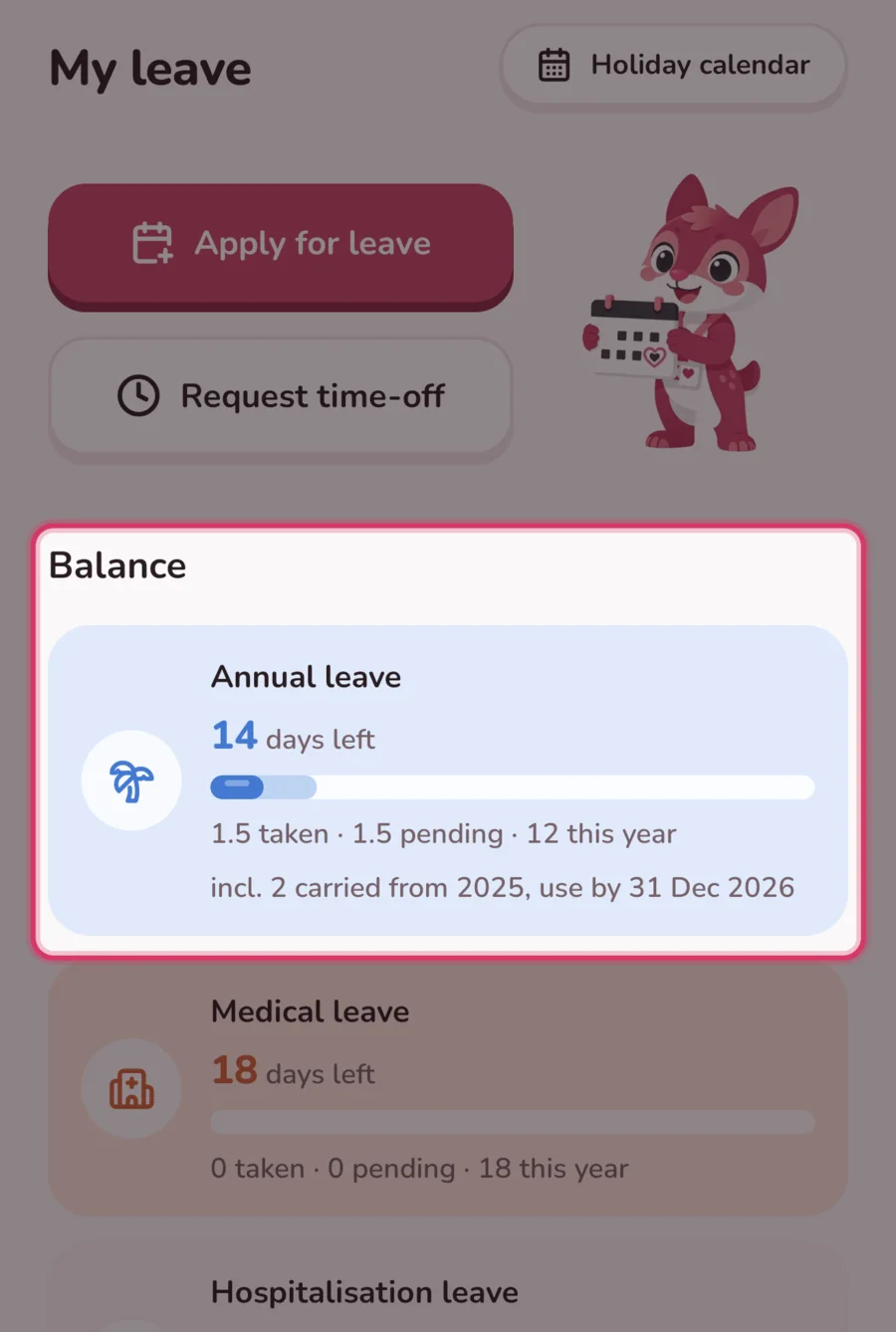
Open Leave. Each leave type shows the days left, taken and pending this year. Holiday calendar shows public holidays and who is on leave.
-
2
Apply for leave
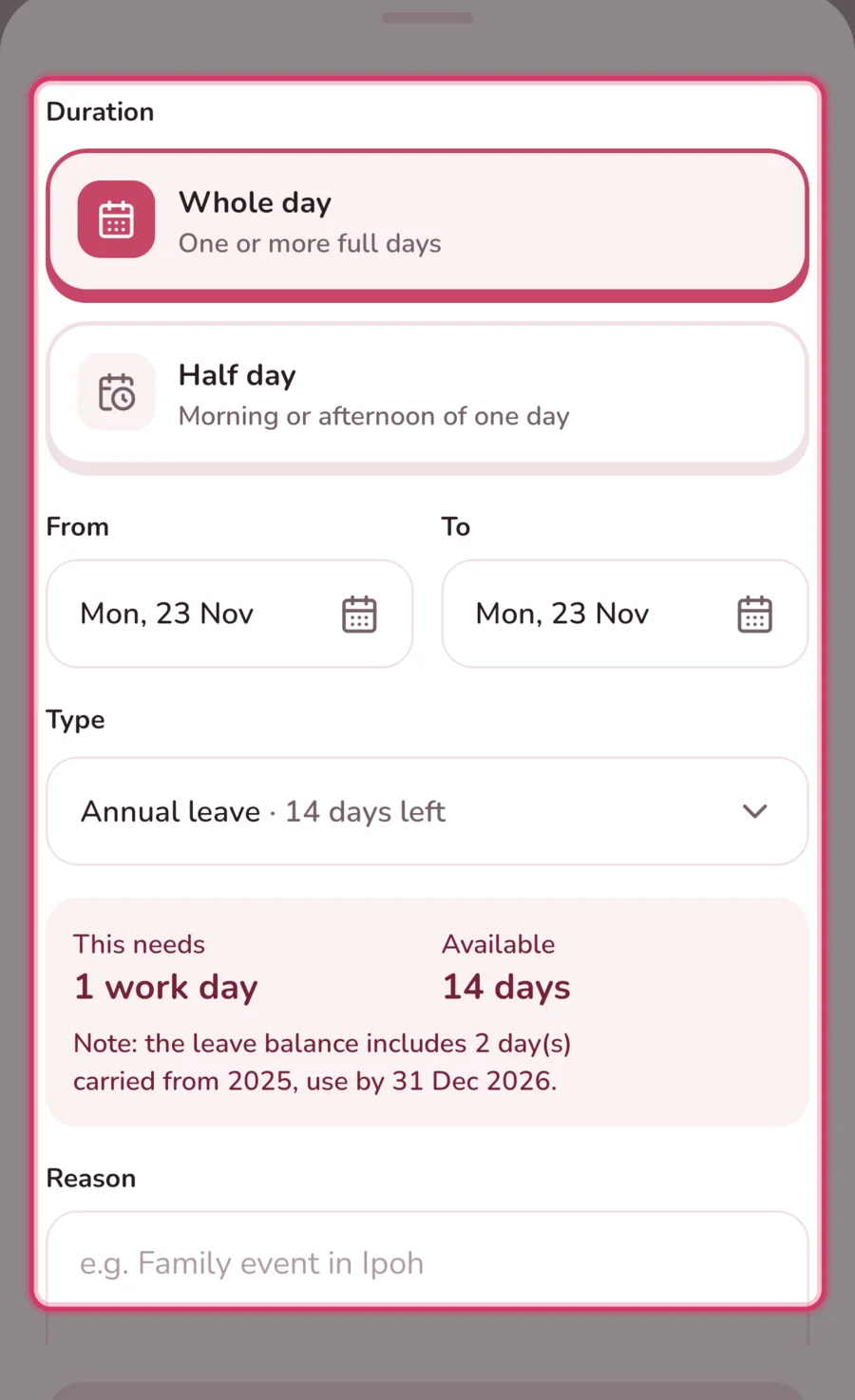
Tap Apply for leave. Choose a whole day or half a day, the dates and the type: the app shows how many work days it takes and what is left. Add a reason (and a document such as an MC if asked), then Send for approval.
-
3
Request time-off for a few hours
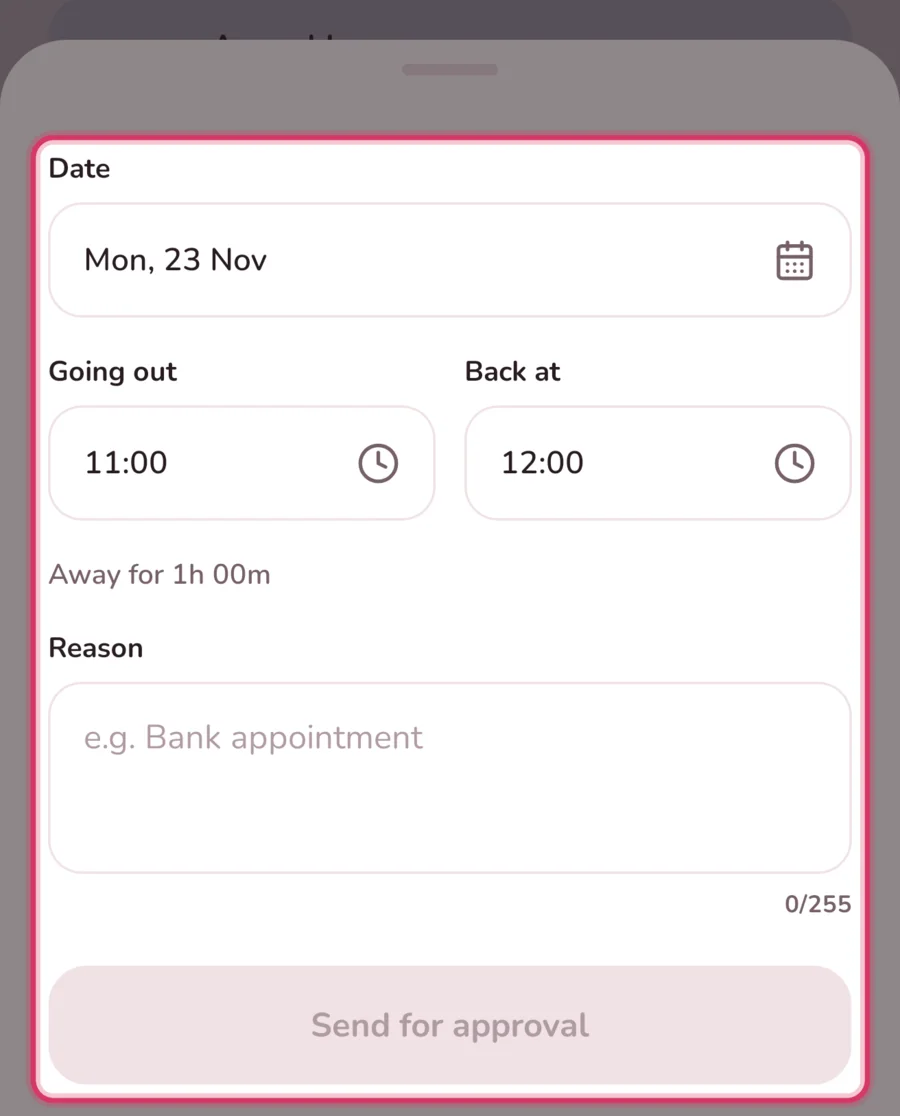
Tap Request time-off, pick the day, when you go out and when you are back, and why. One a day.
-
4
Follow your requests
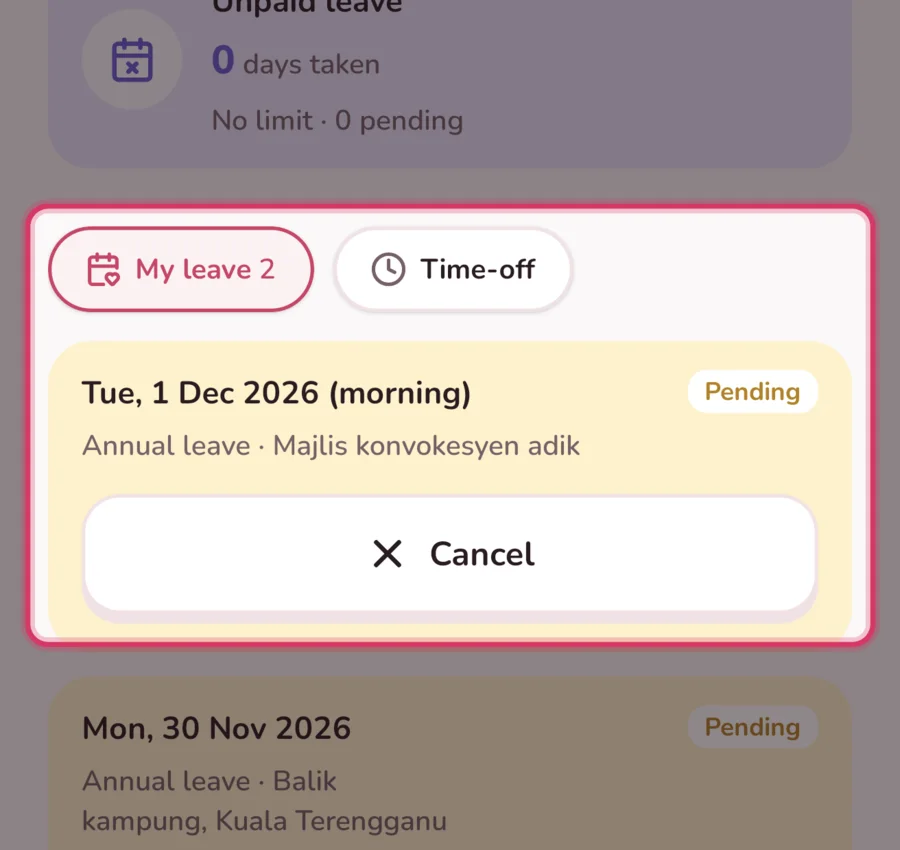
Your requests are listed under the balance with their status. Cancel withdraws one still pending. You get a notification when it is decided.
Was this guide helpful?